
In This Article
Why Sit and Stand Desk Legs Are the Smartest Desk Upgrade in 2026
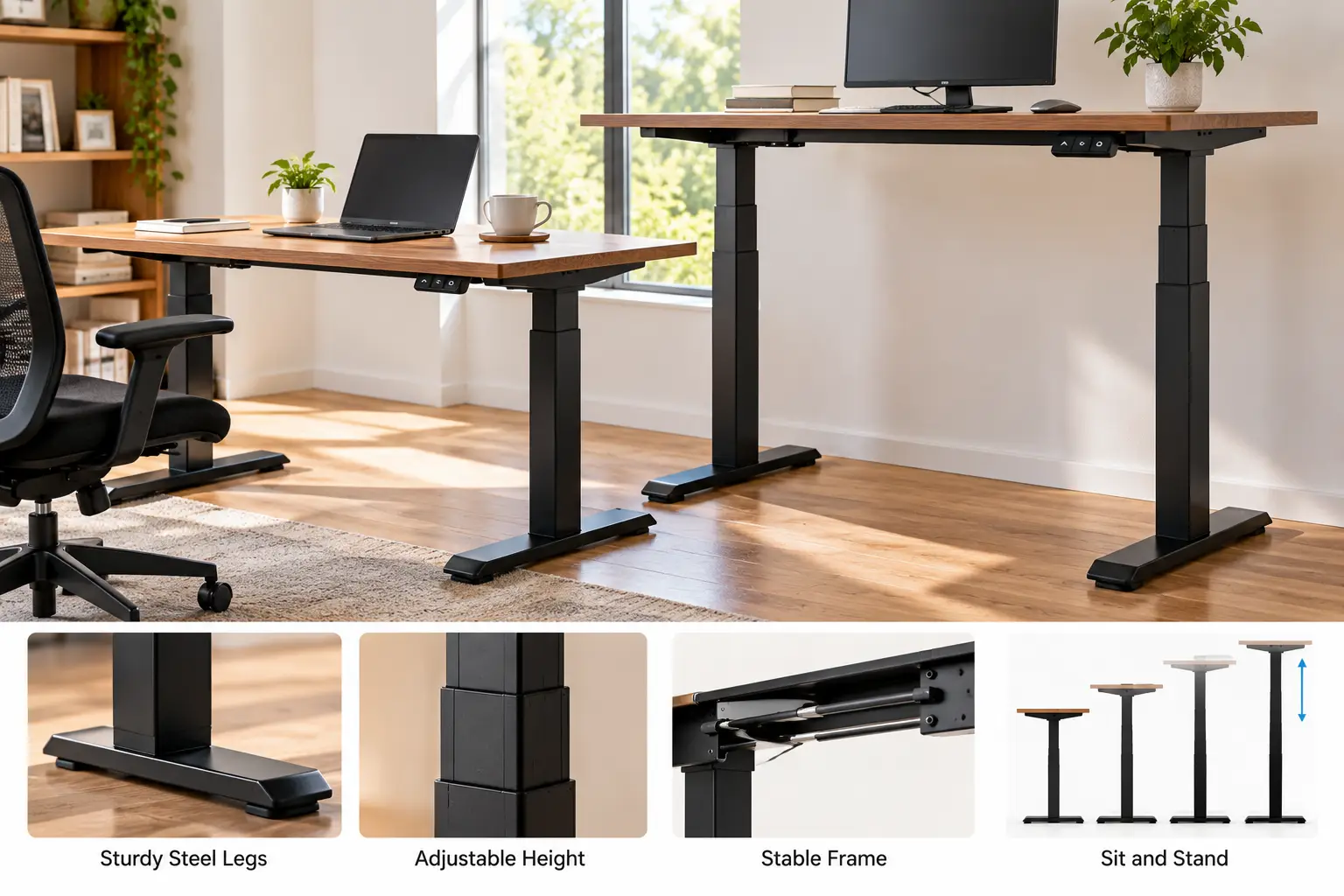
Here’s a secret the furniture industry doesn’t advertise loudly: you probably don’t need a whole new desk. If you already love your tabletop — a butcher-block slab, a solid-wood top you refinished, or the oversized surface that finally fits two monitors — sit and stand desk legs let you keep it and simply give it a motor. Swap the base, and a static piece of furniture becomes a workstation that glides between roughly 23 and 50 inches at the press of a button.
That’s why “frame only” listings have quietly multiplied on Amazon. The catch? The category is noisy. Two frames that look identical in product photos can differ by more than 100 pounds in rated load, by four or five inches in minimum height, and by more than a decade in warranty coverage. Those differences decide whether your desk feels rock-solid at standing height or sways every time you type.
There’s also a health angle worth keeping in proportion. Long, unbroken sitting is linked to the problems grouped under a sedentary lifestyle, and the real value of a sit-stand base is that it makes changing position effortless — not that standing all day is magic (it isn’t).
In this guide, you’ll find seven real, Amazon-available sit and stand desk legs, from budget single-motor frames to heavy-duty dual-motor bases. Every spec comes from manufacturer or retailer listings, and every verdict is honest analysis — no invented test sessions, no fake reviews. You’ll also get an assembly walkthrough, buyer scenarios, a troubleshooting guide, and the specs that actually matter. ⚡
What Are Sit and Stand Desk Legs?
Sit and stand desk legs are a motorized, height-adjustable base — two or four telescoping steel columns joined by a crossbar — sold without a desktop. You attach your own top, and a controller raises or lowers it so you can alternate between seated and standing desk postures throughout the day.
Most modern frames are electric, use one or two motors, and include memory presets that recall your favorite heights. The “frame only” format matters for two reasons: it’s usually cheaper than a complete desk, and it frees you to choose a top in exactly the size, material, and finish you want.
Quick Comparison: The 7 Best Sit and Stand Desk Legs at a Glance
| Frame | Motors / Stages | Rated Load | Height Range (frame) | Typical Price Range | Best for |
|---|---|---|---|---|---|
| FlexiSpot E7 Frame | Dual / 3-stage | 355 lbs | 22.8″–48.4″ | $300–$400 | FlexiSpot E7 Frame: best all-rounder |
| FlexiSpot E7 Pro Frame | Dual / 3-stage, C-frame | 440 lbs | 25″–50.6″ | $400–$550 | FlexiSpot E7 Pro Frame: tall users, heavy rigs |
| TOPSKY Dual Motor 3-Stage Frame | Dual / 3-stage | 300 lbs | 23.6″–49.2″ | $180–$280 | TOPSKY Dual Motor 3-Stage Frame: wide range on a budget |
| HUANUO 265 lbs Dual Motor Frame | Dual / 2-stage, T-legs | 265 lbs | 28.3″–47.2″ | $150–$230 | HUANUO 265 lbs Dual Motor Frame: big DIY tops |
| VIVO DESK-E-200B | Dual / 2-stage | 220 lbs | 28.5″–47.3″ | $170–$230 | VIVO DESK-E-200B: proven mid-range value |
| ErGear EGESD3 Frame | Single / 2-stage | 176 lbs | 28.3″–46.5″ | $95–$140 | ErGear EGESD3 Frame: small-desk budget pick |
| VIVO DESK-E151EB | Single / 2-stage | Check listing | ~28″–46″ | $100–$150 | VIVO DESK-E151EB: simplest starter frame |
Prices are approximate ranges at the time of writing; prices change often, so check the current price on Amazon.
Looking at the table, the biggest split isn’t brand — it’s motor count and leg stages. The two FlexiSpot frames and the TOPSKY Dual Motor 3-Stage Frame use three-stage columns, which is why they’re the only picks that drop below 26 inches and climb near 50, a range that matters if you’re under 5’4″ or over 6’2″. The single-motor ErGear EGESD3 Frame and VIVO DESK-E151EB cost roughly a third as much, but they’re built for one or two monitors on a modest top, not a 72-inch slab with a desktop tower.
💬 One click helps other shoppers make an informed choice too! 😊
Top 7 Sit and Stand Desk Legs: Expert Analysis
Each pick below was chosen to cover a different budget and use case. Specs come from manufacturer and retailer listings; review sentiment is summarized only where it could be verified, and flagged where it couldn’t.
1. FlexiSpot E7 Frame — the stability benchmark for most desks
If you want one frame that does nearly everything well, this is the reference point the rest of the list gets measured against.
The FlexiSpot E7 Frame pairs dual motors with inverted three-stage columns, giving a 22.8″ to 48.4″ height range and a 355-pound rated load. In practice, that low starting height means shorter users can finally sit with feet flat and elbows at 90 degrees, while the high ceiling covers most people up to roughly 6’3″. FlexiSpot backs the frame with a 15-year warranty, which tells you how long the company expects the steel to last.
Based on comparing the specs, the FlexiSpot E7 Frame is the smart buy for multi-monitor home offices, solid-wood tops, and anyone who hates wobble. It’s overkill for a laptop-only setup, but the load headroom means the motors never work near their limit.
Customer-review data for the bare frame was hard to verify in bulk. However, Tom’s Guide’s hands-on review of the closely related E7 Plus found the desk stayed firm even when deliberately shaken at full height — consistent with the thick three-stage columns.
Pros:
- ✅ Very wide height range suits petite and tall users
- ✅ 355-pound rating leaves generous headroom for gear
- ✅ Long 15-year frame warranty signals durability
Cons:
- ❌ Heavier and slower to assemble than budget frames
- ❌ Costs roughly double an entry-level single-motor base
Expect to pay around $300–$400 for the frame alone; for long-term value, it’s hard to beat.
2. FlexiSpot E7 Pro Frame — most legroom and capacity
The Pro version solves a problem most buyers don’t notice until they sit down: knees hitting the crossbar.
The FlexiSpot E7 Pro Frame uses a C-shaped leg design that sets the columns toward the back, freeing space under the front edge. It lifts 440 pounds, runs 25″ to 50.6″ without a top, and FlexiSpot cites more than 30,000 lift tests plus an extended cable-management tray. That extra two inches of maximum height is the real story for anyone over 6’3″ — a group most frames quietly leave out.
Here’s what to weigh: the C-frame trades a little symmetrical stiffness for legroom, so it pairs best with deeper tops (30 inches or more) that keep the load centered. If you run an ultrawide, a desktop tower, and studio speakers, this is the frame built for it.
Verified customer sentiment specific to the frame-only version was limited in our research, so we can’t report a consensus; the analysis above is based on published specs.
Pros:
- ✅ 440-pound capacity handles heavy studio setups
- ✅ 50.6-inch ceiling serves very tall users
- ✅ C-frame legs free up knee and chair space
Cons:
- ❌ Premium price for features casual users won’t need
- ❌ Minimum height is higher than the standard E7
It usually sits in the $400–$550 range; worth it only if height or load truly demands it.
3. TOPSKY Dual Motor 3-Stage Frame — widest range for the money
This is the frame that brings three-stage range down to a mid-range price.
The TOPSKY Dual Motor 3-Stage Frame is listed at a 300-pound capacity, a 23.6″ to 49.2″ height span, and a width that adjusts for tops roughly 47″ to 80″ long, with anti-collision built in. What that means day to day: you get nearly the same height coverage as the FlexiSpot E7 Frame for noticeably less money, and anti-collision stops the desk if it meets a windowsill or chair arm on the way up.
On paper, this is the value pick for households where a short and a tall person share one desk. The trade-off is brand depth — TOPSKY has a smaller U.S. support footprint than FlexiSpot or VIVO, so read the warranty terms on the listing before buying.
Independent roundups we reviewed consistently rank it highly for capacity and range; we could not verify a large pool of individual customer reviews, so treat that as reviewer, not buyer, consensus.
Pros:
- ✅ Three-stage legs at a mid-range price
- ✅ 300-pound rating covers most dual-monitor setups
- ✅ Anti-collision protects walls, sills, and chairs
Cons:
- ❌ Smaller U.S. support network than bigger brands
- ❌ Specs vary between listings, so double-check the model
Typically $180–$280; strong value if you confirm the exact model number.
4. HUANUO 265 lbs Dual Motor Frame — built for big DIY tops
If your dream top is huge, this frame’s beam length is the selling point.
The HUANUO 265 lbs Dual Motor Frame supports desktops up to 90″ x 31.5″, uses thick T-shaped legs of automotive-grade steel, and adjusts from 28.3″ to 47.2″. HUANUO says it holds steady after 50,000 full-load cycles, and it ships with a cable tray and two hooks. Translation: you can mount a 72- or 80-inch slab without hunting down a separate wide-span frame, and the tray means cables don’t dangle when the desk rises.
Based on the specs, the HUANUO 265 lbs Dual Motor Frame is ideal for DIY builders turning a door, a countertop, or a live-edge slab into a workstation. Its two-stage columns cap the range, so very short users may find 28.3″ a touch high.
Amazon reviews we could verify (U.S. buyers) describe smooth, quiet movement, and several buyers report using it to motorize a tabletop they already owned.
Pros:
- ✅ Accepts very large tops up to 90 inches
- ✅ Cable tray and hooks included in the box
- ✅ 265-pound rating beats most mid-range frames
Cons:
- ❌ Two-stage legs limit the lowest seated height
- ❌ Long tops amplify sway at full extension
Usually around $150–$230; excellent value per pound of capacity.
5. VIVO DESK-E-200B — the proven mid-range workhorse
VIVO is one of the most familiar names in DIY frames, and this is its best-known dual-motor base.
The VIVO DESK-E-200B is rated for 220 pounds, travels from 28.5″ to 47.3″ in its series specs, and accepts tops up to about 85″ x 43″. It uses a three-preset push-button controller, works on 100–240V, and includes adjustable leveling feet. Those feet matter more than they sound: old floors are rarely flat, and a quarter-inch of slope reads as wobble at standing height.
Here’s what to weigh: 220 pounds is plenty for two monitors, a laptop, and a mid-weight top, but heavy hardwood plus a tower PC eats that margin fast. For typical home offices, it’s a sensible, low-drama choice.
Buyer feedback we could verify notes a thick frame, leveling feet that handle uneven floors, all mounting hardware included, and quiet dual-motor movement.
Pros:
- ✅ Dual motors at a mid-range price point
- ✅ Leveling feet tame uneven floors
- ✅ Fits a wide range of desktop sizes
Cons:
- ❌ Only three memory presets
- ❌ 220-pound cap is tight for heavy hardwood tops
Often in the $170–$230 range; a safe, well-supported middle pick.
6. ErGear EGESD3 Frame — the small-desk budget pick
For a compact desk in a bedroom or dorm, this frame delivers the essentials without dual-motor cost.
The ErGear EGESD3 Frame is a single-motor base rated for 176 pounds, adjusting from about 28.3″ to 46.5″, with four memory presets, anti-collision, and a 55 dB motor. It fits tops roughly 39.4″ to 63.3″ long and 24″ to 30″ deep, and ErGear backs the frame with a five-year warranty (two years on the motor and controller). Four presets is genuinely useful if two people share the desk.
On paper, this is the right frame for a single monitor and a 48-inch top. Push it toward a heavy 60-inch top with dual monitors and you’re near its limit, where single-motor frames tend to slow and strain.
We couldn’t attribute aggregated review counts to this exact model with confidence, so we’re not quoting a rating.
Pros:
- ✅ Four memory presets at a budget price
- ✅ Anti-collision is rare at this level
- ✅ Five-year frame warranty for the price
Cons:
- ❌ 176-pound limit rules out heavy setups
- ❌ Single motor is slower under load
Usually $95–$140; great value for light, compact workstations.
7. VIVO DESK-E151EB — the simplest way to start
If you just want to try standing without committing serious money, start here.
The VIVO DESK-E151EB is a single-motor frame designed for tops roughly 41″ to 74″ wide, with a memory controller and a lift speed VIVO lists at about 1.5″ per second for its E151 series, plus thermal overload protection. Its compact sibling lists a 28″ to 46″ height range; confirm the exact range and capacity for the black model on its current listing. The overheat protection matters: it pauses the motor before repeated up-down cycles can cook it.
Honestly analyzed, this is a starter frame for a laptop or single-monitor desk. Its value is low risk — if standing doesn’t stick, you haven’t sunk $400.
The white compact sibling (DESK-E151EW) carries around 4.5 stars across a few hundred Walmart reviews; we found less verifiable feedback on the black model itself.
Pros:
- ✅ Low entry price for a trusted brand
- ✅ Thermal protection extends motor life
- ✅ Fits a wide range of top widths
Cons:
- ❌ Single motor limits load and stability
- ❌ Height range won’t suit very tall users
Typically $100–$150; the lowest-risk way into a standing setup.
✨ Don’t miss the right frame for your desk!
🔍 Take your home office to the next level with this carefully curated lineup. Click a highlighted frame to check current pricing and availability — the right base will give you a desk that moves with you all day!
How to Assemble and Set Up Your Standing Desk Frame (First 30 Days)
Most standing desk frame kits go together in 45 to 90 minutes, but a few small choices during setup decide whether the desk feels premium or wobbly for years. 🛠️
Before you start
- Build it upside down on the top. Lay your desktop face-down on a blanket, then assemble the frame directly on it. You avoid lifting a half-built frame and get perfect alignment.
- Center the frame, then measure twice. Leave equal overhang on both sides. A frame shoved toward one edge shifts weight onto one motor, which shortens its life on dual-motor bases.
- Pre-drill pilot holes in hardwood. Driving screws straight into oak or walnut can split the top or strip the screw. Use a bit slightly narrower than the screw shank.
- Check screw length against top thickness. Most frames expect at least a 3/4″ top. On thinner tops, standard screws can poke through the surface.
First-week setup
- Run the reset (initialization) routine before setting presets. Many frames, including the VIVO DESK-E-200B, require holding the down button until the desk bottoms out and bumps back up.
- Set presets in this order: seated height first, standing height second, then any shared-user heights.
- Level with the feet, not shims. Adjustable feet on frames like the VIVO DESK-E-200B are designed for this.
Common mistakes in the first 30 days
- ❌ Cinching cables tight at sitting height — they snap taut when the desk rises. Leave a service loop.
- ❌ Riding the buttons for repeated full cycles. Motors are built for intermittent duty; give them a rest every few minutes.
- ❌ Standing for hours straight on day one. Start with 15–30 minute standing blocks and build up.
Real-World Scenarios: Matching Adjustable Desk Legs to Your Life
Specs only make sense in context. Here are three common buyer profiles and the adjustable desk legs that fit each one best.
👩💻 The remote developer with a heavy rig
Budget: $350–$500 · Use: 8–10 hours a day, two to three height changes per hour · Load: two 27″ monitors on arms, a desktop tower, a 70″ solid-wood top.
Pick: the FlexiSpot E7 Frame, or the FlexiSpot E7 Pro Frame if the user is over 6’2″. Why: the solid top and tower can easily push past 150 pounds, so the 355- or 440-pound rating keeps the motors well inside their comfort zone. Frequent cycling also favors a frame with a long warranty.
🎓 The college student in a small room
Budget: under $150 · Use: 2–4 hours a day · Load: laptop, one monitor, a 48″ top.
Pick: the ErGear EGESD3 Frame. Why: total load sits far below its 176-pound limit, the small top matches its supported range, and four presets let a roommate save heights too.
🪵 The DIY woodworker with a giant slab
Budget: $200–$300 · Use: mixed work and hobby use · Load: an 80″ live-edge top.
Pick: the HUANUO 265 lbs Dual Motor Frame, or the TOPSKY Dual Motor 3-Stage Frame if a shorter partner shares the desk. Why: both accept very long tops, and dual motors lift wide, uneven loads evenly.
Problem → Solution: Fixing the Most Common Sit-Stand Frustrations
Even a good sit stand desk frame only can misbehave. Here are the issues buyers raise most often, and how to fix them.
Problem 1: The desk wobbles at standing height. ✅ Solution: tighten every crossbar bolt after the first week (steel settles), level the feet, and keep the top’s center of gravity over the crossbar. If it still sways, a frame with three-stage columns, like the FlexiSpot E7 Frame, has a stiffer overlap at full height.
Problem 2: One side rises faster than the other. ✅ Solution: this usually means the frame lost calibration. Run the reset routine, then check that weight isn’t concentrated on one end.
Problem 3: The desk stops and shows an error code. ✅ Solution: unplug for a few minutes, reconnect, and reset — VIVO’s manual for the VIVO DESK-E-200B describes exactly this sequence. Error codes often indicate overload or overheating.
Problem 4: The motor sounds strained. ✅ Solution: weigh your setup honestly. A single-motor base like the VIVO DESK-E151EB near its limit will slow and grind; move the tower PC to the floor or upgrade to dual motors.
Problem 5: The anti-collision keeps triggering. ✅ Solution: cables snagging or a chair arm under the edge are the usual culprits. Re-route cables and adjust sensitivity if your controller allows it.
How to Choose Sit and Stand Desk Legs
Choosing sit and stand desk legs comes down to seven checks. Work through them in order and the right frame usually picks itself. ✅
- Find your two target heights first. Sit with feet flat and elbows at about 90 degrees; measure floor to elbow. Then repeat standing. Your frame’s range (minus top thickness) must cover both numbers. OSHA’s computer workstation guidance on desks stresses clearance for your legs and avoiding awkward postures — that’s what these two numbers protect.
- Add up your real load. Top + monitors + arms + PC + speakers. Choose a frame rated for at least 1.5x that total, so motors never run near the limit.
- Match the top size. Check the frame’s minimum and maximum supported length and depth. Too short a top on a wide frame leaves the feet sticking out; too long a top amplifies sway.
- Decide single vs dual motor. Under about 120 pounds and a top under 55 inches, single is fine. Above that, go dual.
- Pick two- or three-stage legs. Three-stage columns reach lower and higher — essential under 5’4″ or over 6’2″.
- Count the presets. Three works for one person; four is better for shared desks.
- Read the warranty split. Frame and motor coverage are often different; the motor term is the one that matters most.
Dual Motor Standing Desk Frame vs Single Motor: Which Do You Need?
This is the decision that most affects how your desk feels, and it’s where marketing gets the vaguest.
A single-motor frame drives both legs from one motor through a connecting hex rod. It’s simpler and cheaper, but every bit of torque travels across the crossbar, so heavy or off-center loads slow it down. A dual motor standing desk frame puts a motor in each leg, synchronized by the control box. The practical result: faster, smoother lifts under load, higher weight ratings, and less strain when your monitor arm hangs off one corner.
Based on comparing the specs in this guide, the gap is stark. The single-motor ErGear EGESD3 Frame is rated for 176 pounds, while dual-motor frames start at 220 pounds (VIVO DESK-E-200B) and reach 440 pounds (FlexiSpot E7 Pro Frame).
But don’t overbuy. If your setup is a laptop and one monitor on a 48-inch top, a dual motor adds cost without adding anything you’ll feel. Here’s the honest rule of thumb: single motor for light, compact desks; dual motor for anything with a desktop tower, a heavy wood top, or a width over about 55 inches.
Standing Desk Frame vs Complete Desk vs Converter
Is a frame-only kit really the right format for you? Here’s how sit and stand desk legs compare with the alternatives.
| Option | Typical cost | Keeps your existing top? | Height range | Best for |
|---|---|---|---|---|
| Frame-only sit-stand legs | $100–$550 | ✅ Yes | Wide (up to ~50″) | DIYers, custom or existing tops |
| Complete electric standing desk | $250–$900 | ❌ No | Wide | Buyers who want one box, no decisions |
| Desktop converter (riser) | $100–$350 | ✅ Sits on top | Limited lift | Renters, shared office desks |
| Fixed-height desk | $80–$400 | ✅ Yes | None | Seated-only users |
The table shows why frames win for most home offices: they’re the only option that keeps a top you already love and delivers full electric range. Converters are cheaper but move only the keyboard and monitor zone, and they eat desk depth. Complete desks make sense only if you don’t care about the top and want zero sourcing hassle.
Common Mistakes to Avoid When Buying Electric Standing Desk Legs
Most returns of electric standing desk legs trace back to a handful of avoidable errors.
- Ignoring top thickness. A 1.5″ butcher-block top adds 1.5″ to every height. If you’re short, that can push your seated position too high.
- Trusting “max load” as a daily load. That figure is the ceiling, not the comfort zone. Running near it wears motors faster.
- Forgetting the outlet. Frames need a nearby outlet, and the cable must reach at full height without tension.
- Buying on stars alone. Ratings often merge different variants and sizes. Confirm the exact model number — specs for the TOPSKY Dual Motor 3-Stage Frame, for example, differ between listings.
- Skipping the depth check. A 30″-deep top on a frame designed for 24″ can tip or sway when you lean on the front edge.
Features That Actually Matter (and Ones That Don’t)
Marketing pages love feature lists. Here’s an honest cut.
Worth paying for:
- ⚡ Dual motors for anything heavy or wide.
- 📏 Three-stage columns if you’re very short or tall — they’re the only way to get under 26″ and near 50″.
- 🛡️ Anti-collision, especially with kids, pets, or windowsills nearby. The ErGear EGESD3 Frame offers it even at a budget price.
- 🧰 Leveling feet for older homes with uneven floors.
Nice, but rarely decisive:
- USB ports in the controller — a cheap hub does the same job.
- Ultra-fast lift speeds — the difference between 1″ and 1.5″ per second is about four seconds per transition.
- App control — convenient, but presets on the keypad do 95% of the job.
Long-Term Cost and Maintenance
The sticker price is only part of the cost of ownership. Over five years, warranty length, motor duty, and repairability matter more.
| Frame | Approx. price range | Rated load | Warranty notes | Value verdict |
|---|---|---|---|---|
| FlexiSpot E7 Frame | $300–$400 | 355 lbs | 15-year frame | FlexiSpot E7 Frame: best long-term value |
| HUANUO 265 lbs Dual Motor Frame | $150–$230 | 265 lbs | Check listing | HUANUO 265 lbs Dual Motor Frame: best value per pound |
| ErGear EGESD3 Frame | $95–$140 | 176 lbs | 5-yr frame, 2-yr motor | ErGear EGESD3 Frame: best budget coverage |
The pattern is clear: the FlexiSpot E7 Frame costs more up front, but spread over a 15-year frame warranty, it’s the cheapest per year of coverage. The HUANUO 265 lbs Dual Motor Frame wins on capacity per dollar, while the ErGear EGESD3 Frame gives budget buyers unusually solid warranty terms.
Simple maintenance schedule:
- Monthly: wipe the columns with a dry cloth; dust in the telescoping joints causes rough travel.
- Every 3–6 months: re-tighten crossbar and top screws.
- Yearly: run the reset routine to recalibrate both legs.
Safety, Regulations, and Standards
A motorized desk is an electrical appliance that moves a heavy load, so a few standards are worth knowing.
- Electrical safety: look for a UL or ETL mark on the control box and power supply. These indicate testing by a nationally recognized lab.
- Furniture durability: commercial buyers often check for BIFMA compliance, the North American desk-furniture standard for strength and stability.
- Ergonomic heights: Duke University’s workstation standards and guidelines, based on ANSI/HFES 100-2007, list a standing computer workstation at roughly 39 to 41 inches — compare that number with each frame’s maximum height plus your top.
- Pinch and collision safety: anti-collision and child-lock buttons matter in homes with kids. Never let children ride or hang on a moving desk.
- Electrical load: frames run on standard 120V outlets; avoid daisy-chaining power strips behind the desk.
FAQ: Sit and Stand Desk Legs
❓ Can I put sit and stand desk legs on my existing desk top?
❓ How much weight can a standing desk frame hold?
❓ Are dual motor standing desk frames worth the extra money?
❓ What size desktop should I buy for adjustable desk legs?
❓ Where is the best place to buy sit and stand desk legs in the US?
Conclusion: The Right Sit and Stand Desk Legs for Your Space
The best sit and stand desk legs aren’t the ones with the longest feature list — they’re the ones that match your body, your load, and your top. Get those three right, and almost any frame on this list will serve you well for years.
Here’s the quick recap. If you want a do-everything base with serious stability and a 15-year frame warranty, the FlexiSpot E7 Frame is the benchmark. Taller users and heavy studio rigs should step up to the FlexiSpot E7 Pro Frame. For three-stage range without the premium price, the TOPSKY Dual Motor 3-Stage Frame is the value play. DIY builders with oversized slabs will appreciate the HUANUO 265 lbs Dual Motor Frame, while the VIVO DESK-E-200B remains a dependable middle-ground choice. On a tight budget, the ErGear EGESD3 Frame and VIVO DESK-E151EB get you standing for well under $150.
Whichever you choose, measure your heights first, add up your real load, and leave yourself a comfortable margin. Then ease in: short standing blocks, gradual increases, and frequent position changes. That’s where a sit-stand desk delivers its real benefit — not in standing more, but in sitting less, without ever thinking about it. 🚀
✨ Ready to build a desk that moves with you?
🔍 Pick the frame that fits your space and budget, then click a highlighted model to check current pricing and availability. Your back — and your afternoon energy — will thank you!
Recommended for You
- End Table Desk: 7 Smartest Space-Saving Picks for 2026
- White Oak Monitor Riser: 7 Best Picks That Actually Last (2026)
- Standing Desk PC Mount: 7 Best Picks That Actually Hold Up in 2026
Disclaimer: This post contains affiliate links. As an Amazon Associate, I earn from qualifying purchases made through these links, at no additional cost to you.
✨ Found this article helpful? Share it with someone who needs it! 💬🤗