
In This Article
Why an Electric Stand Up Desk Frame Is the Smartest Way to Build a Sit-Stand Desk
Heads-up: this post contains affiliate links. If you buy through them, we may earn a small commission at no extra cost to you.
Here’s a secret the furniture aisle doesn’t advertise: the part of a standing desk that actually matters is the part you never look at. The tabletop is just a board. The electric stand up desk frame underneath it — the motors, the telescoping legs, the crossbar, the controller — decides whether your desk glides up smoothly or shimmies like a shopping cart with a bad wheel.
That’s why more and more people skip the all-in-one boxed desk and buy the frame on its own. You get to pair a serious lifting base with a tabletop you genuinely love: a butcher-block slab, a reclaimed door, an extra-deep top for three monitors, or the old desktop you already own. It’s the ergonomic equivalent of buying a great mattress foundation and choosing your own mattress.
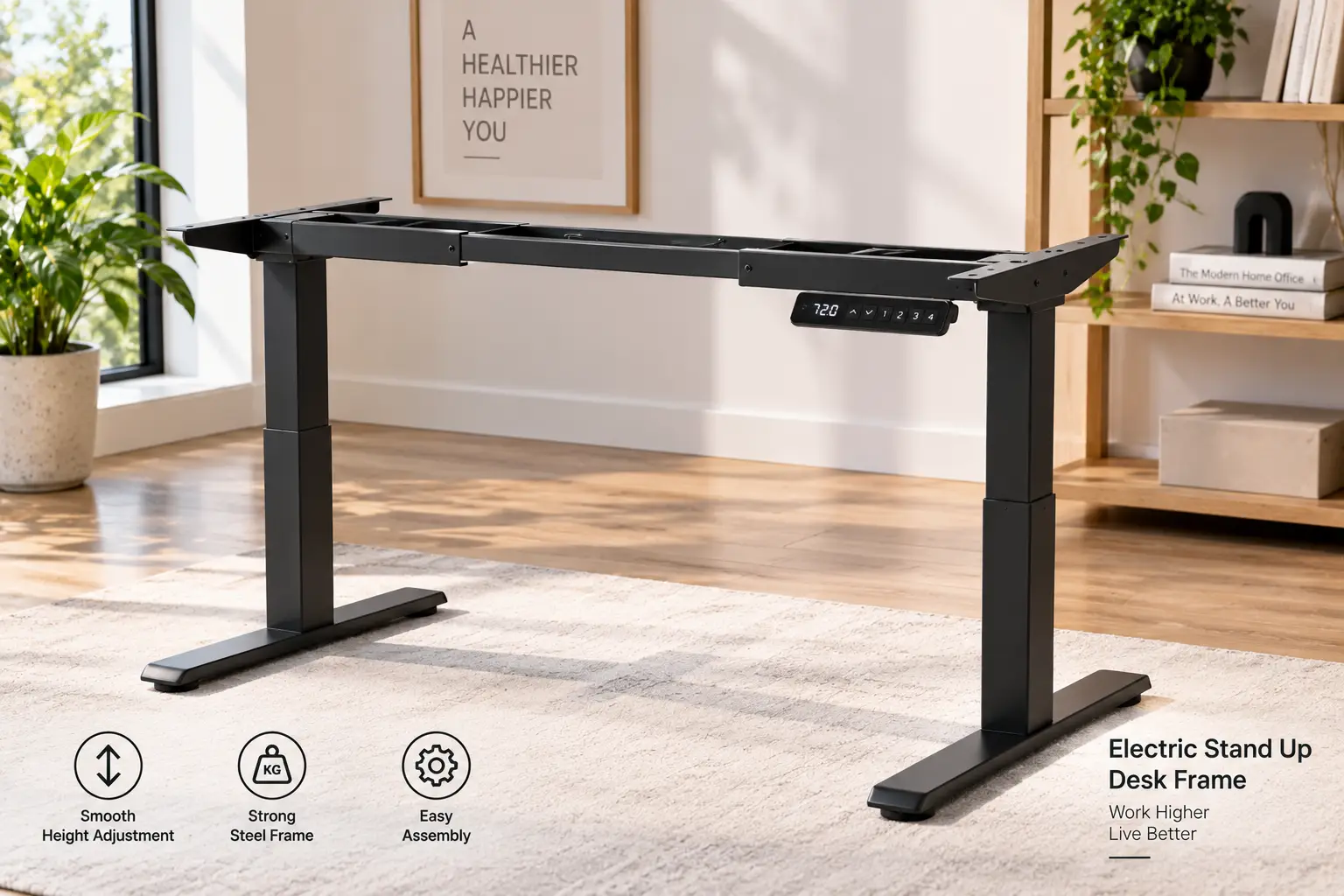
What Is an Electric Stand Up Desk Frame? An electric stand up desk frame is a motorized, height-adjustable base — typically two or four steel legs joined by a crossbar — that raises and lowers any compatible tabletop at the push of a button. It lets you switch between sitting and standing without manual cranking, and usually includes a memory keypad for saved heights.
The idea isn’t new, by the way. As the history of the standing desk shows, writers and statesmen were working on their feet centuries before anyone put a motor in a desk leg. What’s changed is that a quality standing desk frame now costs less than a decent office chair.
In this guide, we compare seven real frames you can order on amazon.com, from budget single-motor bases to a four-leg tank. Every recommendation is built on published specs, manufacturer documentation, and the review themes we could actually verify — no invented test results, no fake customer quotes. Just honest analysis so you pick the right base the first time.
Quick Comparison: The 7 Best Electric Stand Up Desk Frame Options at a Glance
| Frame | Motors / Legs | Lift Capacity | Frame Height Range | Best for |
|---|---|---|---|---|
| ErGear Electric Standing Desk Frame (EGESD3) | Single / 2-stage | 176 lbs | 28.3″–46.5″ | ErGear EGESD3: tight budgets, one monitor |
| FlexiSpot EN1 Frame | Single / 2-stage | 176 lbs | 28.1″–45.7″ | FlexiSpot EN1: brand-backed entry level |
| VIVO DESK-V122EB | Dual / 2-stage | 176 lbs | 28.6″–47″ | VIVO DESK-V122EB: long tops on a budget |
| ErGear Dual Motor Standing Desk Legs | Dual / 2-stage | 264 lbs | 28″–47″ | ErGear Dual Motor: wide DIY tops up to 90″ |
| FlexiSpot E7 | Dual / 3-stage | 355 lbs | 22.8″–48.4″ | FlexiSpot E7: best overall value |
| FlexiSpot E7 Pro | Dual / 3-stage, C-leg | 440 lbs | 25″–50.6″ | FlexiSpot E7 Pro: tall users, legroom |
| FlexiSpot E7 Plus | Dual / 3-stage, four-leg | 440 lbs lift (540 static) | 26″–51.6″ | FlexiSpot E7 Plus: heavy studio rigs |
Reading this table top to bottom is basically reading a stability ladder. The two single-motor frames (ErGear EGESD3 and FlexiSpot EN1) are perfectly capable for a laptop-plus-monitor setup, but the jump to the FlexiSpot E7 doubles lift capacity and adds a third leg stage, which is what gives you both a lower sitting height and a taller, steadier standing height. The FlexiSpot E7 Plus only makes sense if you’re carrying a genuinely heavy load or can’t tolerate any wobble at all.
💬 One click helps other shoppers make an informed choice too! 😊
Top 7 Electric Stand Up Desk Frame Picks for 2026: Expert Analysis
1. ErGear Electric Standing Desk Frame (EGESD3) — the lowest-cost way to start
The ErGear EGESD3 exists to answer one question: what’s the least you can spend and still get a real motorized frame? The answer is surprisingly competent.
Its single motor moves the frame from 28.3″ to 46.5″, and the crossbar extends from 35.4″ to 53.1″, fitting tops from 39.4″–63.3″ long and 24″–30″ deep. In practice, that makes it ideal for a 48″ x 24″ or 55″ x 28″ top — the most common home-office sizes. The four memory presets mean you tap one button instead of holding “up” for 15 seconds, and the anti-collision feature reverses the frame if it bumps into a chair arm or windowsill. ErGear rates it at a quiet 55 dB, which is roughly the level of a normal conversation.
Here’s what to weigh: 176 lbs of capacity sounds generous, but a single motor lifting through a drive shaft is inherently slower and less forgiving of unbalanced loads than dual motors. This is a frame for students, part-time remote workers, and anyone with one or two monitors. It’s also a good fit if you’re 5’4″–5’11”; very tall users will run out of standing height.
ErGear is one of the best-selling names in the category — third-party sales analytics show its complete 48″ desk leading Amazon’s electric standing desk frame search in 2026 — but we couldn’t verify a meaningful pool of reviews for this frame-only listing, so check the latest ratings before you buy.
Pros:
- ✅ Very low entry price for a motorized frame
- ✅ Four memory presets and anti-collision included
- ✅ Frame carries a 5-year limited warranty
Cons:
- ❌ Motor and controller covered for only 2 years
- ❌ Max height too low for users over about 6′
Expect to pay around $100–$150 (check the current price); for a first standing desk frame, that’s excellent value.
2. FlexiSpot EN1 Frame — entry price, big-brand backing
The FlexiSpot EN1 is the budget frame for shoppers who want the reassurance of a large, established desk maker behind a low-cost base.
Its single-motor lift covers 28.1″–45.7″ and supports tops from 39.3″–63″ wide and 19.7″–31.5″ deep. That shallow minimum depth is a quiet win: you can mount a narrow 20″ top in a hallway nook or dorm room, something many frames can’t do. Capacity is 176 lbs, the steel frame is built for everyday home-office loads, and the keypad stores four presets.
On paper, the FlexiSpot EN1 and the ErGear EGESD3 are near-twins. The real difference is the ecosystem: FlexiSpot sells matching desktops, casters, drawers, and replacement parts, which matters three years from now when a control box needs replacing. Based on comparing the specs, this is the pick for small spaces and shorter-to-average users who want a low-maintenance, no-surprises frame.
Listings for the EN1 frame cite a 5-year warranty — shorter than the 15 years FlexiSpot gives its E7 family — which tells you where the brand positions this model. We couldn’t verify a large, frame-specific review pool at the time of writing, so read the most recent critical reviews on the listing before ordering.
Pros:
- ✅ Fits unusually shallow tops, from about 20″ deep
- ✅ Four presets on a simple, clear keypad
- ✅ Strong accessory and spare-parts ecosystem
Cons:
- ❌ Lowest maximum height in this roundup
- ❌ Single motor lifts more slowly under load
Typically priced in the low-to-mid $100s; a sensible value if brand support matters more to you than raw performance.
3. VIVO DESK-V122EB — dual motors for long tabletops
The VIVO DESK-V122EB is the cheapest way in this list to get dual motors, and it’s built for wide desks.
VIVO markets it for tabletops from roughly 41″ to 81″ long, with a lift range of 28.6″–47″ and a lift speed of about 1″ per second. Dual motors matter most on long tops: when a single motor drives both legs through a shaft, a 72″ slab loaded with gear on one end can lift unevenly. With a motor in each leg, both sides push independently. VIVO also notes thermal protection and overload protection on the motors, which helps prevent burnout if you adjust the desk repeatedly.
What most buyers overlook with this model is that dual motors don’t raise capacity here — it’s still rated at 176 lbs. So the VIVO DESK-V122EB is best for people who want a long, fairly light setup: a 72″ writing desk, a craft table, or a shared two-person workspace with laptops. The adjustable feet help level it on uneven floors, a common complaint in older homes.
The listing has been on Amazon since around 2020 and ships via Amazon fulfillment, but we couldn’t verify an aggregated review summary to report here; check its current rating and recent feedback directly.
Pros:
- ✅ Dual motors at a mid-range price
- ✅ Supports long tops up to roughly 81″
- ✅ Motors include overload and heat protection
Cons:
- ❌ Capacity stays at 176 lbs despite two motors
- ❌ Warranty is 3 years, shorter than rivals
Usually found in the $200–$300 range; good value if you need length more than lifting muscle.
4. ErGear Dual Motor Standing Desk Legs — biggest DIY top range for the money
The ErGear Dual Motor Standing Desk Legs are the DIYer’s frame: a wide crossbar range and extra capacity at a price that undercuts premium brands.
ErGear lists compatibility with 44″–90″ desktops — the widest in this roundup — plus a 264-lb lift capacity, a 28″–47″ range, 1″/sec travel speed, and four presets. It also ships with a cable tray and dual hooks, two accessories you’d otherwise buy separately. In practice, that 90″ maximum means you can build a true two-person desk or a long streaming setup out of a single solid-wood slab.
Based on comparing the specs, this is the frame for people who want to build something big without paying for a premium frame’s 3-stage legs. The trade-off is height: 47″ at the top of the stroke (plus your tabletop thickness) comfortably serves users up to about 6’1″, but taller people will want the FlexiSpot E7 Pro or FlexiSpot E7 Plus. The 2-stage legs also mean you won’t get a very low sitting height for shorter users.
We didn’t find a verifiable aggregate of reviews for this specific listing, so treat the spec sheet as the main evidence and read recent feedback on stability at full height before committing — that’s where 2-stage frames usually show their limits.
Pros:
- ✅ Widest top compatibility, up to 90″
- ✅ 264-lb capacity handles multi-monitor setups
- ✅ Cable tray and hooks included in the box
Cons:
- ❌ 2-stage legs limit the height range
- ❌ Long spans may flex with heavy center loads
Generally priced around $170–$250; strong value per inch of desk you can build.
5. FlexiSpot E7 — the best all-around value frame
If you only read one section, make it this one: the FlexiSpot E7 is the frame most buyers should end up with.
It pairs dual motors with 3-stage legs, delivering a frame-only range of 22.8″–48.4″ — which FlexiSpot says fits people from about 4’2″ to 6’4″. Capacity is 355 lbs, and the frame accepts tops from 47.2″–80″ wide and 24″–40″ deep. Independent reviews put its lift speed at around 1.5″ per second, and its warranty covers metal, mechanical, and electrical parts for 15 years.
Here’s what those numbers mean in real life: the low 22.8″ minimum lets shorter users sit with their elbows at a proper 90°, a detail most frames ignore. The 355-lb rating means two heavy monitors on arms, a PC tower on the desktop, and speakers won’t strain the motors. And 15 years of coverage signals confidence that the frame will outlive several computers. Among independent reviewers, the E7 is repeatedly called the strongest value in FlexiSpot’s lineup.
The main caution: the E7 uses a T-leg, centered under the desk, so it doesn’t free up as much legroom behind your knees as a C-leg design.
Pros:
- ✅ 3-stage legs give a very wide height range
- ✅ 355-lb capacity with dual motors
- ✅ 15-year warranty on mechanical and electrical parts
Cons:
- ❌ T-leg design eats a bit of knee room
- ❌ Heavier frame makes assembly a two-person job
Commonly in the $300–$400 range for the frame; outstanding value per year of warranty.
6. FlexiSpot E7 Pro — C-leg legroom and taller reach
The FlexiSpot E7 Pro is the E7’s older sibling, redesigned around legroom and extra height.
Its legs sit toward the back of the desk in a C-shape, which frees up the space where your knees, footrest, or under-desk drawer would go. FlexiSpot rates it at 440 lbs, lists a range from about 25″ to 50.6″, and says the frame passed 30,000 fatigue test cycles — 10,000 more than the standard E7. It also adds under-desk cable management with a fabric cable cover.
Think about what that 50.6″ maximum means: once you add a 1″ top, you’re above 51″, enough for users around 6’5″ and up to type with relaxed shoulders. The trade-off is the higher 25″ minimum, which is fine for most adults but less friendly to shorter users who sit low. Based on comparing the specs, the FlexiSpot E7 Pro is the pick for tall users, anyone who uses a walking pad (the rear legs leave more room for a treadmill), and people who hate knocking their knees on a center leg.
Independent reviewers generally praise its minimalist look and load capacity, though some note the lift-speed advantage over the E7 is barely noticeable in daily use.
Pros:
- ✅ C-leg design frees up valuable knee room
- ✅ 440-lb capacity for heavy multi-monitor setups
- ✅ Tall 50.6″ max suits very tall users
Cons:
- ❌ Higher minimum height than the standard E7
- ❌ Costs noticeably more than the E7
Usually around $400–$550; worth it mainly if height or legroom is your pain point.
7. FlexiSpot E7 Plus — four-leg stability for heavy rigs
The FlexiSpot E7 Plus is what you buy when “a little wobble” is unacceptable — think music studios, ultrawide monitors on long arms, or 80″ shared desks.
It’s a four-leg frame with 3-stage columns and two motors positioned at opposite corners, each linked to its neighboring leg. FlexiSpot lists a 440-lb lifting limit and a 540-lb static limit, a height range of 26″–51.6″ (a lower-range variant covering 24″–45.7″ also exists), four presets, and compatibility with tops 47″–80″ long and 28″–35″ deep. The keypad adds a USB-C charging port.
Four legs change the physics: instead of cantilevering the desktop off two central columns, the load sits on corners, which drastically reduces the side-to-side sway you feel when typing hard at full height. Reviews and independent coverage consistently describe it as rock-solid, even at maximum height. The trade-offs are real, though: four legs take up more floor space, can bump chair casters, and the frame is significantly heavier to move.
This frame is best for content creators, producers, and multi-person workstations — and overkill for a laptop-and-one-monitor setup.
Pros:
- ✅ Four-leg design delivers top-tier stability
- ✅ 540-lb static rating for extreme loads
- ✅ Tall range suits very tall and shared users
Cons:
- ❌ Four legs reduce room for chair and legs
- ❌ Heaviest, priciest frame in this roundup
Base pricing starts around $500 and climbs from there; a premium buy that’s justified only by heavy loads.
Head-to-Head Specs: Top 7 Electric Stand Up Desk Frame Comparison
| Frame | Compatible Top Size | Lift Speed | Warranty (as listed) | Price Range* | Best for |
|---|---|---|---|---|---|
| ErGear EGESD3 | 39.4″–63.3″ L x 24″–30″ D | Not specified | 5 yrs frame / 2 yrs motor | ~$100–$150 | ErGear EGESD3: first-time buyers |
| FlexiSpot EN1 | 39.3″–63″ W x 19.7″–31.5″ D | Not specified | 5 yrs | Low-to-mid $100s | FlexiSpot EN1: small rooms |
| VIVO DESK-V122EB | ~41″–81″ L | ~1″/sec | 3 yrs | ~$200–$300 | VIVO DESK-V122EB: long, light desks |
| ErGear Dual Motor | 44″–90″ L | ~1″/sec | Check listing | ~$170–$250 | ErGear Dual Motor: big DIY builds |
| FlexiSpot E7 | 47.2″–80″ W x 24″–40″ D | ~1.5″/sec | 15 yrs | ~$300–$400 | FlexiSpot E7: most people |
| FlexiSpot E7 Pro | Varies by top option | ~1.5″/sec | 15 yrs | ~$400–$550 | FlexiSpot E7 Pro: tall users |
| FlexiSpot E7 Plus | 47″–80″ L x 28″–35″ D | Not specified | 15 yrs (brand policy) | ~$500+ | FlexiSpot E7 Plus: studios |
*Prices change often; check the current price on Amazon at the time you shop.
The biggest story in this table isn’t speed — it’s warranty. The jump from 2–5 years of coverage on the budget frames to 15 years on the FlexiSpot E7 family changes the long-term math more than any other spec. Meanwhile, the ErGear Dual Motor and VIVO DESK-V122EB are the only mid-priced frames that handle tops longer than 80″, so they win by default for oversized DIY builds.
✨ Don’t miss the right base for your workspace!
🔍 Take your home office to the next level with this carefully researched lineup. Click a highlighted frame to check current pricing and availability — the right pick will keep you moving comfortably for years!
How to Assemble and Set Up Your Electric Stand Up Desk Frame (First 30 Days)
A great frame can still feel wobbly if it’s set up badly. Here’s the process that avoids most early headaches.
🛠️ Assembly day
Build the frame upside down on a rug or the cardboard box so you don’t scratch the tabletop. Set the crossbar width first, centering the frame on the top with equal overhang on both sides, then mark screw holes with a pencil before drilling pilot holes. On dual-motor frames, leave the control box cables slack until everything is screwed down — a pinched motor cable is the most common cause of “dead leg” errors on day one.
⚙️ Reset and presets
Most controllers need a reset after assembly: lower the desk fully and hold the down button until it bumps slightly and stops. Then set your presets. A good starting point, echoed in Brown University’s sit/stand workstation guidance, is to set your standing height at roughly standing elbow height and to avoid standing all day.
📅 Building the habit
In week one, stand for short blocks — 5 to 15 minutes — every hour, and gradually extend them. Use preset 1 for sitting and preset 2 for standing so switching takes one tap; friction kills habits.
🔧 Maintenance schedule
- ✅ After week one: re-tighten every frame bolt, since wood compresses.
- ✅ Monthly: check that cables have slack at full height.
- ✅ Every six months: level the feet and wipe dust from the leg columns.
Common first-month mistake: loading a heavy monitor arm on one far corner. Keep weight balanced across the desktop to protect the motors and keep the lift smooth.
Real-World Scenarios: Matching the Right Standing Desk Frame to Your Life
Specs only become meaningful when you picture them in a real room. Here are three common profiles and how we’d match them.
🎓 The student in a shared apartment
Budget: under $200 for the frame. Use: laptop plus one monitor, 3–4 hours a day. Space: a 40″ nook by the window. The FlexiSpot EN1 is the natural fit, because it’s one of the few frames that accepts a shallow top under 24″ deep, and 176 lbs is far more than a laptop setup needs. If the nook is a bit wider, the ErGear EGESD3 is an equally sensible choice for slightly less money.
💻 The full-time remote worker with two monitors
Budget: $300–$450. Use: 8+ hours daily, two 27″ monitors on an arm, video calls. Here the FlexiSpot E7 earns its keep. The dual motors and 355-lb capacity mean the arm’s weight doesn’t tax the lift, and 3-stage legs keep the desk steadier at standing height, which matters on video calls where wobble shows up on camera. The 15-year warranty also matters when you’re using the desk every workday.
🎧 The producer or streamer with a heavy rig
Budget: $500+. Use: studio monitors, audio interface, ultrawide screen, sometimes a second person. The FlexiSpot E7 Plus is the only frame here built for that combination of weight and zero-tolerance for sway. If you’re over 6’3″ and your rig is lighter, the FlexiSpot E7 Pro gives you more height and legroom for less.
The common thread: buy for your heaviest realistic setup a year from now, not today’s.
Problem → Solution: Fixing the Most Common Frame Headaches
Even good frames develop quirks. Here are the problems buyers mention most often — and the fixes that usually work.
❓ Problem 1: The desk wobbles at standing height
✅ Solution: First, level the adjustable feet and re-tighten the crossbar bolts. If wobble persists, it’s often physics, not a defect — 2-stage frames like the VIVO DESK-V122EB naturally sway more at full height than 3-stage frames like the FlexiSpot E7. Pushing the desk against a wall and moving heavy items toward the center helps.
❓ Problem 2: One side rises faster than the other
✅ Solution: Run the controller’s reset procedure (fully lower, then hold down). Dual-motor frames re-sync their legs during this step. Check that the load isn’t heavily concentrated on one side.
❓ Problem 3: An error code flashes on the keypad
✅ Solution: Most codes point to an unplugged cable, an overheated motor, or a collision trigger. Unplug the frame for a minute, reseat every connector, and let it cool if you’ve made many adjustments in a row. Your manual lists model-specific codes.
❓ Problem 4: The desk stops mid-lift for no reason
✅ Solution: Anti-collision systems — like the one on the ErGear EGESD3 — can be sensitive to vibration or a cable snagging. Check for cable tension at full height and clear any obstruction.
❓ Problem 5: Your chair hits the legs
✅ Solution: This is a leg-design issue. A C-leg frame like the FlexiSpot E7 Pro moves the columns toward the back, while four-leg designs like the FlexiSpot E7 Plus need a wider chair-rolling zone.
How to Choose an Electric Stand Up Desk Frame
Choosing well comes down to a short list of decisions, made in the right order.
- Measure your elbow heights first. Sit and stand with arms bent at 90°, then measure floor to forearm. Your frame’s range (plus tabletop thickness) must cover both numbers.
- Estimate your total load. Add up monitors, arms, PC, speakers, and the tabletop itself. Solid wood tops alone can weigh 50–80 lbs, which eats into a 176-lb rating fast.
- Pick your motor count. Single motors are fine for light, mid-sized desks; a dual motor desk frame is the safer bet for heavier or longer tops.
- Choose leg stages. 3-stage legs give a wider range and better stability at height; 2-stage legs keep costs down.
- Confirm tabletop compatibility. Check the frame’s minimum and maximum width and depth before buying a top.
- Decide on leg style. T-legs are stable and affordable, C-legs maximize knee room, and four-leg frames maximize stability.
- Compare warranties. A 15-year warranty is often worth more than a faster lift speed.
The goal behind all this is posture. The OSHA computer workstation guidance on desks stresses leg clearance, proper component placement, and a surface that accommodates a variety of working postures — exactly what an adjustable frame is designed to deliver.
Dual Motor Desk Frame vs Single Motor: What the Extra Motor Actually Buys You
This is the most important spec decision you’ll make, so let’s be precise about what changes.
⚡ How single-motor frames work
A single motor sits in one leg and drives the other leg through a horizontal rod. It’s simple and inexpensive, which is why frames like the ErGear EGESD3 and FlexiSpot EN1 can come in so low. The downside: all the lifting work goes through one motor, so capacity is modest and lift speed tends to be slower.
⚡ How a dual motor desk frame works
In a dual motor desk frame, each leg has its own motor and the controller keeps them synchronized. That spreads the work, which typically allows higher capacity (355 lbs on the FlexiSpot E7, 264 lbs on the ErGear Dual Motor) and a steadier lift when weight isn’t perfectly centered.
🔍 The honest nuance
Dual motors are not automatically a capacity upgrade. The VIVO DESK-V122EB uses two motors yet keeps a 176-lb rating — the benefit there is balanced lifting on long tops, not raw strength. So don’t read “dual motor” as a single stamp of quality; read it alongside capacity, leg stages, and warranty.
🎯 When the extra motor is worth it
Choose a dual motor desk frame if your top is longer than about 60″, if your setup exceeds roughly 100 lbs, or if you’ll adjust the desk several times a day for years. For a light laptop desk you use occasionally, a single-motor frame is a legitimate, money-saving choice.
Electric Standing Desk Legs: 2-Stage vs 3-Stage, T-Leg vs C-Leg vs Four-Leg
Electric standing desk legs look alike in product photos, but their construction explains most real-world differences in stability and range.
📏 2-stage vs 3-stage columns
A 2-stage leg has two telescoping sections; a 3-stage leg has three. More stages mean the frame can collapse lower and extend higher from the same starting size. That’s why the 3-stage FlexiSpot E7 reaches down to 22.8″, while 2-stage frames bottom out around 28″. Three stages also keep more overlap between sections at a given height, which reduces the “gap play” that causes sway.
🦵 T-leg vs C-leg
T-legs put the column in the middle of each foot. They’re balanced and stable, but the column sits where your knees want to go. C-legs push the columns back, like the FlexiSpot E7 Pro, freeing space for your knees, a footrest, or a walking pad.
🪑 Four-leg frames
Electric standing desk legs arranged at four corners, like the FlexiSpot E7 Plus, remove the cantilever effect entirely. They’re the steadiest option at full height, but they reduce the open space for your chair and legs.
🎯 What this means for you
If you’re short or tall, prioritize 3-stage electric standing desk legs. If you often bump your knees, prioritize C-legs. If your setup is heavy and wide, four legs are worth the floor space.
Standing Desk Frame Compatibility: Choosing the Right Tabletop
Buying the frame separately gives you freedom — but a standing desk frame only works well with a top that suits it.
📐 Size rules
Stay within the manufacturer’s width and depth range, and leave a few inches of overhang on each side. A 60″ x 30″ top is the sweet spot for most frames here and suits two monitors comfortably. The ErGear Dual Motor and VIVO DESK-V122EB are your options if you want to go longer than 80″.
🪵 Thickness and material
Most frames call for a top at least 0.75″ thick (VIVO specifies this for its frames) so screws have enough bite. Solid wood and butcher block look great but add weight; a 72″ x 30″ hardwood slab can easily consume a third of a 176-lb frame’s capacity. Laminated particleboard is lighter and cheaper but holds screws less securely over time, so use the included screws and don’t over-tighten.
🔌 Cutouts and cable holes
Plan grommet holes before mounting the frame, and keep them clear of the crossbar. Four-leg frames like the FlexiSpot E7 Plus are designed so their frame doesn’t interfere with typical grommet placement, which is worth checking on other models.
🎯 The practical takeaway
Choose your standing desk frame and top together, as a system. The best frame in the world won’t feel premium on an undersized, overloaded board.
Electric Stand Up Desk Frame vs Traditional Alternatives
| Option | Adjustment | Typical Stability | Effort to Switch | Best for |
|---|---|---|---|---|
| Electric frame (e.g., FlexiSpot E7) | Motorized, presets | High (dual motor, 3-stage) | One tap | FlexiSpot E7: daily sit-stand use |
| Manual crank frame | Hand crank | Moderate | 30+ turns | Rare adjusters on a tight budget |
| Desktop converter | Gas spring or manual | Low–moderate | Lift by hand | Renters keeping an existing desk |
| Fixed-height desk | None | High | Not possible | People who only sit |
The clear pattern: the less effort it takes to switch positions, the more often people actually switch. A crank frame technically lets you stand, but 30+ turns is enough friction that many buyers stop bothering. An electric stand up desk frame removes that friction with presets, which is the whole point of the purchase.
Desktop converters deserve a special note. Because they sit on top of an existing desk, they raise your keyboard and screen together, and university safety offices tend to discourage them for adjustability reasons. They make sense for renters or cubicles, but if you own your desk, a full frame is the better long-term investment.
Long-Term Cost and Maintenance: What You’ll Really Spend
| Frame | Approx. Frame Price | Warranty Years | Rough Cost per Warranty Year | Best for |
|---|---|---|---|---|
| ErGear EGESD3 | ~$100–$150 | 5 (frame) / 2 (motor) | High on motor coverage | ErGear EGESD3: short-term needs |
| VIVO DESK-V122EB | ~$200–$300 | 3 | ~$70–$100 | VIVO DESK-V122EB: long desks |
| FlexiSpot E7 | ~$300–$400 | 15 | ~$20–$27 | FlexiSpot E7: long-term value |
| FlexiSpot E7 Plus | ~$500+ | 15 | ~$33+ | FlexiSpot E7 Plus: heavy loads |
This rough cost-per-warranty-year view flips the usual price ranking. The FlexiSpot E7 costs about twice as much as the ErGear EGESD3 up front, yet its coverage spans a decade longer, making it the cheapest frame per covered year. The VIVO DESK-V122EB is the least efficient here, not because it’s a weak frame, but because its warranty is short.
💡 Hidden costs to budget for
- ✅ A tabletop: roughly $80–$400 depending on material.
- ✅ An anti-fatigue mat: standing on hard floors gets tiring quickly.
- ✅ Cable management: many frames include a tray, but not all.
- ✅ Replacement parts: control boxes and keypads are the most common failures, so a strong parts ecosystem saves money later.
Electrically, these frames draw very little power; most of the time they sit idle in standby. The real long-term cost is failure outside warranty, which is why coverage length matters so much.
Common Mistakes to Avoid When Buying an Electric Stand Up Desk Frame
Most regrets come from a handful of predictable errors.
❌ Mistake 1: Ignoring your actual height
Buyers often check a frame’s max height without adding the tabletop or comparing it with their standing elbow height. If you’re over 6’2″, frames topping out around 46″–47″ can leave you hunching. Go for the FlexiSpot E7 Pro or FlexiSpot E7 Plus instead.
❌ Mistake 2: Underestimating total weight
A heavy slab plus two monitors and arms can crowd a 176-lb rating. Running a frame near its limit strains the motors and shortens their life.
❌ Mistake 3: Buying the top before the frame
Tops and frames have to match on width, depth, and thickness. Choose the frame first, then buy a top within its range.
❌ Mistake 4: Treating “dual motor” as a guarantee
As the VIVO DESK-V122EB shows, two motors don’t always mean more capacity. Read the actual numbers.
❌ Mistake 5: Overlooking warranty terms
Some listings split coverage — for example, 5 years on the frame but only 2 on the motor. The motor and control box are what usually fail, so that’s the number to compare.
❌ Mistake 6: Forgetting cable slack
If cables are tight at sitting height, they’ll yank at standing height. Leave slack and use the tray.
Safety, Regulations, and Standards for Motorized Desk Frames
Because an electric frame combines furniture, motors, and household electricity, a few standards and safety features are worth understanding.
🔌 Electrical certification
Look for evidence that the control box and power supply are safety-certified by a Nationally Recognized Testing Laboratory — most commonly a UL or ETL mark. For motorized furniture, UL 962 (the standard for household and commercial furnishings) is often cited. If a listing is vague about certification, ask the seller before buying.
🏢 Durability standards
In commercial settings, desks are often evaluated against BIFMA standards, which test stability, strength, and durability. Home frames don’t always advertise BIFMA compliance, so use published cycle testing — like the 30,000 fatigue cycles FlexiSpot cites for the FlexiSpot E7 Pro — as a practical stand-in.
🛑 Built-in safety features
- ✅ Anti-collision: reverses the frame on impact, as on the ErGear EGESD3.
- ✅ Overload and thermal protection: stops motors from overheating, as on the VIVO DESK-V122EB.
- ✅ Child lock: many keypads let you lock the controls, which matters in homes with kids or pets.
⚠️ Pinch points and placement
Keep at least an inch of clearance between the desk and nearby shelves or windowsills, never exceed the rated weight, and keep the area under the desk clear while it moves. These are the basics that prevent nearly all frame-related injuries.
FAQ About Electric Stand Up Desk Frames
❓ Can I use my old desktop with an electric stand up desk frame?
❓ How long does an electric stand up desk frame last?
❓ Is a standing desk frame hard to assemble alone?
❓ Do electric standing desk legs work on carpet?
❓ Is it worth paying more for a dual motor desk frame?
Conclusion: The Right Electric Stand Up Desk Frame Is the One Built for Your Next Setup
Choosing an electric stand up desk frame isn’t about finding the “best” base in the abstract — it’s about matching legs, motors, and warranty to your body and your gear.
If you’re on a tight budget and running a light setup, the ErGear EGESD3 and the FlexiSpot EN1 get you standing for the least money, with the EN1 winning in narrow spaces. If you want to build a long custom desk, the VIVO DESK-V122EB and the ErGear Dual Motor open up tops up to 81″ and 90″, respectively.
For most people working from home full-time, the FlexiSpot E7 remains the smartest buy: 3-stage legs, dual motors, a 355-lb rating, and a 15-year warranty that makes it the cheapest frame per covered year. Tall users and walking-pad fans should step up to the FlexiSpot E7 Pro, while producers, streamers, and anyone who can’t tolerate wobble will find the FlexiSpot E7 Plus worth the floor space.
Whichever you choose, measure your elbow heights, total up your equipment weight, and buy for the setup you’ll have next year — not just today. Then set your presets, start with short standing blocks, and let the frame do the work.
🚀 Ready to build a desk that moves with you?
✨ Click a highlighted frame above to check current pricing and availability on Amazon. Pick the base that fits your height, your gear, and your budget — and start standing smarter this week!
Recommended for You
- Four Screen Monitor Stand: 7 Best Picks for 2026 (Ranked)
- Quad Computer Monitor Stand: 7 Best 4-Monitor Mounts (2026)
- Mobile PC Desk: 7 Best Rolling Computer Desks for 2026
Disclaimer: This post contains affiliate links. As an Amazon Associate, I earn from qualifying purchases made through these links, at no additional cost to you.
✨ Found this article helpful? Share it with someone who needs it! 💬🤗