
In This Article
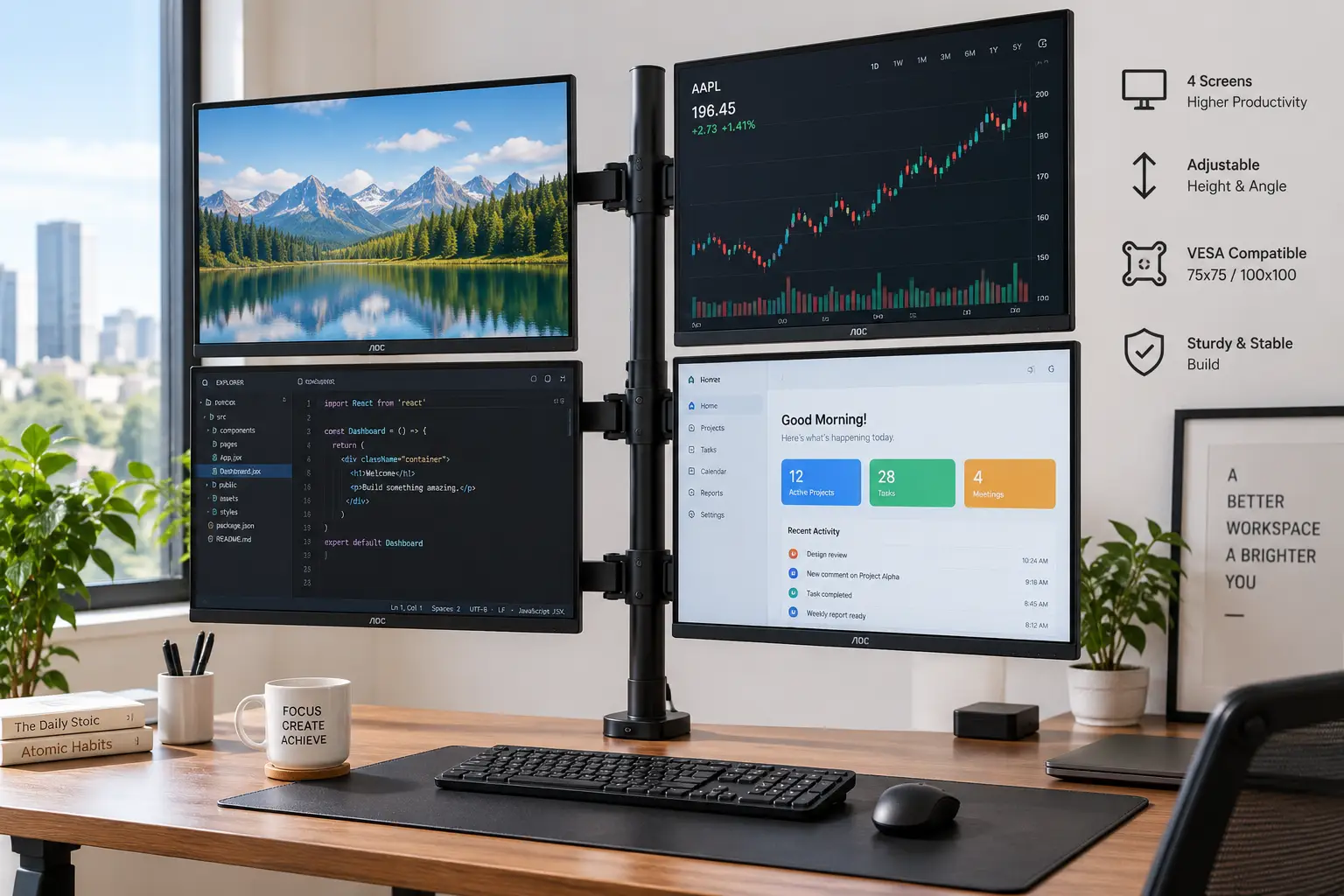
A 4 screen monitor mount is the single upgrade that turns a cluttered desk full of stands and cables into a clean, professional-looking command center. Whether you’re a trader watching four data feeds, a developer juggling code, logs, docs, and a browser, or a video editor who needs a timeline on one screen and reference footage on another, stacking four separate monitor stands on your desk eats up workspace fast — and it rarely looks or feels stable.
That’s exactly the problem a dedicated 4 screen monitor mount solves. Instead of four wobbly plastic stands fighting for desk real estate, a single pole-and-arm (or crossbar) system lifts all four displays off the desk surface, freeing up space for a keyboard, notebooks, or a second cup of coffee. It also lets you angle each screen independently, which matters more than most people expect once you’re staring at four displays for eight hours a day.
We dug into the real specs, weight ratings, and aggregated customer feedback for seven genuinely available quad monitor mount options — from budget-friendly steel frames under $150 to premium aluminum arms built for professional workstations. Below, you’ll find honest, feature-by-feature analysis (not a repackaged spec sheet), comparison tables you can actually use to decide, and practical guidance on setup, common mistakes, and long-term costs. Prices shown are ranges only, since actual Amazon pricing changes frequently — always check the current price before buying.
This post contains affiliate links, and as an Amazon Associate, we may earn a commission from qualifying purchases at no extra cost to you.
What Is a 4 Screen Monitor Mount?
A 4 screen monitor mount (also called a quad monitor mount or 4 monitor desk mount) is a hardware system — typically a pole, crossbar, or freestanding base with four VESA-compatible arms — that holds four monitors above your desk instead of on individual stands. Most models attach via C-clamp or through a grommet hole and support monitors from roughly 13 to 32 inches.
Quick Comparison: Best 4 Screen Monitor Mounts at a Glance
| Mount | Screen Size Range | Max Weight (per arm) | Mount Type | Best For |
|---|---|---|---|---|
| VIVO STAND-V004F | 13″–30″ | 17.6 lbs | C-clamp / grommet | Best all-around value |
| HUANuo DM132 | 13″–27″ | 22 lbs | C-clamp / grommet | Best budget pick |
| WALI GSDM004S | 17″–27″ | 19.8 lbs | Gas spring, C-clamp | Best smooth height adjustment |
| StarTech ARMBARQUAD | 13″–27″ | 17.6 lbs | Freestanding crossbar | Best for renters/no clamping |
| StarTech ARMQUADPS | Up to 30″ | 24.8 lbs | C-clamp / grommet | Best premium/heavy monitors |
| SIIG CE-MT0S12-S1 | 13″–27″ | 22 lbs | C-clamp / grommet | Best budget alternative |
| Tripp Lite DDR1026MQ | 10″–26″ | Up to 30 lbs (mount) | C-clamp / grommet | Best for compact screens |
Looking at the table, the VIVO STAND-V004F and HUANuo DM132 stand out as the most accessible entry points for anyone assembling their first four-monitor setup, while the StarTech ARMQUADPS justifies its higher price with real aluminum construction and a nearly 25-pound-per-arm rating that most competitors can’t match. If your monitors are on the smaller side, the Tripp Lite DDR1026MQ avoids paying for weight capacity you’ll never use.
💬 Found the right fit already? One click helps you (and other shoppers) make an informed choice! 😊
Top 7 4 Screen Monitor Mounts, Reviewed and Compared
Choosing a 4 screen monitor mount isn’t just about which one is cheapest — the wrong pick can mean a wobbly setup, monitors that won’t sit level, or a weight rating that quietly voids your warranty the day you upgrade to a heavier display. Here’s what seven real, purchasable options actually deliver, based on their published specs and aggregated customer feedback.
1. VIVO STAND-V004F — best all-around value for mixed monitor sizes
The VIVO STAND-V004F earns its reputation as a go-to 4 screen monitor mount because it doesn’t force you into a narrow size range: it accepts flat or curved displays from 13 to 30 inches, which covers everything from an old 1080p monitor to a modern curved ultrawide-adjacent screen on the same rig.
Each arm holds up to 17.6 lbs and uses standard VESA 75×75/100×100 mounting, with full tilt, swivel, and 360-degree rotation plus a height-adjustable center pole. In practice, that adjustability matters most when you’re mixing monitor brands and heights — the micro height adjustment on each VESA plate lets you actually line up four different-sized screens instead of staring at a jagged skyline of monitors.
Buyers considering a mixed-monitor setup (say, three identical displays plus one hand-me-down) get the most value here, since cheaper fixed-arm mounts often can’t compensate for size mismatches. Aggregated Amazon customer reviews for this model sit around 4.3 out of 5 stars across more than 2,700 ratings, with reviewers commonly citing stability with two 27-inch monitors and straightforward assembly; a recurring complaint involves the lowest arm feeling less rigid when all four screens are pushed to maximum extension.
Pros:
- ✅ Handles a wide 13″–30″ size range on one frame
- ✅ Strong aggregated review base (2,700+ ratings)
- ✅ Micro height adjustment aligns mismatched monitors
Cons:
- ❌ Bottom arm feels less rigid at full extension
- ❌ 17.6 lb limit rules out large 32″+ panels
Typically priced in the $90–$130 range, the VIVO STAND-V004F delivers strong value for anyone who wants one 4 screen monitor mount that won’t obsolete itself the next time they swap a monitor.
2. HUANuo DM132 — best budget pick for uniform monitor setups
If your four monitors are all roughly the same size, the HUANuo DM132 is one of the most cost-effective 4 monitor mount options that still uses genuine heavy-duty steel construction rather than flimsy stamped metal.
It supports 13″ to 27″ monitors at up to 22 lbs per arm — a notably higher per-arm capacity than several pricier competitors — with VESA 75×75 or 100x100mm compatibility, a 31.5-inch adjustable height pole, and a wide tilt range of -45° to +45° plus -90° to +90° swivel and full 360° rotation. That extra weight headroom means it’s a safer pick if you’re running four 24-inch monitors instead of ultra-lightweight 13-inch panels.
What most budget buyers overlook is that the DM132’s removable VESA plates double as an alignment tool: you can raise or lower individual monitors slightly to match uneven screen bezels across different monitor models, which cheaper fixed-arm mounts simply don’t allow. Reviews aggregated on major retail sites frequently mention easy tool-assisted assembly and solid steel build quality for the price, while some buyers note the wide swivel range means monitors need periodic re-tightening if bumped often.
Pros:
- ✅ 22 lb per-arm capacity beats most rivals at this price
- ✅ Wide -45° to +45° tilt range for glare control
- ✅ Both C-clamp and grommet mounting included
Cons:
- ❌ Swivel joints may loosen with frequent repositioning
- ❌ 27″ max screen size limits future upgrades
At around $80–$110, the HUANuo DM132 is the pick for anyone building a uniform four-monitor rig without stretching the budget.
3. WALI GSDM004S — best gas-spring adjustment for frequent repositioning
Most quad monitor mounts rely on manual tightening to hold height, which works fine until you want to raise or lower your screens throughout the day. The WALI GSDM004S solves that with a gas-spring-assisted center pole that reaches an extra-tall 32.2 inches, letting the whole four-monitor array glide up or down with light pressure instead of wrestling with a hex key.
It supports 17″ to 27″ monitors up to 19.8 lbs each, with a differentiated articulation scheme: the top bracket offers +20°/-20° tilt and 180° swivel, while the two side brackets get a wider +35°/-35° tilt and 180° swivel, all with full 360° rotation. WALI also states the unit has passed more than 20,000 fatigue-test cycles, roughly equivalent to a decade of daily adjustments — a detail that matters if you genuinely plan to reposition your screens between sitting and standing throughout the workday.
This is the mount to choose if you use a sit-stand desk, since gas-spring height adjustment is dramatically easier one-handed than a pole you have to loosen and re-tighten. Aggregated customer feedback commonly praises the smoothness of the gas-spring motion compared to older WALI models, though a handful of buyers note the spring tension can feel stiff on the coldest end of the weight range right out of the box before it breaks in.
Pros:
- ✅ Gas-spring pole moves smoothly, ideal for sit-stand desks
- ✅ 20,000+ cycle fatigue-tested for long-term durability
- ✅ Extra-tall 32.2″ height suits taller monitors setups
Cons:
- ❌ Narrower 17″–27″ size range than some rivals
- ❌ Spring tension can feel stiff before it breaks in
Expect a price in the $130–$170 range — a fair premium over fixed-pole competitors given the added convenience.
4. StarTech ARMBARQUAD — best freestanding option for renters and glass desks
Not every desk can handle a C-clamp, and not every renter wants to drill a grommet hole through a desk they don’t own. The StarTech ARMBARQUAD sidesteps that entirely: it’s a freestanding quad monitor stand with a dual-crossbar design that simply rests its own weighted base on your desktop, no clamping or drilling required.
Built from steel and aluminum, it supports four displays from 13″ to 27″ (330–686mm) at up to 17.6 lbs (8 kg) each, with the same suspended-above-the-desk design you’d get from a clamped arm — you still reclaim desk space underneath the monitors for documents or a keyboard tray. Because the base is freestanding rather than clamped to the desk edge, it’s also the easiest option to reposition entirely if you rearrange your office.
This is the practical choice for glass desks, standing desks with thin work surfaces, or shared/rented office space where you can’t permanently modify the furniture. What the spec sheet doesn’t emphasize is that a freestanding base trades a bit of ultimate rigidity for that flexibility — it’s rock solid for typical office monitors, but four maximum-weight displays pushed to full arm extension will introduce more sway than a properly clamped alternative.
Pros:
- ✅ No clamping or drilling — works on any flat desk
- ✅ Steel-and-aluminum build backed by StarTech’s support
- ✅ Frees desk space underneath without modifying furniture
Cons:
- ❌ Slightly less rigid than clamped mounts at full extension
- ❌ Takes up its own footprint on the desktop
Typically listed in the $250–$300 range, the ARMBARQUAD costs more than entry-level clamped mounts, but for renters it’s often the only realistic 4 screen monitor mount option.
5. StarTech ARMQUADPS — best premium pick for large or heavy monitors
When your monitors are 27 inches or larger — the kind that make budget mounts groan — the StarTech ARMQUADPS is built for exactly that load. Its aluminum arms support displays up to 30 inches and a genuinely high 24.8 lbs (11.25 kg) per screen, noticeably more headroom than most quad monitor mounts on this list.
Each arm extends a full 16.5 inches with dual-swivel action, offering +180°/-180° pan, +90°/-15° tilt, and 360° rotation, all height-adjustable along a 27.9-inch pole. StarTech’s toolless slide-and-click assembly is a genuine time-saver when you’re installing four arms and four VESA plates instead of just one — a task that turns tedious fast with hex-key-only competitors. It’s backed by a 10-year warranty with free technical support, which is unusually long for this category and signals real confidence in the aluminum build.
Based on comparing the specs against the rest of this list, the ARMQUADPS is the clear pick for professionals running four 27″+ displays for trading, CAD, or video work where monitor weight and long arm reach both matter. What most buyers overlook is that the extra 7+ lbs of headroom over budget competitors isn’t just about today’s monitors — it protects you if you upgrade to heavier 30-inch panels later without replacing the whole mount.
Pros:
- ✅ 24.8 lb capacity handles large 27″–30″ monitors
- ✅ Toolless slide-and-click install saves real setup time
- ✅ Backed by a 10-year StarTech warranty
Cons:
- ❌ Premium aluminum build costs significantly more
- ❌ Overkill for smaller 13″–21″ monitor setups
This is a premium purchase, generally priced well over $500, so it makes the most sense for buyers who specifically need the higher weight ceiling rather than general four-monitor users.
6. SIIG CE-MT0S12-S1 — best budget alternative with full-motion articulation
The SIIG CE-MT0S12-S1 competes directly with the HUANuo DM132 in the budget tier, but distinguishes itself with a wider tilt range and dual-section arms that extend up to 17 inches — useful if your desk is deep and you want your screens angled back rather than crowding your face.
It fits 13″ to 27″ monitors up to 22 lbs each, with ±45° tilt, 180° swivel, and 360° rotation, plus height adjustment up to 28 inches. Installation is flexible too: the heavy-duty C-clamp works on desks from 0.5 to 4 inches thick, while the grommet option handles holes up to 2.5 inches wide, covering the vast majority of home and office desks without extra hardware purchases.
For buyers prioritizing portrait-orientation monitors — a common setup for developers reading long code files or writers reviewing documents — the full 360° rotation on each arm independently is genuinely useful, letting you mix landscape and portrait screens within the same four-monitor mount. What the spec sheet doesn’t say, but the wide C-clamp compatibility range suggests, is that SIIG designed this for exactly the kind of desk-thickness uncertainty first-time buyers worry about most.
Pros:
- ✅ Wide C-clamp range fits desks 0.5″–4″ thick
- ✅ Independent 360° rotation supports mixed portrait/landscape
- ✅ 17″ arm extension suits deeper desks
Cons:
- ❌ Fewer verified aggregated reviews than bigger-name brands
- ❌ 22 lb cap is mid-pack, not class-leading
Pricing has ranged from around $115 up to $270 depending on retailer promotions, so it’s worth comparing the current listing against the HUANuo DM132 before deciding between the two budget options.
7. Tripp Lite DDR1026MQ — best for compact screens and one-touch adjustment
Not every four-monitor setup involves large displays — digital signage walls, point-of-sale terminals, and compact home-office monitors often run smaller, lighter-weight screens. The Tripp Lite DDR1026MQ is built specifically for that use case, fitting monitors from 10 to 26 inches with a support rating up to 30 lbs per mount and genuine one-touch positioning.
It’s VESA-compliant and explicitly tested for compatibility with major monitor brands including Samsung, LG, Dell, Lenovo, and Acer, which matters if your four-screen setup mixes brands rather than using identical panels. The one-touch adjustment mechanism trades some of the fine-grained tilt/swivel articulation of pricier arms for genuine speed — you can reposition a screen in one motion rather than loosening multiple joints.
This mount is the honest choice for smaller monitors, digital signage installs, or anyone who values quick one-handed adjustments over maximum articulation range; it is not the right pick if you’re running four 27″+ panels, where its 10–26 inch compatibility window becomes a hard limit. Tripp Lite backs it with a 5-year warranty, a solid mid-tier commitment that reflects the brand’s long history in IT and AV hardware rather than a newer, less-established mount maker.
Pros:
- ✅ One-touch adjustment for fast repositioning
- ✅ Verified compatibility across major monitor brands
- ✅ 5-year Tripp Lite warranty
Cons:
- ❌ 26″ max screen size excludes larger displays
- ❌ Less fine-grained articulation than dedicated arm mounts
Generally found in the $140–$190 range, the DDR1026MQ is a smart pick specifically for compact, lightweight four-monitor installs rather than a general-purpose recommendation.
Top 7 Products Compared: Specs and Ratings
| Mount | Max Weight | Height Adjust | Mount Style | Warranty | Best For |
|---|---|---|---|---|---|
| VIVO STAND-V004F | 17.6 lbs | Yes, pole | Clamp/grommet | Standard | Mixed monitor sizes |
| HUANuo DM132 | 22 lbs | 31.5″ pole | Clamp/grommet | Standard | Uniform budget setups |
| WALI GSDM004S | 19.8 lbs | Gas spring, 32.2″ | Clamp | Standard | Sit-stand desks |
| StarTech ARMBARQUAD | 17.6 lbs | Yes | Freestanding | StarTech support | Renters, glass desks |
| StarTech ARMQUADPS | 24.8 lbs | 27.9″ pole | Clamp/grommet | 10-year | Large/heavy monitors |
| SIIG CE-MT0S12-S1 | 22 lbs | Up to 28″ | Clamp/grommet | Standard | Portrait/landscape mix |
| Tripp Lite DDR1026MQ | Up to 30 lbs | One-touch | Clamp/grommet | 5-year | Compact 10″–26″ screens |
This table makes the trade-off clear: the StarTech ARMQUADPS wins on raw weight capacity and warranty length, but you’re paying a real premium for that headroom. For most home-office buyers running four 24-inch monitors, the HUANuo DM132 or VIVO STAND-V004F deliver nearly the same practical experience for a fraction of the cost.
How to Set Up Your 4 Screen Monitor Mount the Right Way
Unboxing a 4 screen monitor mount is the easy part — getting all four displays level, stable, and properly cable-managed is where most first-time buyers stumble. A few practical steps make a real difference.
Start by measuring your desk thickness and any existing grommet holes before choosing between C-clamp and grommet mounting; most mounts, including the SIIG CE-MT0S12-S1, list both a clamp range and a grommet-hole diameter, and mismatching either can leave your mount wobbling regardless of how good the arms are. Next, attach the VESA plates to each monitor on a flat, padded surface before mounting them on the arms — trying to screw plates onto monitors that are already hanging is how screens get scratched.
Once mounted, resist the urge to fully extend every arm on day one. Start with arms retracted and gradually extend them as you dial in your ideal viewing distance; over-extended arms amplify any wobble in a mount’s base, which is the single most common complaint across quad monitor mount reviews. Finally, route your cables through the built-in management clips before plugging everything in — threading cables afterward is significantly harder and defeats the point of a clean setup.
✨ Ready to build a cleaner desk? Check today’s price on the pick that fits your setup! 🔍
Real-World Scenarios: Who Actually Needs a 4 Monitor Setup?
Not everyone needs four screens, and matching your use case to the right mount saves both money and desk space.
The remote day trader. Watching multiple charts, news feeds, and a trading platform simultaneously means screen real estate directly affects reaction time. A trader running four 24-inch monitors for 8+ hours daily benefits most from a mount with strong weight headroom and precise tilt control, making the WALI GSDM004S or StarTech ARMQUADPS worth the extra cost — the gas-spring or premium articulation pays for itself in reduced glare-adjustment friction over months of daily use.
The budget-conscious developer. Someone running code, terminal, documentation, and Slack across four identical 24-inch monitors doesn’t need premium weight capacity — they need reliability at a fair price. The HUANuo DM132 fits this profile well, with 22-lb capacity that comfortably exceeds typical office monitor weight.
The renter in a shared apartment. Someone who can’t clamp or drill into a desk, and who might move the setup between rooms or apartments, should prioritize the freestanding StarTech ARMBARQUAD over any clamp-based alternative, even at a higher price point, since it’s the only genuinely damage-free option on this list.
Common Problems With Quad Monitor Mounts (and How to Fix Them)
Problem: Monitors drift downward over time. This usually means the tension mechanism (spring or friction joint) is rated below your actual monitor weight. Check the per-arm weight rating against your monitor’s actual shipping weight, not just its screen size, before mounting.
Problem: The whole rig wobbles when you type. This is typically a clamp-tightness or desk-thickness mismatch. Re-check that your desk falls within the mount’s stated clamp range, and retighten the clamp after the first week, since composite desks can compress slightly under sustained pressure.
Problem: Monitors won’t align at the same height. Most quad monitor mounts, including the VIVO STAND-V004F, include micro height adjustment on the VESA plate itself, separate from the arm — use that fine adjustment rather than trying to compensate with arm angle alone.
Problem: Cables create visible clutter despite management clips. Route power cables and video cables through separate clip channels where available, and use a short right-angle HDMI or DisplayPort adapter at the monitor end to reduce strain and visible slack.
How to Choose the Right 4 Screen Monitor Mount
- Confirm your monitors’ actual weight, not just screen size. A 27-inch monitor can weigh anywhere from 10 to 18 lbs depending on the panel and stand material — check your specific model before assuming any mount’s rating covers you.
- Measure your desk thickness and check for existing grommet holes. This determines whether you need a C-clamp mount, a grommet mount, or a freestanding option like the StarTech ARMBARQUAD.
- Decide how often you’ll reposition your screens. Frequent adjusters benefit from gas-spring mounts like the WALI GSDM004S; infrequent adjusters can save money with manually tightened poles.
- Check the VESA compatibility of every monitor. Most quad monitor mounts support 75x75mm and 100x100mm patterns, but older or ultra-thin monitors sometimes use nonstandard mounts.
- Match arm reach to your desk depth. Shallow desks benefit from shorter arms to avoid screens looming into your face; deep desks benefit from the 16″+ reach on mounts like the StarTech ARMQUADPS.
- Factor in future upgrades. If you might move to larger monitors later, a higher weight ceiling like the ARMQUADPS’s 24.8 lbs avoids needing to replace the whole mount.
- Read the aggregated review patterns, not just the star rating. A 4.3-star average with 2,700+ reviews, like the VIVO STAND-V004F, tells you more about real-world reliability than a smaller sample size with a slightly higher average.
Common Mistakes to Avoid When Buying a 4 Monitor Mount
The most frequent mistake is buying based on screen size compatibility alone while ignoring weight capacity — a mount rated for “up to 27 inches” doesn’t guarantee it can handle a heavy 27-inch panel with an all-metal chassis. Always cross-check the per-arm weight rating against your monitor’s spec sheet.
A second common error is skipping the desk-thickness check before ordering. Glass desks, very thin standing-desk surfaces, and desks thicker than 3–4 inches can all be incompatible with a standard C-clamp, and return shipping on a heavy steel mount isn’t cheap. Measure first.
Finally, buyers frequently underestimate how much horizontal space four fully extended arms require. Even though a 4 screen monitor mount frees up desk surface area, the monitors themselves still occupy real width once extended — measure your desk’s usable width with all four arms at your intended extension before assuming everything will fit comfortably side by side.
4 Screen Monitor Mount vs Individual Monitor Stands
The alternative to any quad monitor mount is simply using four separate monitor stands — either the OEM stands that ship with each display or aftermarket single-monitor arms. On paper, this looks cheaper, since you might already own two or three stands.
In practice, four independent stands consume dramatically more desk depth, since each stand’s base needs its own footprint rather than sharing a single pole or crossbar. A 4 screen monitor mount consolidates that into one base footprint, typically freeing 30–40% more usable desk surface depending on monitor size. Height alignment is also far easier with a shared mount — matching four different stand heights by hand is tedious and rarely perfectly level, while a quad mount’s shared pole keeps all four displays reliably aligned.
The one scenario where individual stands still make sense is a setup where monitors need to move independently to very different locations throughout the day — for example, a shared workstation where only some screens are used at a time. For a fixed four-monitor workstation, though, a dedicated mount like the HUANuo DM132 or StarTech ARMQUADPS is the more space-efficient and better-aligned choice in nearly every case.
Features That Actually Matter (and Ones That Don’t)
Actually matters: per-arm weight rating. This is the single most important spec, and it’s the one buyers most often skip. Every mount on this list lists it clearly, from 17.6 lbs on the budget end to 24.8 lbs on the StarTech ARMQUADPS.
Actually matters: clamp range and grommet diameter. A mount that can’t physically attach to your desk is useless regardless of its arm quality.
Actually matters: cable management channels. This sounds cosmetic, but poorly routed cables create real tension on ports over months of daily monitor adjustment, potentially damaging your display’s video input.
Doesn’t matter much: maximum swivel angle beyond ±90°. Marketing copy loves to tout full 360° rotation, but in practice, most users set a viewing angle once and rarely touch it again — a mount with adequate range at ±45° tilt covers nearly all real-world adjustments.
Doesn’t matter much: the specific finish color. Silver versus black aesthetics won’t affect your daily productivity, though it’s worth matching your existing desk hardware if visual consistency matters to you.
Safety, Regulations, and Standards for Multi-Monitor Mounts
Every mount discussed here uses the industry-standard VESA Mounting Interface Standard (also called FDMI), which defines the hole spacing and screw pattern on the back of compatible monitors. You can read more about how this standard works and its size tiers on Wikipedia’s VESA mount entry — checking that your monitor lists 75x75mm or 100x100mm VESA compatibility before buying is the single most important compatibility check you can make.
Beyond mounting compatibility, ergonomic placement genuinely affects long-term comfort and injury risk during extended computer use. The U.S. Department of Labor’s Occupational Safety and Health Administration (OSHA) publishes detailed guidance on setting up computer workstations, including recommendations to keep the top of your monitor at or just below eye level and to maintain a neutral neck position — both far easier to achieve with an adjustable quad monitor mount than with monitors propped on books or boxes.
As affiliate content, this article also follows FTC transparency requirements: the FTC’s Endorsement Guides require that any material connection between a reviewer and a product — including affiliate commissions — be clearly disclosed, which is why the disclosure at the top and bottom of this article isn’t optional boilerplate but a real legal requirement we take seriously.
Long-Term Cost and Maintenance of a Quad Monitor Setup
A 4 screen monitor mount is largely a one-time purchase, but total cost of ownership still varies. Budget steel mounts like the HUANuo DM132 or SIIG CE-MT0S12-S1 have minimal ongoing costs beyond the occasional replacement screw, but their swivel joints may need periodic retightening with a hex key every few months under heavy use.
Gas-spring mounts like the WALI GSDM004S carry a small long-term risk that budget mechanical mounts don’t: gas struts can lose pressure over years of use, though WALI’s stated 20,000-cycle fatigue testing suggests a long practical lifespan before that becomes a real concern. Premium aluminum mounts like the StarTech ARMQUADPS generally cost more upfront but come with meaningfully longer warranties — its 10-year coverage compares favorably to the standard 1–2 year coverage on budget alternatives, effectively lowering the real cost per year of ownership if you keep the mount that long.
Factor in VESA adapter costs too: if any of your monitors don’t ship with removable VESA-compatible stands, you may need a separate adapter plate, typically an inexpensive add-on but worth checking before you assume a mount is fully plug-and-play with your specific displays.
Frequently Asked Questions
❓ Can a 4 screen monitor mount hold curved monitors?
❓ Do I need to buy a separate VESA adapter for my monitor?
❓ How much desk space does a 4 monitor mount actually save?
❓ Can I mix monitor sizes on the same 4 screen monitor mount?
❓ Is a C-clamp or grommet mount better for a 4 monitor desk mount?
Conclusion
A good 4 screen monitor mount isn’t just a desk accessory — it’s the foundation of a genuinely more productive, comfortable multi-monitor workspace. Across the seven mounts we compared, there’s a clear pattern: budget picks like the HUANuo DM132 and VIVO STAND-V004F deliver excellent value for standard-sized monitors, the WALI GSDM004S earns its price with genuinely smoother gas-spring adjustment, the StarTech ARMBARQUAD solves the no-clamping problem for renters, and the StarTech ARMQUADPS justifies its premium price tag for anyone running large, heavy displays that lighter mounts simply can’t support safely.
Before you buy, revisit your actual monitor weights and desk thickness rather than shopping by screen size alone — that single check prevents the vast majority of return requests and stability complaints across this entire product category. Whichever mount fits your setup, the payoff is the same: a cleaner desk, better-aligned screens, and a workspace that finally looks as organized as you want your workflow to be.
✨ Don’t miss these exclusive deals! 🔍 Take your workspace to the next level with this carefully curated lineup. Click a highlighted pick to check current pricing and availability on Amazon. These picks will help you build a four-monitor setup you’ll actually enjoy using every day!
Recommended for You
- Four Screen Monitor Stand: 7 Best Picks for 2026 (Ranked)
- Quad Computer Monitor Stand: 7 Best 4-Monitor Mounts (2026)
- Mobile PC Desk: 7 Best Rolling Computer Desks for 2026
Disclaimer: This post contains affiliate links. As an Amazon Associate, I earn from qualifying purchases made through these links, at no additional cost to you.
✨ Found this article helpful? Share it with someone who needs it! 💬🤗