
In This Article
If you’ve started shopping for a monitor mount vertical enough to rotate your screen into portrait mode, you’ve probably noticed the market is a mess of near-identical black steel poles with wildly different price tags. Some cost $20. Others cost $220. The honest truth is that the gap usually comes down to three things: how smoothly the arm moves, how much weight it can hold without drifting, and how long the mechanism lasts before it starts to sag. This guide breaks down seven real, currently available products so you can match the right one to your desk, your monitor, and your budget — no guesswork required.
We’ll walk through detailed reviews of each pick, three comparison tables to make decisions faster, a practical setup guide, real-world buyer scenarios, and answers to the questions people actually type into Google before buying. Every product mentioned here is a genuine model you can find on Amazon, evaluated on published specs and aggregated customer feedback rather than marketing copy. This article contains affiliate links, and as an Amazon Associate, we may earn from qualifying purchases at no extra cost to you.
Quick Comparison: 7 Best Monitor Mount Vertical Picks
| Product | Price Range | Weight Capacity | Best For |
|---|---|---|---|
| Ergotron LX Desk Monitor Arm | $150–$220 | Up to 25 lbs | Smoothest overall articulation |
| HUANUO FlowLift Single Monitor Mount | $20–$35 | 4.4–19.8 lbs | Best budget single arm |
| WALI GSMP001N Single Monitor Desk Mount | Under $25 | Up to 17.6 lbs | Tightest budget |
| VIVO Single 13 to 38 inch Ultrawide Monitor Mount | $30–$45 | Up to 22 lbs | Tall/ultrawide screens |
| Mount-It! Stacked Vertical Dual Monitor Mount | $60–$90 | 17.6 lbs per arm | Two stacked screens |
| VIVO Dual Monitor Desk Mount STAND-V002R | $60–$85 | 22 lbs per arm | Stacked ultrawide pair |
| HUANUO Single Monitor Wall Mount | $35–$50 | Up to 17.6 lbs | Zero desk footprint |
Looking at this table, the split is pretty clean: the HUANUO FlowLift Single Monitor Mount and WALI GSMP001N Single Monitor Desk Mount dominate the sub-$35 tier for a single screen, while the Ergotron LX Desk Monitor Arm justifies its premium price with a decade-long warranty and lab-verified stability. If you’re running two monitors stacked in portrait mode, the Mount-It! Stacked Vertical Dual Monitor Mount and VIVO Dual Monitor Desk Mount STAND-V002R are the two realistic options, and the choice between them mostly comes down to warranty length versus ultrawide compatibility.
One click helps other shoppers make an informed choice too! 😊
Top 7 Monitor Mount Vertical Picks for 2026
1. Ergotron LX Desk Monitor Arm — smoothest rotation, built to last
The Ergotron LX Desk Monitor Arm is the arm most reviewers reach for when nothing about their setup can afford to wobble. Its 13.3 inches of vertical adjustment, 80 degrees of tilt, and full 360 degrees of swivel and rotation mean it handles the transition from landscape to portrait without any awkward mid-rotation catch points that cheaper arms sometimes have.
What that spec sheet means in practice: independent lab testing measured just 0.3mm of wobble at the keyboard during typing, which is the kind of number that matters if your monitor sits right at eye level all day and any drift becomes a constant visual distraction. The clip-style VESA mount is also genuinely easier to pre-install than screw-based systems, and it tolerates monitors with a slightly recessed mounting position that trips up some competing arms. Based on comparing the specs against the rest of this list, this is the pick for anyone who adjusts their monitor position multiple times a day rather than setting it once and forgetting it.
Reviews consistently report that the counter-spring tension dial — reached with a hex key tucked behind the arm — is genuinely fiddly to access, though buyers note you typically only need to set it once for your monitor’s weight. Aggregated feedback otherwise skews heavily positive on long-term reliability, which lines up with Ergotron’s 10-year warranty, an outlier in this category where most competitors offer one to three years.
Pros:
- ✅ Ten-year warranty, longest in this roundup
- ✅ Lab-verified minimal wobble under active use
- ✅ Clip-on VESA plate simplifies monitor swaps
Cons:
- ❌ Tension dial is awkward to reach and adjust
- ❌ Premium price relative to budget alternatives
Expect to pay in the $150–$220 range depending on color and clamp style at the time of writing; given the warranty length, it’s genuinely one of the better long-term values on this list even at the higher price point.
2. HUANUO FlowLift Single Monitor Mount — best budget spring-free arm
The HUANUO FlowLift Single Monitor Mount swaps the traditional gas spring found in most arms this price for what HUANUO calls MechaSpring mechanical arm technology, which the company states is rated for roughly five times the cycle life of a standard gas cylinder before it loses tension.
Feature-wise, it fits 13 to 32 inch monitors weighing 4.4 to 19.8 lbs, covers both 75x75mm and 100x100mm VESA patterns, and offers an unusually wide tilt range of -50 to +85 degrees alongside 360-degree rotation for the portrait flip. What most buyers overlook with this model is the visible tension indicator, a small but genuinely useful touch that lets you see at a glance whether the spring needs adjusting before your monitor starts to droop — most budget arms give you no such warning. The clamp accommodates desks from 0.59 to 3.54 inches thick, so it fits the vast majority of home desks and standing desks alike.
Reviews consistently report smooth, one-handed height adjustment even after months of daily portrait/landscape switching, and this model has accumulated more than 16,000 customer reviews on major retail platforms — a volume that suggests the mechanical-spring approach has genuinely held up outside the lab. The tradeoff reviewers mention most is that the maximum VESA pattern tops out at 100x100mm, so it won’t fit larger professional or ultrawide displays with wider mounting patterns.
Pros:
- ✅ MechaSpring design rated for extended cycle life
- ✅ Visible tension indicator flags maintenance needs early
- ✅ Over 16,000 verified customer reviews
Cons:
- ❌ VESA pattern capped at 100x100mm
- ❌ Not rated for monitors above 32 inches
Pricing typically sits in the $20–$35 range, and given the review volume and mechanical durability claims, this is arguably the best value-for-money pick on this entire list for a single-monitor setup.
3. WALI GSMP001N Single Monitor Desk Mount — cheapest real VESA arm
The WALI GSMP001N Single Monitor Desk Mount exists for one reason: to prove that a functional monitor mount vertical solution doesn’t have to cost more than a dinner out. It’s a full-motion arm with tilt, swivel, and 360-degree rotation, built on the standard 75mm and 100mm VESA hole patterns, with both a C-clamp and a grommet base included in the box.
Here’s what the low price actually buys you: a simpler, single-jointed arm rather than the multi-segment articulation found on premium models, which means less reach and a smaller adjustable footprint on your desk. That’s a real tradeoff, not a hidden flaw — if you sit close to your desk and don’t need the monitor to swing far to either side, you likely won’t notice the difference at all. What the spec sheet doesn’t say, but WALI’s broader product lineup review history reveals, is that the company’s budget arms have built a loyal following specifically among people replacing a broken freestanding stand rather than upgrading from a premium arm, since the improvement in stability alone feels significant at this price.
Aggregated sentiment across WALI’s budget monitor-arm lineup tends to sit in the 4.3 to 4.4 star range with review counts in the thousands, a strong signal for a product at this price tier, though buyers should expect basic packaging and a shorter one-year warranty typical of entry-level hardware.
Pros:
- ✅ Lowest real price point in this roundup
- ✅ Includes both clamp and grommet mounting options
- ✅ Standard VESA compatibility works with most monitors
Cons:
- ❌ Shorter reach than multi-joint premium arms
- ❌ Warranty coverage shorter than mid-range competitors
At under $25 at the time of writing, this is the pick for dorm rooms, secondary workstations, or anyone testing whether they even like working with a vertical monitor before committing more money.
4. VIVO Single 13 to 38 inch Ultrawide Monitor Mount — tallest pole for big screens
The VIVO Single 13 to 38 inch Ultrawide Monitor Mount solves a problem the other single arms on this list can’t: what happens when your monitor is too large or too heavy for a standard-length pole. Its taller center post — some variants stretch close to 39 inches — gives you meaningfully more starting height than a typical arm, which matters a lot if you’re pairing it with a standing desk that already raises your whole worksurface.
The arm itself supports monitors up to 38 inches diagonally and 22 lbs, with +45 to -45 degree tilt, 90-degree swivel, and the full 360-degree rotation needed to flip an ultrawide into portrait mode. Based on comparing the specs, that weight ceiling is genuinely important: most 34-inch curved ultrawides land between 15 and 20 lbs, putting them close to the limit of cheaper arms but comfortably within this one’s rated capacity. One long-term reviewer who mounted a 29-inch ultrawide on this exact model reported no stability issues after extended use, though they noted that monitors approaching the full 22-pound ceiling can show slight sag at maximum arm extension.
Reviews consistently praise the taller pole for standing-desk users specifically, since a standard 13-inch-lift arm often can’t raise the monitor enough once the desk itself has already gone up 15 to 20 inches for standing use.
Pros:
- ✅ Extra-tall pole suits standing desks especially well
- ✅ 22 lb capacity covers most ultrawide monitors
- ✅ Full rotation supports true portrait ultrawide setups
Cons:
- ❌ Slight sag reported near maximum weight rating
- ❌ Taller pole needs more vertical desk clearance
Typical pricing runs $30–$45, which is a genuinely strong value-for-money verdict for anyone whose monitor size rules out the more compact budget arms above.
5. Mount-It! Stacked Vertical Dual Monitor Mount — sturdiest steel for two screens
The Mount-It! Stacked Vertical Dual Monitor Mount is built specifically for people running two monitors, one directly above the other, rather than side by side — a layout that genuinely saves horizontal desk space if your workflow is more about scrolling than about wide-screen multitasking.
Each of the two arms independently holds monitors from 13 to 32 inches and up to 17.6 lbs, with detachable VESA plates that let you attach each screen to its bracket before hanging it on the pole, which in practice makes solo setup far less of a balancing act than most stacked mounts. Key features with practical meaning: each head tilts ±45 degrees and rotates a full 180 degrees per screen, and both slide independently along the 35-inch pole, so the top and bottom monitors don’t have to sit at fixed, matched heights — useful if you want your primary screen at eye level and a secondary reference screen lower down. The heavy-duty steel construction and dual C-clamp base are noticeably more substantial in hand than the single-arm budget picks above, which shows up directly in reduced wobble when both screens are extended.
Reviews consistently highlight the lifetime warranty and US-based product support as standout features relative to competing stacked mounts, most of which cap coverage at one to three years — a meaningful difference in total cost of ownership over a 5-plus-year desk setup.
Pros:
- ✅ Independent height adjustment for each stacked screen
- ✅ Lifetime warranty backed by US-based support
- ✅ Detachable VESA plates simplify solo installation
Cons:
- ❌ Tall pole demands more vertical desk clearance
- ❌ Bulkier footprint than a single-arm mount
Priced around $60–$90, the lifetime warranty alone makes this a strong value case for anyone planning to keep a dual-monitor setup running for years rather than upgrading annually.
6. VIVO Dual Monitor Desk Mount STAND-V002R — best stacked ultrawide alternative
The VIVO Dual Monitor Desk Mount STAND-V002R covers the same stacked-array concept as the Mount-It! pick above, but is rated specifically for ultrawide screens up to 34 inches and 22 lbs each, making it the better fit if either of your two monitors leans toward the larger end of the spectrum.
Articulation numbers are nearly identical to VIVO’s single-arm ultrawide mount: +45 to -45 degree tilt, 90-degree swivel, and 360-degree rotation per screen, with height adjustment along the shared center pole and detachable cable clips to keep four cables — two power, two display — from turning into a tangle behind your desk. The honest analytical read here is that a dual ultrawide stack genuinely stresses a mount’s structural rigidity more than two standard monitors would, since the top screen’s weight and length create more leverage on the pole; VIVO addresses this with a heavy-duty C-clamp rated for desks up to 3.25 inches thick, plus an optional grommet mount for a cleaner through-desk install.
Reviews consistently note the ease of the detachable-VESA-plate installation process and describe the 3-year manufacturer warranty and included tech support as solid, if not quite matching the lifetime coverage of the Mount-It! alternative above.
Pros:
- ✅ Rated specifically for ultrawide screens up to 34 inches
- ✅ Detachable cable clips keep four cords organized
- ✅ Heavy-duty clamp built for desks up to 3.25 inches
Cons:
- ❌ 3-year warranty shorter than the Mount-It! lifetime coverage
- ❌ Needs generous vertical clearance for the stacked pole
Expect a price in the $60–$85 range; if your pair of monitors skews larger than standard 24- to 27-inch displays, this is the more purpose-built of the two stacked options here.
7. HUANUO Single Monitor Wall Mount — frees up your entire desk
The HUANUO Single Monitor Wall Mount takes a fundamentally different approach from every other product on this list: instead of clamping to your desk, it attaches directly to the wall, which sidesteps desk-thickness limits entirely and gives you back every inch of tabletop space a clamp-based arm would otherwise occupy.
It fits the same 13 to 32 inch, up to 17.6 lb range as the budget desk arms above, with gas-spring height adjustment, -35 to +35 degree tilt, 180-degree swivel, and full 360-degree rotation for the portrait flip, plus the standard 75x75mm and 100x100mm VESA compatibility. What that means in practice, and what the spec sheet doesn’t say outright, is that wall mounting trades desk flexibility for genuine long-term stability — because the mount is anchored to studs rather than a desk edge, there’s no clamp to loosen over time and no risk of it interfering with a keyboard tray or desk drawer. The 24-month warranty is also longer than most of the desk-clamp budget arms on this list.
Reviews consistently point to the improved desk-space efficiency as the main draw, particularly from buyers with small desks who wanted a monitor arm’s flexibility without sacrificing any usable surface. The clear tradeoff is installation complexity: this isn’t a five-minute clamp-and-go setup, and it’s a poor fit for renters who can’t drill into walls.
Pros:
- ✅ Zero desk footprint — mounts entirely to the wall
- ✅ 24-month warranty beats most budget desk arms
- ✅ Full 360° rotation for clean portrait mounting
Cons:
- ❌ Requires wall studs and permanent installation
- ❌ Not practical for renters or shared housing
Typical pricing lands around $35–$50 installed, and for anyone who has run out of desk space but still wants full articulation, it’s genuinely worth the extra installation effort.
How to Set Up and Rotate Your Vertical Monitor Mount
Getting a new vertical monitor mount stand from box to working portrait setup takes about 15 to 25 minutes for most single-arm models, longer for stacked dual mounts or wall installations. Start by measuring your desk’s edge thickness against the arm’s clamp range — most budget arms top out around 3.5 inches, and a desk edge with a raised lip or rounded profile can prevent a C-clamp from seating properly, in which case the included grommet base (which requires drilling a small cable-pass hole) is usually the better option.
Attach the VESA plate to your monitor before hanging it on the arm whenever the model allows it — nearly every mount reviewed here supports this, and it turns a two-person balancing act into a one-person job. Once mounted, set the counter-spring or mechanical tension to match your monitor’s actual weight; too loose and the screen drifts downward over the first week, too tight and the height adjustment feels stiff and jerky. To rotate into portrait mode, most arms need the monitor tilted to roughly 45 degrees before the VESA head will clear the arm during the 90-degree turn — forcing a rotation from a fully flat position is the single most common cause of first-week damage to the mounting bracket. Finally, route your cables through the arm’s built-in clips before you tighten the final mounting screws, since retrofitting cable management after full assembly is far more tedious.
A common first-30-days mistake is leaving the tension too loose “to break it in,” which actually accelerates spring wear rather than preventing it — set it correctly for your monitor’s weight from day one.
What Is a Vertical Monitor Mount?
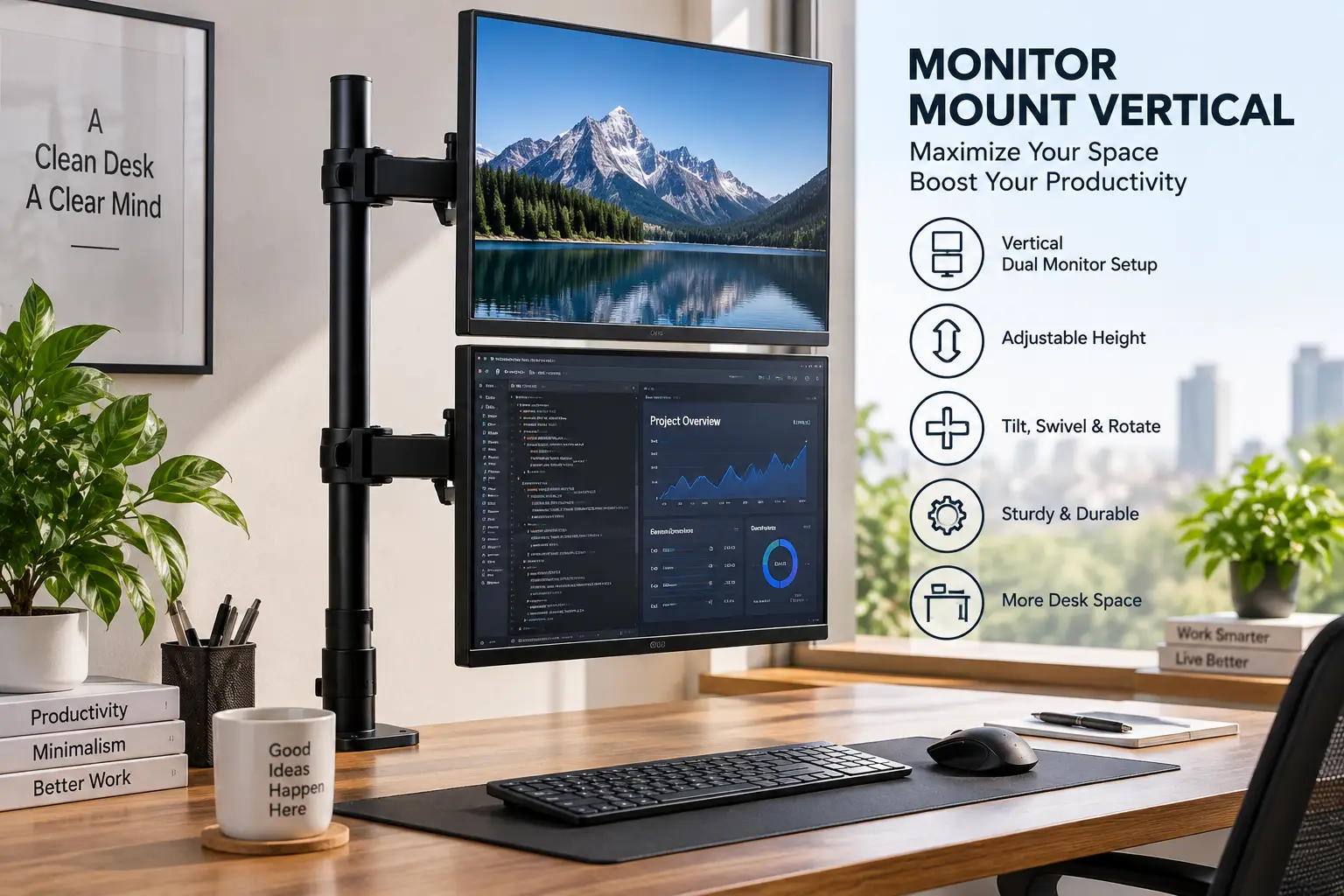
A vertical monitor mount is a desk- or wall-attached arm or bracket that holds a monitor using its rear VESA mounting holes and allows the screen to rotate 90 degrees into portrait orientation. Unlike a fixed stand, most versions also adjust height, tilt, and swivel, following the same universal VESA mounting standard used across nearly all modern flat-panel displays.
Real-World Scenarios: Who Actually Needs a Vertical Monitor Mount
If you’re a developer who spends 6-plus hours a day scrolling through code, a single portrait monitor mounted on something like the HUANUO FlowLift Single Monitor Mount paired with a landscape primary display is one of the most commonly recommended dual-orientation setups, since a vertical screen can show noticeably more lines of code without scrolling — useful for catching logic that spans dozens of lines at once. Budget for this setup: one mid-range 27-inch monitor you likely already own, plus a $25–$35 arm.
If you’re a trader or analyst tracking multiple data feeds, a stacked configuration on the Mount-It! Stacked Vertical Dual Monitor Mount lets you dedicate one portrait screen to a scrolling watchlist and the second to landscape charts, without eating up desk width the way two side-by-side monitors would. Budget here typically runs $60–$90 for the mount plus whatever monitors you’re already running.
If you’re a writer, editor, or researcher who spends most of the day reading long-form text or PDFs, the taller pole on the VIVO Single 13 to 38 inch Ultrawide Monitor Mount combined with a single vertical monitor mimics the proportions of a printed page far more closely than a landscape screen — genuinely reducing how often you scroll through source documents.
How to Choose a Monitor Mount Vertical Setup: 6 Steps
- Weigh your monitor first. Most manufacturers list weight capacity conservatively; check your monitor’s actual listed weight, not just its screen size, since a 27-inch monitor can weigh anywhere from 9 to 18 lbs depending on the panel and stand design.
- Confirm your VESA pattern. Flip your monitor over and measure the mounting hole spacing — 75x75mm and 100x100mm cover the vast majority of consumer monitors, but some larger or professional displays use wider patterns that budget arms don’t support.
- Measure your desk edge. A C-clamp needs a flat, accessible edge within its rated thickness range; desks with rounded or beveled front edges may require the grommet mounting option instead.
- Decide between gas spring and mechanical tension. Gas springs feel smoother initially but lose pressure faster under repeated use; mechanical systems like HUANUO’s MechaSpring trade a slightly different feel for longer-term consistency.
- Check your vertical clearance. Stacked dual mounts and tall ultrawide poles need real headroom between your desk and any shelf, monitor arm, or low ceiling above.
- Match warranty length to how long you plan to keep the setup. A one-year warranty on a $20 arm is a reasonable risk; a $200 arm should come with meaningfully longer coverage, which is exactly where the Ergotron LX Desk Monitor Arm‘s 10-year warranty earns its price premium.
Monitor Mount Vertical vs Standard Monitor Stand
| Factor | Vertical Monitor Mount | Standard Fixed Stand |
|---|---|---|
| Rotation to portrait | Yes, 360° on most models | Rarely, and only on select monitors |
| Height adjustment | Full range, tool-free on most | Minimal or none |
| Desk footprint | Small clamp point, frees up space | Full base footprint required |
| Cable management | Built-in clips on most arms | Usually none |
| Typical price | $20–$220 | $0 (included with monitor) |
Independent testing of monitor arms consistently finds that even budget arms outperform a monitor’s stock stand on stability once height and angle need regular adjustment, simply because stock stands aren’t engineered for repeated repositioning. That said, if you never plan to rotate your screen or change its height, a standard stand isn’t broken — the upgrade only pays off once portrait mode, standing-desk transitions, or shared-desk repositioning enter the picture. The math tends to favor a mount the moment two or more people share a workstation, since height needs vary far more between users than most stock stands can accommodate.
Common Mistakes to Avoid When Buying a Monitor Mount Vertical Solution
Buyers most often get burned by skipping the weight-capacity check entirely, assuming “monitor arm” means it’ll hold any monitor — a heavy 32-inch VA panel can exceed a budget arm’s rated capacity even though it physically clamps on fine, leading to slow downward drift over weeks rather than an obvious failure. A second common mistake is ignoring VESA pattern compatibility on larger monitors, since some 34-inch-plus displays use a 100x200mm or wider pattern that won’t match a standard arm’s plate without an adapter. Reviews consistently flag a third issue: underestimating desk-edge shape, where a curved or lipped front edge prevents a C-clamp from seating flush, something that’s easy to check before ordering but expensive to discover after. Finally, buyers frequently skip verifying vertical clearance for stacked dual mounts, only to find the top monitor bumps a shelf or low ceiling once fully raised.
Monitor Mount Vertical Setups for Programmers, Writers, and Traders
Programmers benefit most from a single tall portrait monitor for code review and version-control diffs, where seeing more lines at once reduces the mental overhead of scrolling back to check context — a dedicated vertical monitor mount adjustable enough to sit directly beside a landscape primary display is the most common configuration recommended across developer forums and setup guides.
Writers and researchers lean toward the taller-pole ultrawide options on this list, since portrait orientation more closely matches the proportions of a printed page or PDF, cutting down on the constant scrolling that comes with reading long documents on a landscape screen. Traders and financial analysts, by contrast, tend to prefer stacked dual configurations specifically because scrolling watchlists and ticker feeds are inherently vertical data, while charts and order books remain more legible in landscape — making a mixed orientation, rather than an all-portrait setup, the more common professional recommendation.
Long-Term Cost and Maintenance of a Monitor Mount Vertical Arm
| Budget Tier | Upfront Cost | 5-Year Considerations | Best Pick |
|---|---|---|---|
| Entry | $20–$35 | Shorter warranty; check tension yearly | WALI GSMP001N Single Monitor Desk Mount |
| Mid-range | $30–$50 | Balanced durability and price | VIVO Single 13 to 38 inch Ultrawide Monitor Mount |
| Premium | $150–$220 | Ten-year warranty absorbs most failure risk | Ergotron LX Desk Monitor Arm |
The math on long-term cost rarely favors buying the cheapest arm repeatedly over one premium purchase: a $25 arm replaced twice over five years costs roughly the same as one mid-range arm bought once, with the added hassle of re-installation each time. Maintenance itself is minimal across every tier — an occasional check of the tension mechanism and a wipe-down of the VESA plate contacts is typically all that’s needed, though gas-spring arms specifically benefit from an annual tension check since gas springs lose pressure gradually even with light use.
Safety, Regulations, and Standards for Monitor Mounts
Every product on this list follows the standard VESA hole-pattern specification, which is what guarantees compatibility between a given arm and the vast majority of consumer monitors regardless of brand. On the ergonomic side, OSHA’s computer workstation guidelines recommend positioning the top of a monitor at or just below eye level and keeping viewing distance between 20 and 40 inches — exactly the adjustment range a proper monitor mount vertical arm is built to provide, unlike a fixed stand that locks you into whatever height the manufacturer chose. For wall-mounted options like the HUANUO Single Monitor Wall Mount, always anchor into actual wall studs rather than drywall alone; the mount’s weight rating assumes stud-level support, and drywall anchors alone are not rated for sustained monitor weight. A university ergonomics guide reinforces the same core principle across nearly every workplace safety program: reducing awkward neck and shoulder postures through proper equipment adjustment is one of the simplest, lowest-cost interventions against long-term musculoskeletal strain.
✨ Ready to stop hunching over a fixed monitor stand? 🔧 Compare today’s pricing on the pick that matches your desk and skill level above — your neck will thank you by the end of the week.
Problem → Solution: Fixing Common Monitor Mount Vertical Issues
Problem: The monitor drifts downward after a few weeks. This is almost always a tension issue rather than a defect — locate the tension adjustment (a hex screw on most gas-spring arms, a dial on mechanical designs like the HUANUO FlowLift Single Monitor Mount) and increase it gradually until the monitor holds position unassisted.
Problem: The arm won’t clamp to my desk. Check your desk’s edge profile against the clamp’s rated thickness first; if the edge is rounded, beveled, or thicker than spec, switch to the included grommet mount and drill a single cable-pass hole instead.
Problem: The screen won’t rotate cleanly into portrait mode. Tilt the monitor to roughly a 45-degree angle before attempting the 90-degree turn — most VESA heads are designed to clear the arm only from this angle, and forcing a rotation from flat is the leading cause of cracked mounting brackets in the first month.
Problem: Cables keep getting caught during height adjustments. Re-route cables through the arm’s built-in clips rather than letting them hang loose alongside the pole; nearly every mount on this list, including both stacked dual options, includes dedicated clip points for this exact reason.
FAQs
❓ What is a monitor mount vertical setup actually used for?
❓ Can any monitor be mounted on a vertical monitor mount?
❓ Do vertical monitor mounts work with standing desks?
❓ Is a vertical monitor mount worth it for gaming?
❓ How much weight can a vertical monitor mount actually hold?
Conclusion
Choosing the right monitor mount vertical setup really comes down to answering three questions honestly: how much does your monitor actually weigh, how much are you willing to spend upfront versus over five years, and do you need one screen or two stacked together. For most single-monitor buyers on a budget, the HUANUO FlowLift Single Monitor Mount delivers the best combination of price and proven durability. If long-term reliability matters more than upfront cost, the Ergotron LX Desk Monitor Arm‘s ten-year warranty is hard to beat. And if you’re stacking two screens for trading, development, or research work, the Mount-It! Stacked Vertical Dual Monitor Mount and VIVO Dual Monitor Desk Mount STAND-V002R both handle that job well, with the choice between them mostly coming down to whether either screen is ultrawide.
Whichever you choose, the fundamentals stay the same: check the weight rating, confirm your VESA pattern, and measure your desk before you buy. Get those three things right, and the rest of the setup takes fifteen minutes and pays off every single day you sit down at your desk.
✨ Don’t miss these exclusive deals! 🔍 Take your desk setup to the next level with the picks compared above. Click through to check current pricing and availability on the mount that fits your monitor, your desk, and your budget best!
Recommended for You
- Curved Monitor Stand: 7 Best Picks for 2026 (Pros & Cons)
- Metal Monitor Stand: 7 Sturdy Picks That Won’t Wobble (2026)
- Height Adjustable Monitor Riser: 7 Best Picks for 2026 (Tested)
Disclaimer: This post contains affiliate links. As an Amazon Associate, I earn from qualifying purchases made through these links, at no additional cost to you.
✨ Found this article helpful? Share it with someone who needs it! 💬🤗