
In This Article
If you’ve ever stood up from your desk and felt your knees crackle, stiffen, or throb before you’ve even made it to the coffee machine, you already know a “regular” office chair isn’t cutting it. Finding the right ergonomic chair for knee pain isn’t about buying the flashiest chair on Amazon — it’s about specific geometry: seat depth, seat height, and a front edge that doesn’t dig into the back of your thighs where the popliteal nerve and blood vessels run.
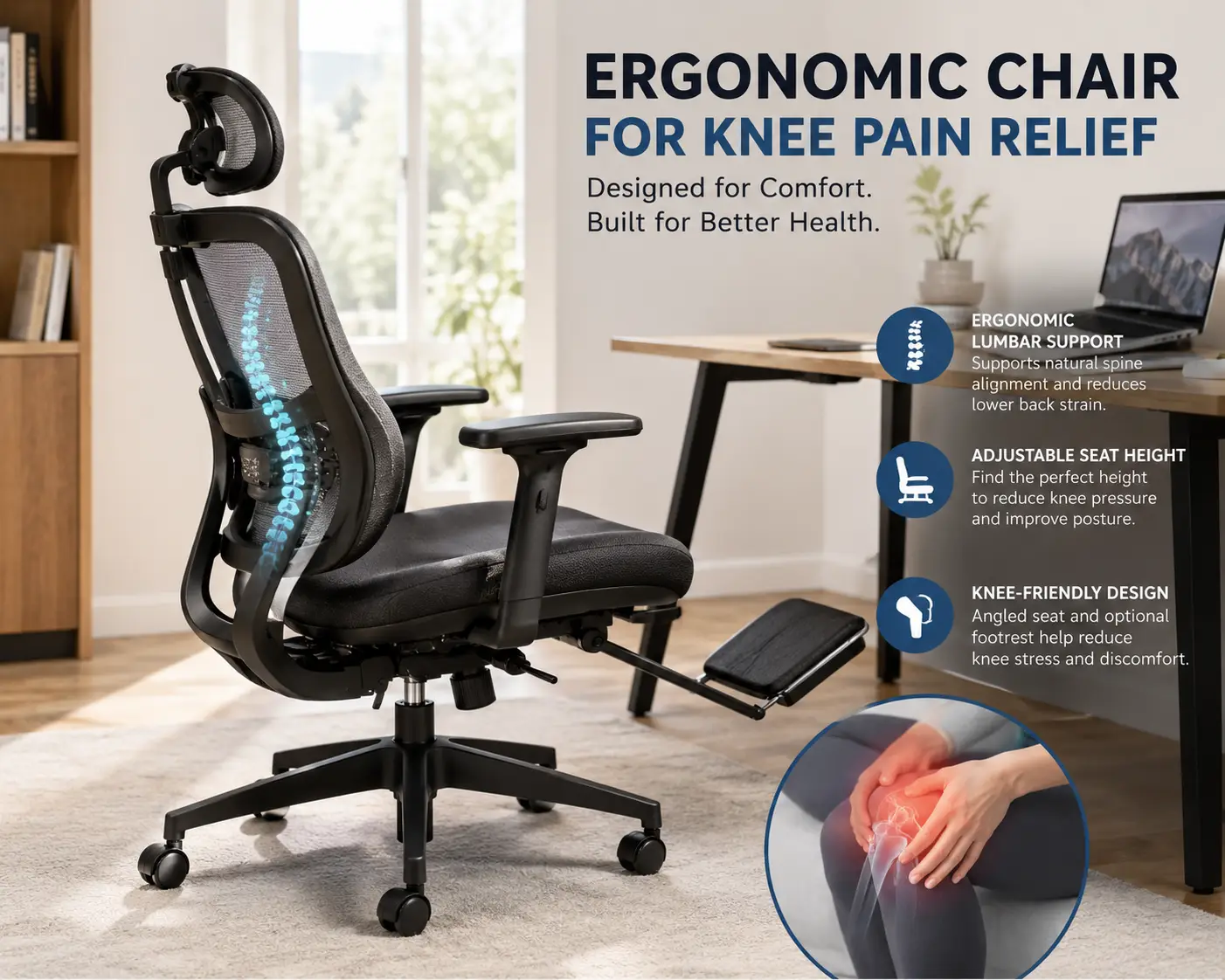
Here’s what most buyers overlook: knee pain from sitting is rarely about the knee joint itself. It’s about sustained pressure behind the knee and a bent-90-degree position held for hours on end, something a chair with a padded, rounded “waterfall” edge is specifically designed to relieve. That’s the whole game with an ergonomic chair for knee pain: seat depth you can adjust, a seat height that lets your feet rest flat, and enough clearance behind the knee that circulation isn’t cut off for eight hours straight.
In this guide, we’ve researched seven real chairs available on amazon.com — from a $100 kneeling stool to a $1,700 Herman Miller — and broken down exactly which features matter for knee pain, which are marketing noise, and who each chair actually fits. We’ll also walk through setup mistakes that undo even a great chair’s ergonomics, and a buyer framework so you’re not guessing. Let’s get into it.
Quick Comparison: Ergonomic Chairs for Knee Pain at a Glance
| Chair | Seat Depth Adjustable | Price Range | Best For |
|---|---|---|---|
| DRAGONN by VIVO Kneeling Chair | N/A (angled seat) | $100–$150 | Opening the hip-knee angle on a budget |
| Duramont Ergonomic Adjustable | No | $200–$270 | Tight budgets, shorter sitting sessions |
| Sihoo Doro C300 Pro V2 | Yes (4cm) | $400–$460 | Self-adjusting lumbar + knee clearance |
| Steelcase Series 2 | Yes (up to 3.75″) | $500–$900 | Best all-around seat-depth adjustment |
| Herman Miller Aeron | No (size-based fit) | $1,200–$1,800 | Long-term investment, pressure-mapped mesh |
Looking at this table, the pattern is clear: the more control you have over seat depth, the more precisely you can protect the back of your knee — but that control usually costs more, with the notable exception of the mid-priced Sihoo Doro C300 Pro V2, which punches above its price bracket. Budget options like the Duramont Ergonomic Adjustable skip depth adjustment entirely, which matters more for some body types than others. We’ll unpack all seven picks, including two not shown here, in the full breakdown below.
💬 Bookmark this page — you’ll probably want to compare a couple of these side by side before you decide! 😊
Top 7 Ergonomic Chairs for Knee Pain: Expert Analysis
1. DRAGONN by VIVO Kneeling Chair — opens the hip angle for under $150
The DRAGONN by VIVO Kneeling Chair takes a completely different approach: instead of adjusting a seat pan around your knees, it tilts your pelvis forward so your hips sit higher than your knees, removing the 90-degree bend that causes most desk-related knee compression.
Key features include an angled, thickly padded seat, a separate shin cushion, and a steel frame rated for typical adult body weights. In practice, that forward tilt opens the angle between your torso and thighs to well past 90 degrees, which is exactly the geometry OSHA describes as supporting a neutral pelvis when the torso-to-thigh angle runs from roughly 95 to 135 degrees. This isn’t a chair for eight straight hours, though — it’s best layered in as an alternate-sitting tool.
Who it’s for: people whose knee pain is specifically tied to hip-angle compression rather than general fatigue, and anyone who wants to break up long stretches in a traditional chair. Reviews consistently report that the rocking motion helps people avoid the stiffness of dead-still sitting, though several buyers note it takes a week or two to adjust to the kneeling posture and that it’s genuinely uncomfortable for anyone with pre-existing knee joint damage rather than muscular knee pain.
Pros:
- ✅ Forward tilt removes 90-degree knee compression
- ✅ Encourages active, low-grade core engagement
- ✅ Compact and easy to move between desks
Cons:
- ❌ Not ideal for full 8-hour workdays
- ❌ Can aggravate existing knee joint injuries
At around $100 to $150, the DRAGONN by VIVO Kneeling Chair is a low-risk way to test whether hip-angle correction — rather than seat depth — is what your knees actually need.
2. Duramont Ergonomic Adjustable — budget pick for shorter sessions
The Duramont Ergonomic Adjustable is the chair most reviewers describe as “you get what you pay for,” and for knee pain specifically, that’s a fair summary: it’s a genuinely comfortable budget chair with one significant gap.
Its features include adjustable lumbar depth and height, a reclining backrest with tilt-tension control, and a thick, breathable mesh back. The catch: the depth of the seat is fixed and does not adjust, which means shorter sitters can end up with the front edge pressing directly behind the knee — the exact pressure point ergonomic seating is supposed to avoid. Taller users, by contrast, tend to find the deeper seat comfortable.
Who it’s for: people over roughly 5’7″ on a tight budget who mostly need better lumbar support and don’t require seat-depth fine-tuning. Reviews consistently report strong comfort over four to five-hour stretches and solid build quality for the price, but shorter buyers specifically flag knee-edge pressure as the chair’s biggest drawback.
Pros:
- ✅ Adjustable, breathable mesh backrest
- ✅ Reclining tilt-tension is easy to dial in
- ✅ Strong value for a five-year warranty
Cons:
- ❌ Seat depth is fixed, not adjustable
- ❌ Runs poorly for users under 5’4″
In the $200 to $270 range, the Duramont Ergonomic Adjustable is solid value if your height matches the seat pan — but it’s not the pick if precise knee clearance is your main problem.
3. HON Ignition 2.0 — contract-grade durability with real seat-depth control
The HON Ignition 2.0 comes from HON, part of the same parent company as Allsteel, and it shows: this is the rare sub-$450 chair with a genuine seat-pan glide mechanism, not a marketing footnote.
The seat pan depth adjustment lets you pull the seat toward or away from the backrest, so you can dial in that all-important two-to-three-finger gap behind your knee regardless of your leg length. Add a synchro-tilt mechanism and height-adjustable lumbar, and you get a chair engineered more like contract office furniture than a home-office impulse buy. What most buyers overlook here is that this seat glide is the single feature that separates a chair that merely looks ergonomic from one that actually protects the knee.
Who it’s for: desk workers doing six to eight-hour days who want genuine seat-depth control without spending Steelcase money. Reviews consistently praise the seven-year warranty and the mesh durability, while some buyers note assembly takes longer than expected and the armrests are less adjustable than competitors’.
Pros:
- ✅ True seat-pan depth adjustment
- ✅ Synchro-tilt keeps feet planted while reclining
- ✅ Backed by a seven-year warranty
Cons:
- ❌ Armrests adjust in fewer directions than rivals
- ❌ Assembly is more involved than expected
Priced around $400, the HON Ignition 2.0 is arguably the best value pick here if seat-depth control, not price, is your top priority.
4. Sihoo Doro C300 Pro V2 — self-adjusting lumbar with real depth range
The Sihoo Doro C300 Pro V2 is the newest and most tech-forward chair on this list, built around a weight-sensing recline system and a lumbar pad that tracks your spine as you shift position throughout the day.
The 4cm seat-depth adjustment lets taller users extend the seat pan to distribute weight across the full length of the thighs, which is exactly the mechanism that prevents the “numb leg” sensation that compounds knee discomfort during long sessions. Pair that with 4D or 6D armrests (depending on configuration) and a waterfall-shaped seat front, and you get most of what a premium chair offers at roughly a third of the price of the Aeron below.
Who it’s for: home-office workers in the 5’0″ to 6’3″ range who want adaptive support without manually re-tuning the chair every time they shift. Reviews consistently flag one real weakness — the armrests can shift out of position too easily because they lack a firm locking mechanism — but praise the self-adaptive lumbar as genuinely different from static competitors.
Pros:
- ✅ Seat depth adjusts up to roughly 1.5 inches
- ✅ Lumbar support tracks your movement automatically
- ✅ Waterfall seat front reduces thigh pressure
Cons:
- ❌ Armrests lack a reliable locking mechanism
- ❌ Headrest sits low for users over 6’4″
At around $400 to $460, the Sihoo Doro C300 Pro V2 is our pick for buyers who want near-premium adaptive support without a four-figure price tag.
5. Branch Ergonomic Chair Pro — forward tilt for extra hip-knee relief
The Branch Ergonomic Chair Pro stands out from the rest of this list for one specific feature: forward seat tilt, which — like the kneeling chair above — opens the angle between your hips and knees rather than only adjusting where the seat edge sits.
Along with forward tilt, it packs 5D arms, height-adjustable lumbar, and 14 total points of adjustment into a chair still priced well under most premium competitors. The 5D arms, two-way lumbar, and forward seat tilt are effective ergonomic tools, not checkboxes, and that forward tilt specifically is what makes this chair worth a dedicated slot on this list rather than just another mid-range mesh chair. What that means in practice: if your knee pain is worse from a closed hip angle rather than seat-edge pressure, this is the one chair here engineered to fix that directly.
Who it’s for: home-office workers who’ve already tried a standard ergonomic chair and found the seat-tilt-only mechanism wasn’t enough. Reviews consistently highlight the mesh backrest’s breathability and the 7-year warranty, with the main caveat being a shorter overall track record than legacy brands like Steelcase or Herman Miller.
Pros:
- ✅ Rare forward seat tilt at this price
- ✅ 14 adjustment points, including seat depth
- ✅ Backed by a 7-year warranty
Cons:
- ❌ Shorter durability track record than legacy brands
- ❌ Mechanism complexity means more parts that could wear
In the $500 to $600 range, the Branch Ergonomic Chair Pro is the strongest pick if forward tilt, not just depth, is the fix your knees need.
6. Steelcase Series 2 — best-in-class seat-depth adjustment
The Steelcase Series 2 is the chair reviewers most consistently point to when seat-depth adjustment for knee comfort is the deciding factor, and the spec sheet backs that reputation up.
The seat depth is adjustable by up to 3.75 inches, paired with a flexible waterfall front edge that minimizes pressure under the thighs rather than a simple sloped cushion. Steelcase’s own fit guidance is blunt about the target: with your back against the chair, you should have 2 to 3 inches of space between the back of your knees and the seat edge, and the Series 2’s depth slider is precise enough to actually hit that number rather than approximate it. On paper, this means the Series 2 solves the exact mechanical problem that causes most desk-related knee pain more precisely than anything else under $1,000.
Who it’s for: buyers who sit long hours and have already identified seat-edge pressure, not just general discomfort, as their specific knee issue. Reviews consistently praise the adjustability and 12-year mechanism warranty, though several note the padding runs firmer than competing chairs and the backrest tension can feel light for sitters over 170 pounds.
Pros:
- ✅ Nearly 4 inches of seat-depth adjustment
- ✅ Flexible waterfall edge reduces thigh pressure
- ✅ 12-year warranty on mechanisms and lumbar
Cons:
- ❌ Firmer padding than some rivals
- ❌ Backrest tension can feel light over 170 lbs
Priced between roughly $500 and $900 depending on configuration, the Steelcase Series 2 earns its reputation as the benchmark for knee-focused seat-depth control.
7. Herman Miller Aeron — the long-term investment pick
The Herman Miller Aeron rounds out this list as the premium option, built around a suspended mesh seat rather than foam padding, with a design history that traces back to motorsport seating research.
The front of the seat falls away from your body rather than holding a flat 90-degree angle at the knee, which is the Aeron’s core answer to knee-related circulation problems — instead of adjustable depth, it uses a fixed, contoured seat pan matched to your body size (A, B, or C). What that means in practice: inside the correct size window, the seat depth supports the thighs without pressing behind the knees, but getting the size wrong undermines the entire design. This is a chair you fit to, not a chair you fine-tune.
Who it’s for: long-term desk workers who sit eight-plus hours daily and want a chair that will genuinely last over a decade. Reviews consistently cite the 12-year warranty and mesh breathability as standout strengths, and many owners report meaningful pain reduction after an adjustment period, though the base model notably ships without the PostureFit SL lumbar upgrade, which most buyers end up adding at extra cost.
Pros:
- ✅ Suspended mesh eliminates hot, sagging foam
- ✅ Contoured seat pan avoids flat knee-edge pressure
- ✅ Backed by a 12-year warranty
Cons:
- ❌ No seat-depth adjustment — sizing must be exact
- ❌ PostureFit SL lumbar often costs extra
At well over $1,200, often $1,300 to $1,800 depending on configuration, the Herman Miller Aeron is the investment pick for anyone who sits long-term and wants proven durability over trial-and-error adjustability.
How to Choose an Ergonomic Chair for Knee Pain
Looking at all seven chairs above, a clear pattern emerges: no single feature fixes knee pain on its own — it’s the combination of seat height, depth, and hip angle that matters. Here’s how to work through the decision in order:
- Measure your popliteal height first. Sit with your feet flat and knees bent to roughly 90 degrees, then measure from the floor to the crease behind your knee — this number should fall inside the chair’s seat-height range before you look at anything else.
- Check for seat-depth adjustment. If you’re under 5’4″ or over 6’2″, a fixed-depth chair like the Duramont Ergonomic Adjustable is a bigger gamble than a depth-adjustable one like the HON Ignition 2.0 or Steelcase Series 2.
- Look for a waterfall front edge. A padded, rounded front edge is specifically designed to reduce pressure at the back of the thigh and knee — nearly every chair on this list has one, but the flexibility of the edge varies.
- Decide if you need hip-angle correction, not just depth. If your knees hurt even with a well-fitted seat, consider the forward-tilt Branch Ergonomic Chair Pro or the kneeling DRAGONN by VIVO Kneeling Chair.
- Match your budget to your daily hours. Someone sitting four hours a day doesn’t need Aeron-level investment; someone sitting nine hours a day arguably can’t afford not to.
- Verify the weight capacity and BIFMA testing. Look for chairs tested to ANSI/BIFMA X5.1, the industry benchmark for structural safety over a simulated ten-year lifespan.
- Read reviews specifically for knee or leg complaints, not just general comfort ratings — general “5-star comfortable” reviews rarely mention knee-specific pressure points.
What Is an Ergonomic Chair for Knee Pain?
An ergonomic chair for knee pain is an adjustable office chair engineered to reduce pressure behind the knee and support a neutral hip-to-knee angle, typically through seat-depth adjustment, a padded waterfall front edge, and a seat-height range that lets your feet rest flat with your thighs roughly parallel to the floor.
That last part matters more than most shoppers realize. If the chair sits too high, the weight of your legs ends up supported by the underside of your thighs instead of your feet, compressing blood flow at the back of the knee — which is precisely the mechanism behind the ache people feel after a long day of desk work. An ergonomic chair for knee pain isn’t a medical device, and it won’t resolve a structural knee injury, but it removes one of the most common preventable causes of daily knee discomfort: bad geometry.
Setting Up Your Chair the Right Way (First 30 Days)
Buying the right chair only solves half the problem — setup mistakes undo even the best ergonomics, and the first month is when most people get it wrong.
Start with height before anything else, following university ergonomics guidance for office workstations: adjust the seat so your feet sit flat on the floor (or a footrest) with your knees bent close to 90 degrees, then move to depth. Slide the seat pan until you can fit two to three fingers between the front edge and the back of your knee — too far in, and you lose thigh support; too far out, and you’re back to compressing the popliteal area. Next, set your armrests so your shoulders relax and your elbows sit near 90 degrees; armrests that are too high are a sneaky cause of people perching forward off the seat, which reintroduces knee-edge pressure you just eliminated.
Common first-30-days mistakes include leaving the factory tilt-tension setting untouched (most ship too stiff for lighter users and too loose for heavier ones), forgetting to re-check depth after switching shoes with a different heel height, and crossing your legs out of habit, which twists the knee joint and undoes the chair’s alignment work entirely. Give yourself a full two weeks of daily small adjustments — your “correct” setting on day one rarely matches your correct setting once your body adapts.
✨ Ready to stop guessing and start comparing? 🔍 Take your home office setup to the next level with the seven chairs above — each pick solves a different knee-pain trigger, from seat depth to hip angle. Click through to check current pricing and find the one built for your body.
Real-World Scenarios: Which Chair Fits Your Situation
Rather than a one-size-fits-all answer, here’s how three common desk-worker profiles map to the picks above.
The budget-conscious remote worker, sitting 5–6 hours a day: Someone in this position doesn’t need a $1,500 investment piece. The Duramont Ergonomic Adjustable covers the essentials if they’re taller than 5’7″, while the DRAGONN by VIVO Kneeling Chair works as a low-cost second seat to break up long static stretches.
The full-time hybrid employee, sitting 7–9 hours a day, average height: This is where seat-depth adjustment stops being a nice-to-have and starts being the deciding factor. The HON Ignition 2.0 or Sihoo Doro C300 Pro V2 both deliver genuine depth control at a mid-range price, and either is a defensible choice depending on whether durability (HON) or adaptive lumbar tech (Sihoo) matters more.
The long-tenured desk worker who’s already tried “ergonomic” chairs that didn’t help: If a standard depth-adjustable chair hasn’t resolved the pain, the issue is likely hip angle, not seat edge. The Branch Ergonomic Chair Pro‘s forward tilt or a full upgrade to the Steelcase Series 2 or Herman Miller Aeron — both engineered around precise thigh support — are the next logical steps.
Ergonomic Chairs vs. Kneeling Chairs vs. Standard Office Chairs
A detailed side-by-side helps clarify why “ergonomic” isn’t a single category — it’s a spectrum of solutions to different knee-pain triggers.
| Feature | Standard Office Chair | Depth-Adjustable Ergonomic Chair | Kneeling Chair |
|---|---|---|---|
| Seat depth control | Rarely | Yes (most models) | N/A — no seat depth |
| Hip-to-knee angle | Fixed ~90° | Adjustable, still seated upright | Opened past 90°, forward tilt |
| Pressure behind knee | Often high | Low, if fitted correctly | Minimal — weight shifts forward |
| Typical price | $80–$200 | $400–$900 | $100–$200 |
| Best for | Occasional or short sitting | Most full-time desk workers | Supplementing a main chair |
The takeaway from this table is that a standard office chair isn’t “wrong,” it’s just not built to solve knee-specific pressure — it was designed for general seating, not for the popliteal clearance problem. A depth-adjustable chair like the Steelcase Series 2 or HON Ignition 2.0 directly targets that clearance issue, while a kneeling chair like the DRAGONN by VIVO Kneeling Chair sidesteps it entirely by changing your hip angle instead. Most people dealing with chronic knee discomfort get the best results combining a depth-adjustable main chair with a kneeling chair for variety throughout the day, rather than relying on either type alone.
Common Mistakes to Avoid When Buying an Ergonomic Chair for Knee Pain
Even a well-reviewed chair can fail you if you buy it the wrong way. The most common mistake is buying based on back-pain marketing alone — a chair can have excellent lumbar support and still crush the back of your knees if the seat is too deep for your frame, as multiple reviewers of the Duramont Ergonomic Adjustable discovered.
The second mistake is skipping the return-policy check. Seat fit is genuinely hard to judge from photos, and even well-reviewed chairs like the Sihoo Doro C300 Pro V2 don’t work for every body type — a 30-day trial window matters more than another five-star review. Third, buyers frequently ignore weight capacity ratings, assuming “sturdy-looking” is enough; a chair rated below your body weight will sag prematurely and lose the exact geometry you bought it for. Finally, don’t assume “ergonomic” on the product title means seat-depth adjustable — as this guide shows, several genuinely good chairs, including the flagship Herman Miller Aeron, skip depth adjustment entirely in favor of precise sizing instead.
Safety, Regulations, and Standards for Office Seating
When comparing chairs, it’s worth knowing what the safety claims on the listing actually mean. Most reputable office chairs, including several on this list, are tested to ANSI/BIFMA X5.1, the American National Standard covering structural safety, stability, and durability for general-purpose office chairs over a simulated ten-year lifespan — this is a structural and safety benchmark, not a comfort rating, so a BIFMA-tested chair can still be a poor ergonomic fit for your body.
On the health side, if your knee pain persists or worsens despite a proper ergonomic setup, that’s worth taking seriously rather than assuming a better chair will eventually fix it. As Mayo Clinic explains, knee pain can stem from problems with the joint itself or from the surrounding soft tissue, including ligaments, tendons, and bursae, and a chair, however well-designed, addresses posture and pressure — not underlying joint or soft-tissue conditions. If pain continues beyond a few weeks of proper setup, it’s reasonable to check in with a healthcare provider rather than chair-shopping indefinitely.
Long-Term Cost and Maintenance
Sticker price only tells part of the story. A $250 chair replaced every two years costs more over a decade than a $700 chair backed by a 10-to-12-year warranty — and that math matters even more for knee-focused buyers, since a sagging seat pan or worn-out depth mechanism is exactly what reintroduces the pressure points you bought the chair to avoid.
Warranty length is a genuinely useful proxy for expected lifespan here: the HON Ignition 2.0 and Branch Ergonomic Chair Pro both carry seven-year coverage, the Steelcase Series 2 and Herman Miller Aeron both run into the 12-year range, while budget picks like the Duramont Ergonomic Adjustable typically top out around five years. Maintenance itself is minimal — periodically check caster wheels for debris, re-tighten any depth-slider hardware that loosens with heavy daily use, and replace worn armrest pads before the bare frame starts digging into your forearms. None of this is expensive, but skipping it quietly shortens the chair’s effective ergonomic life well before the frame itself fails.
Frequently Asked Questions
❓ What is the best ergonomic chair for knee pain?
❓ Do kneeling chairs really help with knee pain?
❓ How much should I spend on an ergonomic chair for knee pain?
❓ Can an office chair actually fix knee pain from sitting?
❓ What seat depth is best for knee pain?
Conclusion
Knee pain at your desk is almost always a geometry problem, not a mystery. Whether the fix is a precise seat-depth slider on the Steelcase Series 2, the durable seat glide on the HON Ignition 2.0, a budget-friendly start with the Duramont Ergonomic Adjustable, or a completely different hip angle from the DRAGONN by VIVO Kneeling Chair, the through-line across every pick on this list is the same: protect the space behind your knee, and most of the daily ache disappears.
If you’re still undecided, start with your height and daily sitting hours, then work back through the comparison tables above — they’re built specifically to make that decision faster. For a broader look at ergonomic seating outside the knee-pain lens specifically, TechRadar’s office chair testing is a solid second opinion. And remember that no chair is a substitute for movement; even the best-fitted seat benefits from a stand-up break every 45 minutes or so.
💬 One click helps other shoppers make an informed choice too! 😊
Recommended for You
- Desktop for Standing Desk: 7 Best Picks for 2026 (Ranked)
- Standing Desk Table Top: 7 Best Replacement Options for 2026
- 7 Best Manual Crank Standing Desks (2026 Picks)
Disclaimer: This post contains affiliate links. As an Amazon Associate, I earn from qualifying purchases made through these links, at no additional cost to you.
✨ Found this article helpful? Share it with someone who needs it! 💬🤗