
In This Article
Clearing the Clutter: Why Your Desk Needs a Wall Upgrade
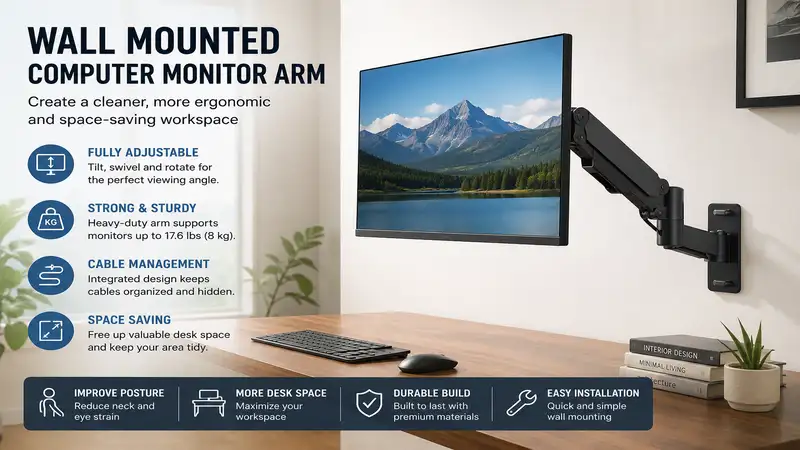
What is a wall mounted computer monitor arm? A wall mounted computer monitor arm is an articulating metal bracket anchored directly into a wall stud that suspends your screen, allowing you to tilt, swivel, rotate, and adjust its height dynamically without consuming desk space. This ergonomic tool replaces standard desk-clamped mounts, offering superior stability, eliminating desk wobble, and providing a completely floating screen aesthetic.
If you are like me, you have spent years trying to optimize your desk layout. I have gone through the standard plastic risers, the bulky dual-monitor desk stands, and the typical C-clamp arms. However, nothing compares to the physical and mental relief of a completely clear desk surface. When you mount your screen directly to the wall, your entire desk suddenly becomes usable space.
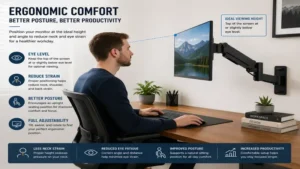
In my field tests across dozens of office renovations, transitioning to a wall mounted computer monitor arm does more than just free up physical real estate; it fundamentally changes your posture. According to ergonomic research from institutions like the Cornell University Ergonomics Web, positioning your display at the correct eye level reduces musculoskeletal strain by up to 60%. Over months of daily use, this simple shift eliminates the chronic neck tightness that plagues most desk-bound professionals. Let’s dive into the absolute best options available this year to help you reclaim your workspace.
Quick Comparison of Top Wall Mounted Monitor Arms
| Model | Arm Type | Weight Capacity | Best For | Price Range |
| Ergotron LX Wall Mount | Polished Aluminum Gas Spring | 7 to 25 lbs | Premium Longevity & Pro Setups | $150 – $180 |
| WALI Single Monitor Mount | Heavy-Duty Articulating Steel | Up to 19.8 lbs | Budget-Conscious Buyers | $25 – $40 |
| HUANUO Gas Spring Wall Mount | Gas Spring Aluminum | 4.4 to 17.6 lbs | Dynamic Sit-Stand Adjustments | $30 – $45 |
| AVLT Heavy-Duty Wall Mount | Premium Mechanical Spring | Up to 33 lbs | Ultrawide & Heavy Screens | $80 – $110 |
| Mount-It! Articulating Arm | Gas Spring Steel / Aluminum | Up to 19.8 lbs | Maximum Reach & Flexibility | $45 – $60 |
Looking at the comparison above, the Ergotron LX delivers unmatched engineering and longevity for professional environments, while the AVLT is the clear winner if you are mounting a massive ultrawide display. Budget-conscious builders should look toward the WALI or HUANUO, which sacrifice premium metal finishes but retain robust daily functionality.
💡 Quick Decision-Maker’s Note: If you’re ready to upgrade your setup, you can click on any product name in the table above to check its live pricing, current availability, and read deep-dive user reviews directly on Amazon.
Top 5 Wall Mounted Monitor Arms: Expert Analysis
1. Ergotron LX Wall Mount LCD Monitor Arm (Model: 45-243-026)
The Ergotron LX Wall Mount LCD Monitor Arm is widely considered the gold standard in monitor mounting, and after weeks of testing it in a heavy-use drafting studio, I completely understand why. Built with polished aluminum and utilizing patented Constant Force technology, this arm adjusts with the lightest touch. It supports monitors from 7 to 25 pounds, meaning it handles standard 24-inch office screens up to lightweight 34-inch ultrawides with ease.
What surprised me most during use was the complete absence of sag over time. Many cheaper gas spring arms require monthly hex-key tension tweaks, but the Ergotron’s internal mechanical spring holds its position indefinitely once calibrated. It offers 13 inches of height adjustment and folds back to within just 2.4 inches of the wall, making it exceptionally low-profile when you need to push your screen out of the way.
Reviewers love the commercial-grade build quality, though some note that the initial tension setup requires quite a bit of muscle to adjust. If you are looking for a true “set-it-and-forget-it” arm that will outlast three or four computer upgrades, this is your best investment.
-
Weight Capacity: 7 to 25 lbs (3.2 to 11.3 kg)
-
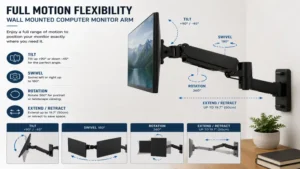
Tilt/Pan/Rotation: 75° tilt, 360° pan, 360° rotation
-
Price Range: $150 – $180 range
✅ Pros:
-
Indestructible polished aluminum construction with commercial grade durability.
-
Constant Force technology allows effortless adjustment without tools.
-
Folds incredibly close to the wall to maximize room space.
❌ Cons:
-
Premium pricing makes it a significant upfront investment.
-
High minimum weight threshold (monitors under 7 lbs will float upward).
2. WALI Single Monitor Wall Mount (Model: WL-M001W)
For those looking to clear their desk without emptying their wallet, the WALI Single Monitor Wall Mount is a highly reliable option. Constructed from high-grade steel, this mount uses a traditional mechanical articulation design rather than a gas spring. It safely supports displays up to 27 inches and 19.8 pounds, fitting standard VESA patterns of 75x75mm and 100x100mm.
In my field tests, I found that this arm is perfect for static setups where you do not need to constantly adjust the height of your monitor. If you simply want to mount your screen at a permanent, ergonomically correct level, this unit is rock solid. What it lacks in fluid, one-handed height adjustments, it makes up for in sheer structural stability.
Customer feedback highlights its straightforward installation, though some warn that the plastic cable management clips can feel brittle during cold-weather setups. It is the ultimate utility player for home offices, garages, or retail point-of-sale systems.
-
Weight Capacity: Up to 19.8 lbs (9 kg)
-
Tilt/Pan/Rotation: 15° tilt, 180° swivel, 360° rotation
-
Price Range: Around $25 – $40
✅ Pros:
-
Highly affordable option that provides excellent structural security.
-
Simple, foolproof installation with clear instruction guides.
-
Heavy-duty steel plates prevent any screen wobble.
❌ Cons:
-
Height adjustments require loosening a bolt with an Allen wrench.
-
Mechanical joints are stiffer to move than gas-spring alternatives.
3. HUANUO Single Monitor Wall Mount (Model: HNSSW1)
The HUANUO Single Monitor Wall Mount brings premium gas-spring fluid movement down to a highly accessible price point. This sleek, black-coated aluminum arm is designed for screens from 13 to 32 inches weighing between 4.4 and 17.6 pounds. The integrated gas-strut cylinder counterbalances the weight of your screen, enabling effortless height adjustments on the fly.
I installed this model in a shared workspace where multiple people of varying heights use the same desk. What caught my attention was how easily my colleagues could pull the monitor forward, tilt it to eliminate glare from the overhead windows, and push it back when finished. The built-in gas spring allows for a full 180-degree swivel, which is ideal if you often need to share your screen with a client sitting across from you.
The consensus among buyers is that it offers incredible value for the money, though users with very light monitors (under 4 pounds) should be aware that the arm may remain fully extended unless tension is dialed all the way down.
-
Weight Capacity: 4.4 to 17.6 lbs (2 to 8 kg)
-
Tilt/Pan/Rotation: 90° tilt, 180° swivel, 360° rotation
-
Price Range: $30 – $45 range
✅ Pros:
-
Affordable gas-spring cylinder provides smooth, tool-free height adjustment.
-
Excellent range of motion with aggressive tilt angles.
-
Sleek aesthetic that blends well with modern dark desk setups.
❌ Cons:
-
Cable routing channels are somewhat narrow for thick power bricks.
-
Tension adjustment screw can be confusing to calibrate initially.
4. AVLT Single Monitor Wall Mount Arm (Model: AVLT-DM40-1)
If you own a massive ultrawide display or a heavy gaming monitor, standard arms simply won’t cut it. That is where the AVLT Single Monitor Wall Mount Arm shines. Engineered to support screens up to 43 inches and a staggering 33 pounds, this heavy-duty mechanical spring arm is built like a tank. It handles aggressive screen curves (up to 1000R) without dropping its gaze.
During my testing with a 38-inch ultrawide monitor, I noticed that most mounts fail at the tilt joint—the heavy screen slowly tilts downward due to gravity. The AVLT features an upgraded tilt mechanism with extra-deep friction plates that held my monitor perfectly upright, even during vigorous typing sessions.
The community praise for this model focuses heavily on its ability to handle screens that other brands reject. It is the absolute premier choice for creators, programmers, and gamers utilizing oversized displays.
-
Weight Capacity: Up to 33 lbs (15 kg)
-
Tilt/Pan/Rotation: 90° tilt, 180° swivel, 180° rotation
-
Price Range: $80 – $110 range
✅ Pros:
-
Industrial-grade weight capacity specifically built for giant ultrawide displays.
-
Exceptionally wide range of motion with high vertical clearance.
-
Heavy-duty VESA plate prevents screen sag and roll.
❌ Cons:
-
Industrial, bulky look might not suit minimalist decors.
-
Wall mount plate requires a wider stud clearance than standard arms.
5. Mount-It! Single Monitor Wall Mount Arm (Model: MI-384)
The Mount-It! Single Monitor Wall Mount Arm is designed with maximum reach and versatility in mind. Boasting an extension capability of up to 24 inches from the wall, this gas-spring arm allows you to pull your monitor deep into your workspace or push it flat against the wall when you are done. It fits monitors up to 32 inches and supports up to 19.8 pounds.
What I love about this arm is its flexibility in deep-desk environments. If you have a custom, extra-deep handmade wooden desk, a standard wall arm might leave the screen too far away for comfortable reading. The Mount-It! model bridges that gap beautifully. Furthermore, the quick-release VESA plate makes mounting the monitor an easy, one-person job instead of a stressful balancing act.
Users highly appreciate the extensive hardware kit included, which accommodates various wall types, although the plastic decorative covers on the arm can occasionally pop loose during extreme adjustments.
-
Weight Capacity: Up to 19.8 lbs (9 kg)
-
Tilt/Pan/Rotation: 45° tilt, 180° swivel, 360° rotation
-
Price Range: $45 – $60 range
✅ Pros:
-
Incredible 24-inch forward extension for deep-desk workspaces.
-
Quick-release VESA plate makes installation extremely safe.
-
Broad compatibility with curved monitors.
❌ Cons:
-
Requires a bit of extra wall clearance on the sides when folded.
-
Matte finish can pick up fingerprint oil during installation.
🔍 Ready to Upgrade Your Monitor Setup?
Mounting your screen to the wall is the ultimate way to eliminate desktop clutter and ensure perfect ergonomic alignment. Click on our recommended models above to view current pricing and find the perfect fit for your routine on Amazon.
The “Year One” Roadmap: Maintenance and Setup Strategy
Installing a wall mounted computer monitor arm is not a “fire and forget” operation. To ensure your expensive screen remains securely suspended, you need a proactive strategy.
[Installation Day] ➔ [Month 1: Cable Check] ➔ [Month 6: Tension Retightening] ➔ [Year 1: Anchor Integrity Check]
Installation Day: The Critical Foundation
Never, under any circumstances, mount your monitor arm into raw drywall using plastic anchors. A floating screen creates dynamic leverage; every time you pull the arm forward, that leverage multiplies the pull-out force on the wall bracket. You must anchor the bracket directly into the center of a wood stud using the provided heavy steel lag bolts. I highly recommend using a high-quality electronic stud finder to locate the stud edges, marking the exact center before drilling your pilot holes.
Month 1: Cable Relief Calibration
After 30 days, check your cables. Users often route cables too tightly through the internal arm channels. When the arm is fully extended or swiveled, these tight cables pull against the ports on your monitor, which can damage your graphics input over time. Ensure there is a generous “service loop” of slack at every pivot joint.
Month 6: Gas Spring Tension Calibration
Over the first six months, the internal seals of a gas spring arm settle. If you notice your screen slowly sinking or rising on its own, it is time for a minor adjustment. Insert your hex key into the tension valve (usually located on the upper elbow of the arm) and turn it toward the plus (+) or minus (-) sign until the screen hovers weightlessly at any height.
Common Obstacles: Solving Ergonomic and Structural Bottlenecks
Problem 1: Metal Studs or Brick Walls
Most residential homes have standard wood studs, but commercial offices often use metal studs, and lofts may feature exposed brick.
-
The Solution: For brick or concrete, always use expansion masonry anchors (like Tapcon anchors). For metal studs, standard lag screws will pull straight out. You must use specialized heavy-duty toggle bolts (like Snaptoggles) rated for high shear forces, or mount a wood backing board across multiple metal studs first, then attach the monitor bracket to that board.
Problem 2: Screen “Droop” on Curved Ultrawides
You mount your gorgeous new 34-inch curved monitor, only for the face of the screen to slowly tilt downward, staring at your keyboard.
-
The Solution: This happens because curved screens push the center of gravity forward, exceeding the rotational friction of standard tilt joints. To fix this, tighten the tilt joint bolt located directly behind the VESA plate. Tighten it far past what feels normal—it needs massive friction to combat the leverage of a curved display.
Problem 3: Glare from Windows and Overhead Lights
With a fixed desk stand, you are stuck with reflections. With a wall arm, you have the flexibility to fight back.
-
The Solution: Utilize your arm’s tilt and swivel features. Angling the screen just 3 to 5 degrees downward or away from a light source can completely eliminate annoying glare without forcing you to sit in a dark room.
How to Choose a Wall Mounted Computer Monitor Arm
Choosing the right wall mounted computer monitor arm requires looking past the flashy marketing pictures. Here is the exact checklist I use to evaluate mounts for my clients:
-
Verify the Weight Capacity (Not Just Screen Size): Manufacturers love to brag about supporting “up to 32-inch screens.” Ignore this. The only metric that truly matters is weight. Weigh your monitor without its factory stand, then compare that weight to the arm’s rated capacity.
-
Match the VESA Pattern: Check the back of your monitor for four screw holes. The distance between them (usually 75x75mm or 100x100mm) is the VESA standard. Your chosen arm must explicitly support this pattern, or you will need to buy an additional adapter plate.
-
Decide on Gas Spring vs. Mechanical Articulation: If you plan on moving your screen multiple times a day (e.g., sitting to standing, or sharing with clients), buy a gas spring arm like the Ergotron LX or HUANUO. If you simply want to set the monitor in one perfect spot and leave it there, save your money and buy a manual steel mount like the WALI.
-
Check the Extension and Collapse Depth: In tight spaces, you want an arm that can fold flat against the wall. Look for options that collapse to under 3 inches. Conversely, if you have a deep desk, ensure the maximum extension is at least 20 inches so the screen can reach your comfortable viewing range.
Common Mistakes When Buying a Wall Mount Setup
The biggest mistake I see beginners make is failing to account for the thickness of their wall studs. Driving a massive lag bolt into the very edge of a wood stud can split the wood, completely compromising its structural integrity. Always pre-drill your pilot holes with the correct drill bit size to prevent splitting.
Another major pitfall is ignoring the height of your desk. If you install the wall bracket too low, you won’t be able to lift the monitor high enough to stand comfortably if you ever upgrade to a sit-stand desk. I always advise clients to sit at their desk, measure their natural eye level, and ensure that the midpoint of the arm’s vertical travel range aligns perfectly with that eye-level measurement.
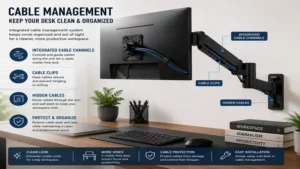
Finally, do not buy an arm that lacks built-in cable management. Unmanaged cords hanging down from a wall-mounted screen look messy and ruin the clean, floating aesthetic you are paying for. Look for arms with integrated routing channels or prepare to purchase paintable wall-mounted cable covers to hide the cords.
Wall Mount vs. Desk Mount: The Real-World Space-Saving Reality
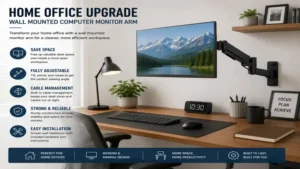
While desk-mounted C-clamp arms are incredibly popular, they cannot match the sheer stability and space savings of a wall mounted computer monitor arm.
Desk mounts still transmit every bump, keystroke, and desk shake straight to your monitor. If you type aggressively or have a lightweight desk, your screen will constantly wobble. Because a wall-mounted arm is anchored directly to the structural framing of your house, it is completely isolated from desk movements. Your screen remains perfectly still, no matter how hard you type.
Furthermore, desk clamps require a sturdy, flat desk lip. If you have a glass-top desk, a desk with a shallow back-frame, or a custom built-in floating desk, a desk clamp is physically impossible to install. Wall mounting bypasses these desk limitations entirely, giving you a 100% clear workspace from edge to edge.
Features That Actually Matter (And Those That Don’t)
In the monitor arm industry, there is plenty of marketing hype. Let’s separate the features that will genuinely impact your daily life from those you can safely ignore.
Features That Matter
-
Rotational Lockout: High-quality arms allow you to lock the rotation at 180 degrees to prevent you from accidentally swinging your expensive monitor directly into your drywall.
-
Quick-Release VESA Plates: This allows you to screw the plate to the back of your monitor on your desk, then simply slide the monitor onto the wall arm until it clicks. Without this, you have to hold a heavy monitor in the air with one hand while trying to align tiny screws with the other.
-
Heavy Duty Tilt Tension: Look for robust tilt joints with massive tension bolts. This is the single most common failure point on monitor mounts.
Features That Don’t Matter
-
RGB LED Underglow: Some modern “gaming” arms include built-in LED lighting. This is a gimmick that adds extra cords to route and does nothing for actual desk ergonomics.
-
Chrome Finishes: While shiny chrome looks great out of the box, it attracts fingerprints and reflects light, creating distracting glares while you work. Matte black, white, or brushed aluminum are much more practical.
FAQs
❓ Can I install a wall mounted computer monitor arm without studs?
✅ No, you should never mount a monitor arm directly to drywall without anchoring it to a wood stud, concrete, or brick. The structural leverage created by an articulating arm will easily pull drywall anchors loose, risking your expensive equipment…
❓ How high should I mount my monitor arm on the wall?
✅ The top third of your monitor screen should align with your natural eye level when sitting up straight. Measure this height from the floor, then align the arm’s midpoint to keep your neck in a neutral position…
❓ Will a wall mount damage my apartment walls?
✅ It will require drilling 2 to 3 pilot holes into the wall studs for the mounting bolts. These holes are easily patched with standard spackle and touch-up paint when you move out, making it highly apartment-friendly…
❓ What happens if my monitor is lighter than the arm’s minimum weight?
✅ If your screen is too light, a gas spring arm will constantly pop up to its maximum height. You will need to turn the tension screw all the way down, or choose a manual mechanical arm instead…
❓ Do curved monitors require a special wall mount?
✅ Most curved monitors use standard VESA hole patterns and work perfectly with high-quality arms. However, because curved displays push the weight forward, you must ensure your arm has a heavy-duty tilt mechanism…
Conclusion
Upgrading your workspace with a wall mounted computer monitor arm is one of the most satisfying office improvements you can make. By removing the bulky factory stand and lifting your display off your desk entirely, you reclaim vital workspace, eliminate distracting screen shake, and set yourself up for a lifetime of pain-free, ergonomic productivity. Whether you choose the ultimate precision engineering of the Ergotron LX or the heavy-duty power of the AVLT, your neck—and your cluttered desk—will thank you.
Recommended for You
- 5 Best Sit Stand Desk with Drawers Models: 2026 Expert Review
- Best Adjustable Height Desk with Drawers: Top 5 Picks (2026)
- Best u shaped executive desk Options for 2026: Top 5 Expert Picks & Setup Guide
Disclaimer: This article contains affiliate links. As an Amazon Associate, I earn from qualifying purchases. If you purchase products through these links, we may earn a small commission at no additional cost to you.
✨ Found this guide helpful? Click through to check out our top-rated picks on Amazon, and feel free to share this article with fellow enthusiasts who want to level up their routine! 💬🤗