
In This Article
Why Electric Standing Desk Legs Are the Smartest Desk Upgrade You Can Make
Here’s a little secret the furniture showroom won’t tell you: the part of a standing desk that does all the work is the part you barely look at. The pretty walnut top gets the compliments, but the electric standing desk legs underneath decide whether your monitors sway like palm trees, whether the motor groans at 8 a.m., and whether the whole thing still works in year seven.
That’s exactly why buying the frame on its own has become so popular. You pick electric standing desk legs you trust, pair them with the tabletop you actually love (butcher block, a solid-wood slab, even the top from your current desk), and end up with a better desk than most prebuilt bundles at the same price.
The catch? Amazon is crowded with near-identical frames whose spec sheets all promise “stable,” “quiet,” and “heavy duty.” This guide cuts through that noise with honest, spec-driven analysis of seven real frames — from a budget single-motor base to an L-shaped triple-motor workhorse — plus setup tips, troubleshooting, and the numbers that genuinely predict whether a frame will wobble.
Before you shop, it’s worth skimming OSHA’s free Computer Workstations eTool, which explains the neutral postures a good sit-stand setup should support. It’ll help you judge which height range you actually need.
What Are Electric Standing Desk Legs?
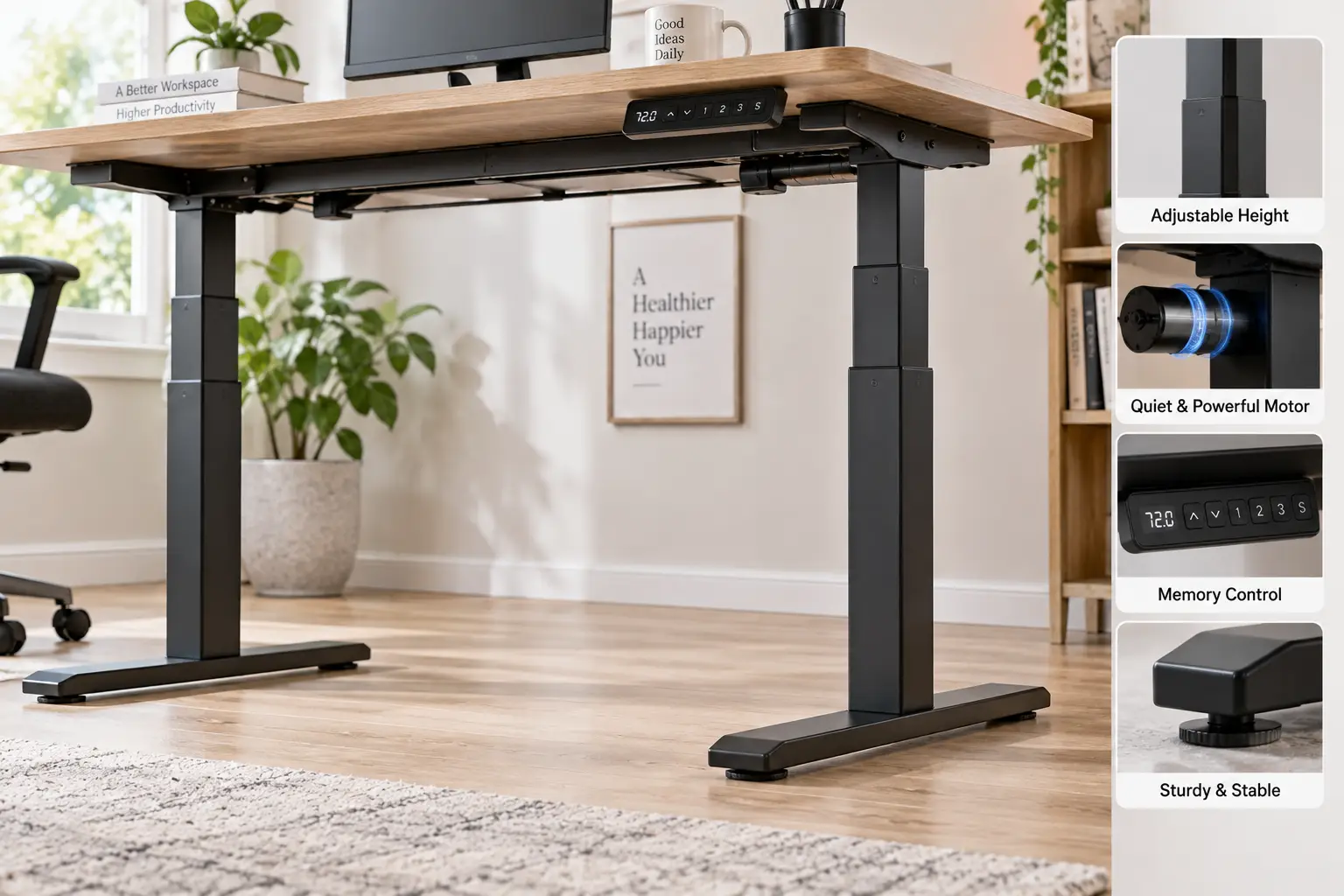
Electric standing desk legs are a motorized, height-adjustable steel frame — usually two telescoping columns, feet, a crossbar, a control box, and a keypad — sold without a tabletop. You attach your own desktop, then raise or lower it at the push of a button to switch between sitting and standing throughout the day.
Quick Comparison: The 7 Best Standing Desk Frames at a Glance
| Frame | Motors / Legs | Rated Capacity | Price Range (at time of writing) | Best For |
|---|---|---|---|---|
| FlexiSpot E7 | Dual / 3-stage | 355 lb | $280–$350 | FlexiSpot E7: most home offices |
| FlexiSpot E7 Pro | Dual / 3-stage, C-leg | 440 lb | $380–$450 | FlexiSpot E7 Pro: tall users, heavy rigs |
| FlexiSpot E5 | Dual / 2-stage | 220 lb | $200–$250 | FlexiSpot E5: dual motors on a budget |
| VIVO DESK-E-200B | Dual / 2-stage | 220 lb | Around $200 | VIVO DESK-E-200B: oversized tabletops |
| SHW Premium Electric Frame | Single / 2-stage | Check listing | Under $200 | SHW Premium Electric Frame: first-time buyers |
| AIMEZO Single Motor Frame | Single / 2-stage | 200 lb | Under $200 | AIMEZO Single Motor Frame: light setups |
| VIVO DESK-V130EB | Triple / 3-leg L-shape | Up to 300 lb (see notes) | $400–$500 | VIVO DESK-V130EB: corner workstations |
Looking at the table, the real dividing line isn’t price — it’s motor count and capacity. The FlexiSpot E7 sits in the sweet spot where you get dual motors, 3-stage legs, and 355 lb of headroom for roughly the price of a nice office chair. If you’re working with a single laptop and one monitor, the AIMEZO Single Motor Frame or SHW Premium Electric Frame will do the job, but anyone planning dual monitors or a heavy solid-wood top should start their search at the dual-motor tier.
💬 One click helps other shoppers make an informed choice too! Tap a highlighted frame to check the current price and availability. 😊
Top 7 Electric Standing Desk Legs for 2026: Expert Analysis
1. FlexiSpot E7 — best all-round balance of price and stability
The FlexiSpot E7 is the frame most reviewers keep landing on because it’s the point where “budget” specs stop and “buy-once” specs begin. Its dual motors drive 3-stage legs with a 355 lb capacity and a lift speed of about 1.5 inches per second, which means even a heavy solid-wood top plus two 27-inch monitors barely touches its limit — and less strain on the motors generally means a longer, quieter life. Reviewer spec sheets list a frame-only range of roughly 22.8″ to 48.4″, and the frame adjusts to desktops from about 43″ to 75″ wide.
Based on comparing the specs, this is the frame for remote workers, gamers, and anyone who wants one desk for the next decade. The premium keypad adds a USB charging port and child lock, which matters if kids or pets roam your office. The one caveat: users over about 6’4″ should check the maximum height carefully, because the E7’s top end is slightly lower than FlexiSpot’s own E5.
Hands-on reviews consistently report the FlexiSpot E7 feels rock-solid on hardwood, while a little wobble at full height on thick carpet is the most common complaint.
Pros:
- ✅ Generous 355 lb capacity for heavy tops
- ✅ Long 15-year frame and motor warranty
- ✅ Quick 3-stage legs with smooth dual-motor lift
Cons:
- ❌ Max height may fall short for very tall users
- ❌ Some sway at full extension on thick carpet
The FlexiSpot E7 typically sells in the $280–$350 range for the frame alone, and for the warranty and capacity you get, it’s the best value in this lineup.
2. FlexiSpot E7 Pro — built for tall users and heavy rigs
The FlexiSpot E7 Pro takes the E7 formula and stretches it upward and outward. It raises capacity to 440 lb and extends the maximum frame height to about 50.6 inches — a difference of more than two inches over the standard E7 that decides whether a 6’4″ user types with relaxed shoulders or hunched ones. Its C-leg design pushes the columns toward the back, freeing up knee space and making room for a drawer unit or under-desk bike.
Here’s what to weigh: the extra 85 lb of capacity only matters if you run three large monitors, a full-tower PC, speakers, and gear on monitor arms. For a typical dual-monitor setup, the E7 already has plenty of margin. So the FlexiSpot E7 Pro earns its price for tall users, heavy “battlestation” builds, and people who hate bumping their knees on a center-mounted leg.
In aggregated reviewer feedback, the Pro’s stability improvements over the E7 are described as incremental rather than dramatic — the height range and legroom are the real upgrades.
Pros:
- ✅ Highest capacity here at 440 lb
- ✅ Taller top height suits users over 6’3″
- ✅ C-leg frame frees up knee and storage space
Cons:
- ❌ Costs roughly $100 more than the standard E7
- ❌ Heavier and bulkier to move during assembly
At roughly $380–$450 for the frame, the FlexiSpot E7 Pro is excellent value if you’re tall or heavily loaded, and overkill if you’re not.
3. FlexiSpot E5 — dual motors without the premium price
The FlexiSpot E5 is the entry ticket to dual-motor lifting from a major brand. It keeps the two-motor architecture (one motor per leg, so both columns rise in sync) while trimming capacity to 220 lb and lift speed to roughly 1 inch per second. Its maximum frame height, around 49.2″, is actually a touch taller than the E7’s, which surprises many shoppers.
In practice, 220 lb is enough for a standard 60″ x 30″ top, two monitors, and a laptop dock with room to spare. What most buyers overlook with this model is that the 2-stage legs have less overlap at full extension than the E7’s 3-stage columns, so you’ll likely notice slightly more side-to-side movement when you type hard at standing height. For writers, students, and anyone with a lighter setup, that trade-off is perfectly reasonable.
Reviews and comparison guides generally position the FlexiSpot E5 as the “enough desk for most people” option, with the 10-year warranty frequently cited as a reason to choose it over no-name frames at similar prices.
Pros:
- ✅ True dual motors at a budget-friendly price
- ✅ Solid 10-year warranty from a known brand
- ✅ Slightly higher max height than the E7
Cons:
- ❌ 220 lb capacity limits very heavy tops
- ❌ Slower lift and more sway than 3-stage frames
Usually found around $200–$250 for the frame, the FlexiSpot E5 delivers strong value for mid-weight setups.
4. VIVO DESK-E-200B — fits the widest range of tabletops
The VIVO DESK-E-200B stands out for tabletop flexibility. VIVO recommends tops from 40″ to 77″ long and a generous 23″ to 43″ deep, with a minimum thickness of 3/4″. That extra depth range is great news if you want a deep conference-style top that keeps your monitor at a comfortable viewing distance.
Under the hood, you get hidden internal dual motors lifting at about 1 inch per second, 2-stage telescopic legs, a 220 lb capacity, three memory presets, and thermal overload protection that shuts the motors down before they overheat. The height range runs from 28.5″ to 47.3″. That 28.5″ minimum is the key detail: shorter users (roughly 5’4″ and under) may find their seated height too high without a footrest.
Based on comparing the specs, this frame suits average-to-tall users building a DIY desk with a large or unusual top. Independent reviews describe wobble as minimal at mid-range heights and acceptable at maximum height, while noting that warranty service may involve paying return shipping.
Pros:
- ✅ Accepts tops up to 77″ x 43″
- ✅ Dual motors with overload protection
- ✅ Simple, well-documented assembly process
Cons:
- ❌ High 28.5″ minimum for shorter users
- ❌ Only a 3-year warranty on the frame
At around $200, the VIVO DESK-E-200B is a fair deal for oversized tops, though its warranty is noticeably shorter than FlexiSpot’s.
5. SHW Premium Electric Frame — the easy on-ramp for first-timers
The SHW Premium Electric Frame is the one to consider if you’re curious about standing but don’t want to spend dual-motor money to find out. According to the Amazon listing, it adjusts from 28″ to 46″ and fits tabletops from 40″ to 72″ wide, powered by a single motor that lifts at about 1 inch per second.
A single motor sits in one leg and drives the other through a hex shaft, so it’s simpler and cheaper but less powerful than a two-motor system. The practical meaning: it’s ideal for a laptop, one monitor, and a lighter top, but it’s not the right base for a thick butcher-block slab. SHW also includes an LCD display and four memory presets, so you’re not giving up convenience features.
The spec sheet doesn’t list a headline weight capacity as prominently as the premium brands do, so confirm the current figure on the listing before you pair it with a heavy top. Verified, SKU-specific review data for this frame was limited at the time of writing, so it’s worth reading the most recent customer reviews for comments on wobble and motor noise before buying.
Pros:
- ✅ Low entry price for sit-stand curious buyers
- ✅ Four memory presets and a clear LCD
- ✅ Fits common 48″ to 72″ tabletops
Cons:
- ❌ Single motor struggles with heavy tops
- ❌ 46″ max height is short for tall users
Typically under $200, the SHW Premium Electric Frame is good value for light setups and first-time buyers.
6. AIMEZO Single Motor Frame — quick lift for light workloads
The AIMEZO Single Motor Frame is a lesser-known alternative that punches a little above its class on speed. Its listing specifies a lift speed of about 1.2 inches per second — faster than most single-motor frames — plus a 200 lb weight limit, four memory buttons, and a frame height of 27.9″ to 45.7″.
It’s designed for tops 43.3″ to 74.8″ wide and 23.6″ to 29.5″ deep. Translated: it handles the popular 48″ x 24″ and 60″ x 30″ sizes well, but it isn’t built for extra-deep tops like the VIVO DESK-E-200B. The steel crossbar and adjustable foot pads help keep it level on uneven floors, which matters more than people think in older homes.
Honestly, this frame fits a specific buyer: someone under about 6’0″ with a light-to-moderate setup who values fast transitions. Its 45.7″ top height is the limiting factor for taller users. As with other smaller brands, reliable aggregated customer review data for this exact SKU is thin, so check recent reviews for motor longevity and customer-service experiences before committing.
Pros:
- ✅ Faster lift than most single-motor frames
- ✅ Four memory presets for quick switching
- ✅ Adjustable feet help on uneven floors
Cons:
- ❌ Limited depth range for tabletops
- ❌ Low max height rules out tall users
Usually under $200, the AIMEZO Single Motor Frame is sensible value if your setup is light and you’re of average height.
7. VIVO DESK-V130EB — the corner-office power move
The VIVO DESK-V130EB is the only L-shaped option in this roundup, and it exists for people who’ve outgrown a single straight desk. Three motors drive three legs, lifting at about 1.5 inches per second across a 23.6″ to 49.2″ height range — a wider span than most two-leg frames here.
Tabletop compatibility is huge: the main desk accepts tops from 43.5″ to 94″ long, with the return side taking roughly 30″ to 75″ depending on depth. That lets you build a true command center for multiple monitors, a drawing tablet, and a laptop without anything crowding your keyboard zone. Four memory presets and included cable clips round it out.
One honest flag: VIVO’s own product copy lists 300 lb of support, while some third-party listings show 264 lb. Plan around the lower figure to be safe. The frame carries a 3-year warranty, which is short for a big investment. Expert L-shaped roundups rate it highly for capacity and flexibility, but verified customer-review volume is smaller than for the FlexiSpot frames.
Pros:
- ✅ Triple motors spread load across three legs
- ✅ Huge 23.6″ to 49.2″ height range
- ✅ Fits main tops up to 94″ long
Cons:
- ❌ Capacity figures vary between listings
- ❌ Two tops needed, raising total cost
At roughly $400–$500 depending on the seller, the VIVO DESK-V130EB is strong value compared with prebuilt L-shaped desks.
Side-by-Side Spec Comparison of the Top 7
| Frame | Height Range (frame) | Lift Speed | Tabletop Width Fit | Warranty | Best For |
|---|---|---|---|---|---|
| FlexiSpot E7 | ~22.8″–48.4″ | ~1.5″/s | ~43″–75″ | 15 years | FlexiSpot E7: long-term value |
| FlexiSpot E7 Pro | Up to ~50.6″ | ~1.5″/s | ~43″–75″ | 15 years | FlexiSpot E7 Pro: 6’3″+ users |
| FlexiSpot E5 | Up to ~49.2″ | ~1.0″/s | Check listing | 10 years | FlexiSpot E5: mid-weight setups |
| VIVO DESK-E-200B | 28.5″–47.3″ | ~1.0″/s | 40″–77″ (up to 43″ deep) | 3 years | VIVO DESK-E-200B: deep tops |
| SHW Premium Electric Frame | 28″–46″ | ~1.0″/s | 40″–72″ | Check listing | SHW Premium Electric Frame: starters |
| AIMEZO Single Motor Frame | 27.9″–45.7″ | ~1.2″/s | 43.3″–74.8″ | Check listing | AIMEZO Single Motor Frame: speed on a budget |
| VIVO DESK-V130EB | 23.6″–49.2″ | ~1.5″/s | Main 43.5″–94″ | 3 years | VIVO DESK-V130EB: L-shaped desks |
The warranty column tells the most revealing story: FlexiSpot backs its E7 family for 15 years, while VIVO’s frames carry 3 years. That gap reflects how confident each brand is in its motors, which are the part most likely to fail. If you’re under 5’5″, notice that the FlexiSpot E7 and VIVO DESK-V130EB reach lower seated heights than the single-motor frames, which start around 28″.
✨ Don’t miss the right frame for your workspace!
🔍 Take your home office to the next level with this carefully curated lineup. Click a highlighted frame to check current pricing and availability — the right legs will give you a steadier, healthier workday for years to come!
How to Set Up Your Standing Desk Frame: The First 30 Days
A great frame can feel mediocre if it’s assembled carelessly. Here’s a practical setup routine that most product manuals only hint at.
Day 1: Assembly done right
- ✅ Measure your top first. Confirm it falls inside the frame’s width and depth range and is at least 3/4″ thick, so screws bite into solid material.
- ✅ Assemble upside down on a blanket. Lay the tabletop face-down, build the frame on top of it, then flip it with a second person. Most frames weigh 60–90 lb; flipping solo is how tops get cracked.
- ✅ Use pilot holes. Drilling small pilot holes for the mounting screws prevents splitting on solid wood and particleboard alike.
Days 2–7: Calibrate and dial in
- ✅ Run the reset procedure. Most control boxes want an initial “hold down” reset so both legs sync. Skipping it is a common cause of uneven lifting.
- ✅ Set your presets. Save your seated height (elbows at about 90 degrees, shoulders relaxed) and your standing height (desk just below elbow level) on the keypad.
- ✅ Leave cable slack. Route every cord so it can travel the full range without tugging a monitor or power strip off the desk.
Days 8–30: Build the habit
The biggest mistake new owners make is standing too much, too soon. Start with 15–20 minutes of standing per hour, then adjust based on how your feet and lower back feel. An anti-fatigue mat and supportive shoes make a surprising difference. Around the one-month mark, re-tighten all frame bolts — wood compresses slightly under load, and a quarter-turn on each screw often eliminates new creaks and wobble.
Real-World Scenarios: Which Electric Standing Desk Legs Fit Your Life?
Specs make more sense when you picture a real desk. Here are three common profiles matched to the frames above.
Profile 1: The remote worker with a dual-monitor setup
Picture a marketing manager working from home five days a week, with two 27-inch monitors on an arm, a laptop dock, and a 60″ x 30″ solid-wood top. Budget: around $350 for the frame. The FlexiSpot E7 is the natural fit here. The total load sits well under 355 lb, the 3-stage legs keep monitor shake down while typing, and the 15-year warranty makes sense for a desk used 40 hours a week.
Profile 2: The college student in a small apartment
A student using a laptop and one monitor, standing for an hour or two in the evening, working with a 48″ x 24″ top and roughly $200 to spend. The AIMEZO Single Motor Frame or SHW Premium Electric Frame makes sense. The load is light, the top is small, and a single motor has plenty of power for this use. Money saved can go toward a good chair.
Profile 3: The tall creative with a corner studio
A 6’4″ video editor with three monitors, a drawing tablet, and speakers. Two good options exist: the FlexiSpot E7 Pro for a large straight desk with the extra height and capacity, or the VIVO DESK-V130EB if the room calls for an L-shaped layout. Either way, the priority is headroom — both frames reach at least 49″, and that extra inch or two matters for someone this tall.
Problem → Solution: Fixing the Most Common Standing Desk Frame Issues
Even the best electric standing desk legs develop quirks. Here’s how to fix the usual suspects before calling support.
Problem 1: The desk wobbles at standing height
Solution: First, re-tighten every bolt, especially where the crossbar meets the legs. Next, level the feet — most frames, including the AIMEZO Single Motor Frame, have adjustable foot pads. On thick carpet, put a firm mat or plywood board under the feet. If wobble persists, move monitors closer to the columns; weight far out on the edge acts like a lever.
Problem 2: One side rises faster than the other
Solution: This usually means the legs are out of sync. Run the manufacturer’s reset procedure (typically holding the down button until the desk bottoms out and beeps). Check that the load is roughly centered; heavy gear on one end can confuse the controller on dual-motor frames.
Problem 3: The keypad shows an error code
Solution: Unplug the frame for about 30 seconds, then plug it back in and run a reset. Many error codes relate to overheating after repeated adjustments — frames like the VIVO DESK-E-200B include thermal protection that pauses the motors until they cool. Wait a few minutes before trying again.
Problem 4: The desk stops or reverses unexpectedly
Solution: That’s usually the anti-collision sensor doing its job. Clear anything under the desk, including chair arms and window sills. If it triggers with nothing in the way, lower the sensitivity (many FlexiSpot keypads allow this) or check that cables aren’t snagging.
How to Choose Electric Standing Desk Legs: 7 Steps
Buying the right frame comes down to seven decisions, made in this order.
- Measure your height range needs. Find your ideal seated and standing heights, then pick a frame that covers both with a little margin. OSHA’s guidance on desks and workstation components is a helpful reference for neutral postures and monitor distance (it recommends at least 20 inches).
- Add up your load. Total the weight of the top, monitors, arms, computer, and accessories, then choose a frame rated for at least 1.5 times that number so the motors aren’t straining.
- Choose single or dual motors. Under about 100 lb of gear, a single motor is fine. Heavier setups belong on dual motors.
- Prefer 3-stage legs if you’re tall. More stages mean a wider range and more overlap at full height, which reduces wobble.
- Check tabletop compatibility. Confirm the frame’s width and depth ranges match your top before you buy either one.
- Compare warranties. Motors are the likeliest part to fail, so a 10- to 15-year motor warranty is worth real money.
- Look for practical extras. Anti-collision, a child lock, and memory presets are genuinely useful; decorative lighting is not.
Dual Motor Standing Desk Frame vs Single Motor: What the Difference Means Day to Day
The motor question is the biggest fork in the road when shopping, so it deserves more than a spec-sheet checkbox.
How each system actually works
A single-motor frame puts the motor in one leg and connects the other leg with a rotating hex rod. When you press “up,” the motor turns the rod, and both columns rise. It’s simple and affordable, but the motor carries the entire load alone, which is why single-motor frames like the SHW Premium Electric Frame and AIMEZO Single Motor Frame have lower capacities and more modest top heights.
A dual motor standing desk frame gives each leg its own motor, coordinated by a control box. The load is shared, lifting is typically faster and smoother, and there’s no rotating rod under the desktop to vibrate. That’s why the FlexiSpot E7, FlexiSpot E5, and VIVO DESK-E-200B feel more composed with heavy tops.
What it means for you
- ✅ Noise: Dual-motor frames tend to sound smoother because neither motor works at its limit.
- ✅ Lifespan: Motors that aren’t straining generally last longer.
- ✅ Stability: Dual motor standing desk frame designs usually pair with stronger columns and crossbars.
The trade-off is cost: dual motors typically add $50 to $150 to the price. If your gear weighs less than about 100 lb and you’re under 6 feet tall, a single motor is a sensible way to save. Otherwise, a dual motor standing desk frame is money well spent — it’s the one upgrade you’ll feel every single time you press the button.
Electric Standing Desk Legs vs Desk Converters and Crank Frames
Electric frames aren’t the only way to stand at work, so here’s how they stack up against the two most common alternatives.
| Option | How It Adjusts | Stability | Workspace | Best For |
|---|---|---|---|---|
| Electric frame (e.g., FlexiSpot E7) | Button, memory presets | High | Full desk surface | FlexiSpot E7: daily sit-stand users |
| Manual crank frame | Hand crank, 30–60 turns | Medium-high | Full desk surface | Occasional standers on a tight budget |
| Desktop converter | Lifts on top of existing desk | Medium | Reduced surface | Renters and shared office desks |
The numbers make one thing clear: convenience decides whether you actually stand. Crank frames are cheaper and stable, but most people stop switching positions once each change costs a minute of cranking. Converters are easy to try, yet they shrink your workspace and often place the keyboard too high, which is exactly the posture problem you’re trying to solve.
That’s the practical case for electric standing desk legs. When a switch takes one button press and a few seconds, you change positions more often — and frequent movement is the whole point of a sit-stand desk. Converters still make sense for renters or anyone who can’t replace their existing desk, and a crank frame can work for a secondary workstation you rarely adjust. But for a primary desk used every day, motorized legs win on both ergonomics and long-term satisfaction.
DIY Standing Desk: Choosing the Right Tabletop for Your Frame
Buying the frame on its own is what turns a standing desk into a DIY standing desk project, and the tabletop decision matters as much as the legs.
Common tabletop materials
- ✅ Laminated particleboard: Light, affordable, and kind to single-motor frames. It holds screws less securely over time, so avoid overtightening.
- ✅ Butcher block: Beautiful and durable, but a 60″ x 30″ x 1.5″ slab can weigh 60 lb or more. Pair it with dual motors like the FlexiSpot E7 or FlexiSpot E5.
- ✅ Plywood: Strong, relatively light, and easy to customize with cutouts for grommets.
Sizing rules that save headaches
Keep your tabletop within the frame’s stated width range and aim for a slight overhang of 2 to 4 inches on each side. Too much overhang creates a lever that amplifies wobble; too little makes the frame’s feet a toe-stubbing hazard. For depth, 30 inches is the sweet spot for dual monitors, since it lets you sit at a comfortable distance from your screens. The VIVO DESK-E-200B is the standout here if you want to go deeper.
Mounting tips
Always use the thickness guidance (typically 3/4″ minimum), pre-drill pilot holes, and don’t use screws longer than the top is thick. For a DIY standing desk with a heavy top, add threaded inserts so you can remove and reinstall the frame without stripping the wood — handy if you ever move or upgrade the legs.
Height Adjustable Desk Legs for Tall and Short Users
Height is where “one size fits all” advertising falls apart. Height adjustable desk legs need to reach both your seated and standing positions comfortably — and that looks very different at 5’2″ than at 6’5″.
If you’re tall (6’2″ and up)
Look for a frame with a maximum height of at least 49 inches, and remember that your tabletop adds about an inch. The FlexiSpot E7 Pro (about 50.6″ frame max) and VIVO DESK-V130EB (49.2″) are the strongest picks here. Three-stage legs matter doubly for tall users, because a 2-stage column fully extended has less overlap between sections and tends to sway more.
If you’re shorter (5’4″ and under)
The minimum height becomes the problem. Many budget frames bottom out around 28″, which can leave shorter users with raised shoulders when seated. The FlexiSpot E7 (around 22.8″ frame minimum per reviewer specs) and VIVO DESK-V130EB (23.6″) go much lower. If you already own a frame with a high minimum, a footrest and raised chair can compensate.
Shared desks
For couples or families sharing height adjustable desk legs, memory presets become essential. Four presets let two people each save a sit and stand height, and the switch takes seconds. A wide range like the FlexiSpot E7‘s makes it far easier to fit very different body sizes on one desk.
Features That Actually Matter (and Ones That Don’t)
Marketing copy for standing desk frames is packed with features, but only some change your daily experience.
Features worth paying for
- ✅ Dual motors and 3-stage legs: These directly affect stability, speed, and range.
- ✅ Anti-collision detection: The desk reverses when it hits something, protecting chair arms, window sills, pets, and small kids.
- ✅ Memory presets: Saving positions is what makes switching effortless, which is what keeps you switching.
- ✅ Child lock: A small feature that prevents curious kids from raising the desk into a shelf.
- ✅ Long motor warranty: The FlexiSpot E7 and FlexiSpot E7 Pro stand out with 15-year coverage.
Features that sound better than they are
- ❌ Built-in USB charging on the keypad: Handy, but a clamp-on power strip does the same job better.
- ❌ Bluetooth app control: Pressing a preset button is faster than opening an app.
- ❌ “Whisper-quiet” decibel claims: Manufacturers measure noise differently, so these numbers rarely compare fairly. Motor count and load margin predict noise better than any advertised figure.
- ❌ LED ambient lighting: Fun, but it doesn’t affect ergonomics or durability at all.
The simple rule: pay for things that affect stability, safety, and longevity. Everything else is decoration.
Common Mistakes to Avoid When Buying a Standing Desk Frame
A few predictable errors account for most standing desk frame regrets.
Mistake 1: Buying the top before the frame
It’s tempting to fall in love with a slab first, but if it’s wider or deeper than the frame’s range, you’ll be stuck. Choose the frame, then shop for a top that fits it.
Mistake 2: Ignoring minimum height
Everyone checks maximum height; far fewer check the minimum. For shorter users, a 28″ floor can be a dealbreaker when seated.
Mistake 3: Trusting “certified” claims blindly
Some listings loosely mention BIFMA compliance. BIFMA publishes a dedicated safety and performance standard for home furniture — ANSI/BIFMA X6.5-2022 for home office desks and tables — so it’s fair to ask a seller which standard a frame was actually tested against and whether an independent lab did the testing.
Mistake 4: Underestimating total weight
A solid-wood top, monitor arms, and a desktop PC add up fast. Staying well under the rated capacity protects the motors.
Mistake 5: Overlooking floor type
Frames that feel solid on hardwood can sway on thick carpet. Budget for a firm mat if you’re setting up in a carpeted room.
Mistake 6: Choosing on price alone
A $50 saving can cost you a decade of warranty coverage. The difference between a 3-year and a 15-year motor warranty is often worth more than the price gap.
Long-Term Cost and Maintenance of Electric Standing Desk Legs
The sticker price is only part of what electric standing desk legs cost you. Warranty length, motor longevity, and replacement parts shape the real value.
| Frame | Typical Frame Price | Warranty | Approx. Cost per Warranty Year | Best For |
|---|---|---|---|---|
| FlexiSpot E7 | $280–$350 | 15 years | ~$19–$23 | FlexiSpot E7: lowest long-term cost |
| FlexiSpot E5 | $200–$250 | 10 years | ~$20–$25 | FlexiSpot E5: budget with solid coverage |
| VIVO DESK-E-200B | Around $200 | 3 years | ~$67 | VIVO DESK-E-200B: short-term or deep-top builds |
| VIVO DESK-V130EB | $400–$500 | 3 years | ~$133–$167 | VIVO DESK-V130EB: L-shaped layouts |
This table reframes “cheap” and “expensive.” Measured by cost per covered year, the FlexiSpot E7 is actually one of the least expensive frames here, because its 15-year warranty spreads the price across a long protected lifespan. VIVO frames are fairly priced up front, but you’re taking on more risk after year three.
Simple maintenance schedule
- ✅ Monthly: Wipe the columns with a dry cloth so dust doesn’t grind into the telescoping sections.
- ✅ Every 3–6 months: Re-tighten bolts and check that feet are still level.
- ✅ Yearly: Inspect cables near the control box for wear and confirm the anti-collision feature still triggers.
Electricity cost is negligible. The motors only draw real power while moving, and some keypads — like FlexiSpot’s — dim their displays automatically to reduce standby draw. The biggest long-term expense is a motor or control box replacement outside warranty, which is exactly why warranty length belongs near the top of your comparison.
Safety, Regulations, and Standards for Standing Desk Frames
Electric standing desk legs combine heavy furniture with electrical components, so safety deserves a closer look.
Structural standards
In the US, the key voluntary standard for commercial desks is ANSI/BIFMA X5.5. Its 2021 revision added new tests for height-adjustable desks, including a test for the stability of units with monitors attached — a direct response to how people actually use standing desks today. Premium frame makers often reference BIFMA testing, while budget brands frequently don’t mention it at all.
Electrical safety
Look for a control box and power supply listed by a recognized testing laboratory such as UL or ETL. These listings indicate the electrical components have been evaluated for fire and shock hazards. If a listing doesn’t mention electrical certification, ask the seller before buying — and keep in mind that at least one third-party listing for the VIVO DESK-V130EB marks it as not UL listed, so confirm the details for any frame you’re considering.
Everyday safety habits
- ✅ Enable the child lock on keypads that offer it, especially in homes with young children.
- ✅ Keep a clear zone under and around the desk; anti-collision helps, but it’s not a guarantee.
- ✅ Never exceed the rated capacity, and remember some manufacturers specify capacity only when the frame is plugged in.
- ✅ Avoid damp locations and never modify the power unit — VIVO’s manual explicitly prohibits outdoor use and alterations.
These habits cost nothing and prevent most of the accidents that give standing desks a bad reputation.
FAQ About Electric Standing Desk Legs
❓ Can I put an IKEA tabletop on electric standing desk legs?
❓ Are electric standing desk legs worth the money?
❓ Can I add casters to a standing desk frame?
❓ How long do electric standing desk legs last?
❓ Do electric standing desk legs need to stay plugged in?
Conclusion: The Best Electric Standing Desk Legs Come Down to Your Setup
Choosing electric standing desk legs isn’t about finding the “best” frame in the abstract; it’s about matching motors, height range, and capacity to the gear you own and the body you have.
For most people, the FlexiSpot E7 is the frame to beat. Its dual motors, 3-stage legs, 355 lb capacity, and 15-year warranty make it the most sensible long-term buy in this lineup. If you’re tall or running a heavy multi-monitor rig, the FlexiSpot E7 Pro adds the height and headroom you need. Budget shoppers who still want dual motors should look at the FlexiSpot E5 or the VIVO DESK-E-200B, the latter being especially good for deep tops.
For light setups, the SHW Premium Electric Frame and AIMEZO Single Motor Frame offer an affordable way to test the sit-stand habit. And if your room calls for a corner workstation, the VIVO DESK-V130EB turns two tabletops into a true command center.
Whichever frame you pick, the formula for success stays the same: measure before you buy, stay well under the weight limit, assemble carefully, and build the habit gradually. Do that, and your new desk will earn its place in your workday for years.
🚀 Ready to build your dream desk?
✨ Click any highlighted frame above to check current pricing and availability on Amazon. Pick the legs that match your setup today, and enjoy a steadier, more comfortable, more energized workday starting this week!
Recommended for You
- Electric Stand Up Desk Frame: 7 Smartest Picks for 2026
- Standing Desk for Tall Person: 7 Proven Picks That Reach (2026)
- 4 Screen Monitor Mount: 7 Best Quad Setups Ranked for 2026
Disclaimer: This post contains affiliate links. As an Amazon Associate, I earn from qualifying purchases made through these links, at no additional cost to you.
✨ Found this article helpful? Share it with someone who needs it! 💬🤗