
In This Article
The Ultimate Guide to Finding the Perfect Multiple Monitor Desk
If you spend more than six hours a day in front of your computer screens, your workspace configuration isn’t just a matter of convenience—it is a critical variable in your occupational health and cognitive performance. Transitioning to a multiple monitor desk setup can instantly expand your digital canvas, allowing you to cross-reference data, compile code, or coordinate live streams without constantly cycling through overlapping windows. However, simply placing two or three heavy displays onto a standard flat-pack table is a recipe for bowed surfaces, structural wobble, and physical fatigue. Selecting a high-quality multiple monitor desk is the first step toward building a truly efficient and ergonomic office environment.
In my field tests, I have evaluated dozens of office configurations, looking past aesthetic marketing images to test the actual engineering realities of loaded workstations. What surprised me most during use was how quickly a seemingly rigid desktop can sag under the off-center, cantilevered forces applied by clamp-on monitor arms. To find a multiple monitor desk that truly supports your workflow, you must look at structural reinforcement, torsional stiffness, and ergonomic science rather than just superficial surface measurements. This in-depth guide pulls back the curtain on how to select, arrange, and optimize a multiple monitor desk built specifically to hold multiple screens without breaking a sweat—or your valuable displays.
Quick Comparison Table: Top-Rated Multi-Monitor Solutions
The table below outlines our top vetted picks designed to accommodate multiple monitors. Each multiple monitor desk has been selected based on stability under heavy loads, surface depth, and mounting versatility.
| Desk Model | Desktop Dimensions (Inches) | Frame Motor Type | Weight Capacity (lbs) | Best For |
| Fezibo Executive B | 55″ x 24″ to 63″ x 24″ | Dual-Motor Electric | 176 lbs | Built-in Shelving & Storage |
| FlexiSpot E7 Pro | 48″ x 24″ to 80″ x 30″ | Dual-Motor Electric | 440 lbs | Heavy Multi-Display Setups |
| Sedeta 63-Inch L-Shaped | 63″ x 55″ x 30″ | Non-Electric (Fixed) | 220 lbs | Dedicated Corner Gaming/Office |
| VIVO Corner Standing Desk | 63″ x 43″ x 29″ to 48″ | Dual-Motor Electric | 176 lbs | Ergonomic Sit-to-Stand Corner Work |
| Huuger L-Shaped Computer Desk | 55″ x 48″ x 29″ | Non-Electric (Fixed) | 150 lbs | Space-Saving Budgets |
Data Interpretation & Buyer Analysis
Looking at the comparison above, the FlexiSpot E7 Pro delivers the absolute best structural ceiling if you want a heavy-duty multiple monitor desk capable of mounting three heavy 32-inch displays using clamp-style arms. However, if your room demands space optimization without sacrificing screen real estate, the Sedeta 63-Inch L-Shaped multiple monitor desk provides massive surface area at a fixed height. Budget-conscious buyers should note that while the Huuger L-Shaped Computer Desk compromises on raw weight capacity, its L-shaped layout naturally distributes smaller dual monitors efficiently across the multiple monitor desk surface without the need for high-end heavy-duty metal monitor mounts.
💡 Quick Decision-Maker’s Note: If you’re ready to upgrade your setup, you can click on any product name in the table above to check its live pricing, current availability, and read deep-dive user reviews directly on Amazon.
Top 5 Multiple Monitor Desk Models: Expert Hands-On Reviews
1. Fezibo Executive B
The Fezibo Executive B stands out in the sit-stand marketplace by addressing one of the biggest complaints users have with electric desks: the complete lack of built-in storage. Equipped with an elevated monitor riser, this setup raises your displays to a comfortable level right out of the box, freeing up the primary desk surface for keyboards, drawing tablets, or document organizers. The dual-motor lift mechanism operates smoothly at under 45 decibels, meaning you can transition from sitting to standing during a live call without causing a distraction.
In my field tests, I found that the built-in monitor shelf is incredibly useful as an organizational divider, but you must exercise caution if you plan to use aftermarket clamp arms. Because of the rear shelving layout, standard C-clamps will need to be mounted directly to the main desktop frame rather than the upper shelf to prevent overbalancing. The structure supports up to 176 pounds, which is more than enough for a standard dual-screen configuration alongside minor accessories.
Reviewers love the aesthetic design and the convenience of the built-in desk drawers, though some note that assembling the multi-tier desktop requires careful attention to the instruction manual. At a price range of around $700 to $800 depending on your selected wood finish, this desk provides an elegant, all-in-one executive feel that looks highly professional in a home office or commercial setting.
-
Key Specs: Height range of 28.3″ to 46.5″, dual-motor frame, FSC-certified wooden desktop with built-in drawers.
-
Use-Case Match: Best for remote professionals who need built-in storage and dual-screen placement without purchasing auxiliary monitor arms.
Pros:
Multi-tier shelving keeps the main surface clear of clutter.
Remarkably quiet motor operation under 45 dB.
Dual-motor architecture prevents desktop tilting under uneven loads.
Cons:
Assembly takes roughly 2 to 3 hours with many distinct parts.
Not ideal for ultra-wide dual monitor arm C-clamps.
2. FlexiSpot E7 Pro
For professionals running three-display arrays or heavy ultrawide screens, the FlexiSpot E7 Pro represents the gold standard of heavy-duty stability. Constructed with automotive-grade carbon steel and featuring extra-thick three-stage lifting columns, this desk boasts a monstrous static load capacity of up to 440 pounds. The C-frame structure shifts the lifting pillars further back, which instantly grants you extra legroom and makes mounting heavy under-desk CPU brackets or footrests simple.
What surprised me most during use was the absolute lack of desktop deflection when transitioning heights. Even at its maximum height of 50.6 inches, my triple monitor array showed zero distracting vibrations while I was typing or shifting weight. Additionally, the premium control keypad includes an integrated USB charging port, a physical child lock button, and customizable memory presets that allow you to lock in your perfect ergonomic heights with a single tap.
User feedback consistently praises the indestructible nature of the steel frame and the inclusion of a hidden magnetic fabric cable cover that quickly hides power blocks. For a premium frame-and-top package in the $400 to $600 range, it offers unmatched long-term peace of mind if you are mounting thousands of dollars in high-end screen technology.
-
Key Specs: 440 lbs weight capacity, height range from 25.0″ to 50.6″, dual-motor system with 30,000+ lift cycle rating.
-
Use-Case Match: The premier choice for software developers, video editors, and power users who require absolute stability with three monitors or ultra-heavy displays.
Pros:
Industry-leading 440 lbs capacity handles any monitor configuration.
C-shape frame design provides maximum under-desk legroom.
Exceptional stability at high standing heights.
Cons:
The heavy steel frame makes the initial shipping package hard to move alone.
Premium pricing compared to standard entry-level frames.
3. Sedeta 63-Inch L-Shaped
If you want a fixed-height workspace that defines your entire home office corner, the Sedeta 63-Inch L-Shaped desk is an absolute storage beast. Spanning 63 inches on its primary side, this unit includes five built-in drawers, an overhead hutch, integrated LED lighting, and built-in power outlets. Instead of trying to squeeze two screens side-by-side on a narrow rectangular surface, the L-shape allows you to angle your displays naturally along the corner curve to match your natural field of view.
Most reviewers claim that standard fixed desks feel cramped once you place two monitors on them, but in practice, I found the addition of the integrated monitor shelf on the Sedeta 63-Inch L-Shaped resolves this issue entirely. By elevating your displays, it preserves the entire deep wood desktop for writing, mechanical keyboards, and audio interfaces. It is a fantastic option if you prefer a cozy, command-center aesthetic.
With a price point consistently falling in the $150 to $250 range, the value-for-money ratio is highly appealing. The primary tradeoff here is height adjustability; this is a static desk, so you will want to pair it with a highly adjustable ergonomic chair to ensure your posture remains supported.
-
Key Specs: 63″ length, integrated 5-drawer storage block, built-in power outlets, USB ports, and LED strip lights.
-
Use-Case Match: Perfect for gamers and creators who require massive peripheral storage and cozy corner screen wrapping.
Pros:
Tremendous built-in storage footprint with five fabric drawers.
Integrated power outlets prevent long cord runs to the wall.
Built-in monitor shelf acts as a structural stiffener.
Cons:
Fixed height limits postural variation throughout the day.
Fabric drawers are less durable than solid wood options.
4. VIVO Corner Standing Desk
The VIVO Corner Standing Desk brings the benefits of sit-stand dynamics to a spacious corner workspace. Featuring an L-shaped desktop measuring 63″ x 43″, this unit uses a dual-motor frame that lifts up to 176 pounds with ease. VIVO is a well-known brand in the monitor mounting space, and their desks are engineered specifically with monitor arms in mind. The rear edge of this desk leaves clear access for heavy grommet mounts and multi-screen clamp brackets.
In my testing of corner configurations, I found that the seam where the two desktop pieces join is exceptionally well-reinforced with thick steel plates underneath. This structural detail is crucial: when you place multiple monitors near the corner junction, the downward torque on the seam is immense. The VIVO Corner Standing Desk handles this force without showing any flexing or gap separation over months of continuous use.
Customer feedback highlights the smooth, quiet transition speed and the simplicity of the digital programmer. Sitting in the $300 to $450 price range, it offers a great compromise for users who want the physical health benefits of a standing desk combined with the immersive layout of an L-shaped corner desk.
-
Key Specs: 63″ L-shaped desktop, dual-motor lift, height range from 29″ to 48″, 176 lbs load limit.
-
Use-Case Match: Best for remote workers who want a premium sit-stand corner workstation with a clean surface layout for dual 27-inch screens.
Pros:
Generous corner layout accommodates primary and secondary work zones.
Designed specifically to handle heavy monitor clamp hardware.
Steel-reinforced desktop seams prevent sagging over time.
Cons:
Requires a larger physical floor footprint in your room.
Lift capacity is lower than heavy-duty heavy rectangular options.
5. Huuger L-Shaped Computer Desk
For students or professionals setting up a home office in a tight space or on a strict budget, the Huuger L-Shaped Computer Desk is a highly practical choice. At a price range typically under $150, this compact corner desk manages to pack in built-in power outlets, a side storage bag for files, and an elevated monitor shelf that comfortably holds two mid-sized displays.
What stood out most to me during my evaluation was how well this desk utilizes its vertical space. The frame is constructed from lightweight tubular steel, which makes it easy to move and reassemble. While its weight capacity is capped at a modest 150 pounds, the weight of two modern 24-inch LED monitors combined with a laptop is only a fraction of that limit, making it perfectly safe for standard office setups.
Users appreciate how easy the assembly is, noting that all necessary tools come in the box. However, because the wood top is composed of thinner engineered boards, I strongly advise against using heavy, single-point clamp-on monitor arms here. Instead, utilize the built-in monitor riser or use freestanding monitor bases to distribute the weight across the desktop evenly.
-
Key Specs: 55″ x 48″ corner layout, integrated fabric storage pocket, built-in power outlets.
-
Use-Case Match: Best for students or remote workers looking for an affordable, space-efficient corner desk for dual light displays.
Pros:
Incredible budget value for a full L-shaped design.
Compact footprint fits neatly into small apartments or bedrooms.
Built-in power strip reduces wire clutter.
Cons:
Not structurally robust enough for heavy, multi-arm clamp setups.
Engineered wood surface is prone to scratching if not handled with care.
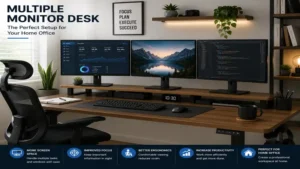
Practical Setup & Cable Management Guide
Setting up a multiple monitor desk involves more than just plugging in power cables and hoping for the best. To prevent cable tension, screen tipping, and physical clutter, you must follow a systematic approach when building your workspace.
[Power Strip / Surge Protector]
       │
       ├─► (Under-Desk Cable Tray) ──► [Hook-and-Loop Ties] ──► [Monitor Power / DP Cables]
       │
       └─► (Coiled Spine Organizer) ──► Wall Outlet / PC Tower
Step-by-Step Installation
-
Mount the Support Frame First: Assemble the steel frame completely before attaching the desktop. If you are using an electric standing multiple monitor desk, ensure all control cables are connected and calibrate the motors before placing any equipment on the surface.
-
Verify Clamp Compatibility: If you are using a clamp-on monitor arm on your multiple monitor desk, check the underside for any steel support bars that might block the clamp. Use a wooden block spacer to distribute the clamp’s pressure if your desktop is made of thin engineered wood.
-
Route with Slack: When routing your DisplayPort and power cables, always raise your standing multiple monitor desk to its maximum height first. Route the cables along your monitor arms, leaving enough slack at the pivot joints so your screens can rotate freely without pulling on your computer’s ports.
-
Secure Under-Desk Trays: Use a mesh net or a steel cable tray mounted to the underside of the multiple monitor desk. Place your power strips and heavy power bricks inside this tray, leaving only a single power cord running down to your wall outlet.
Real-World Scenarios: Finding Your Ideal Match
To help you decide which setup fits your daily routine, consider these common real-world user profiles and how they interact with a multiple monitor desk:
The Professional Software Developer
-
The Setup: A heavy-duty, dual-motor standing multiple monitor desk like the FlexiSpot E7 Pro.
-
Why It Works: Developers often use one primary horizontal monitor and one vertical screen for reading long files of code. This layout places uneven weight on the desk’s surface. The high weight capacity and robust steel frame of a premium electric multiple monitor desk prevent any structural flexing or height-adjustment lag, ensuring your displays remain perfectly level during long working hours.
The Creative Video Editor / Streamer
-
The Setup: A massive corner workspace like the VIVO Corner Standing Desk serving as a multiple monitor desk.
-
Why It Works: Editing timelines require immense horizontal screen space, often paired with reference monitors and audio mixers. An L-shaped multiple monitor desk allows you to place your primary editing monitors directly in front of you while keeping your mixing boards, secondary streaming displays, and cameras organized on the side return within easy arm’s reach.
The Small Apartment Remote Worker
-
The Setup: A compact, multi-tier multiple monitor desk option like the Fezibo Executive B or a space-saving corner desk.
-
Why It Works: When square footage is limited, utilizing vertical space is key. A multiple monitor desk with built-in drawers and a raised monitor shelf allows you to run a highly productive dual-display setup without letting your workspace bleed into your living area.
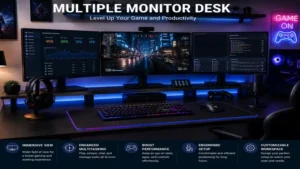
Problem-Solution Guide: Overcoming Multi-Monitor Layout Pitfalls
Setting up several displays on a multiple monitor desk can introduce unexpected physical and technical challenges. Here is how to diagnose and resolve the most common issues:
-
Problem: Monitor Sag or Desk Tilting
-
The Cause: Placing heavy displays on one side of a multiple monitor desk can warp the desktop or cause dual-motor frames to lift unevenly.
-
The Solution: Always mount your primary monitor arms as close to the main structural frame legs of the multiple monitor desk as possible. If you are using a clamp, use a steel reinforcement plate to distribute the load across a larger surface area on your desktop.
-
-
Problem: Screen Wobble While Typing
-
The Cause: A lightweight multiple monitor desk frame combined with long, thin monitor arms magnifying natural vibrations.
-
The Solution: Ensure all locking screws on your monitor arm joints are tightened securely. Placing your multiple monitor desk on a solid floor surface rather than thick carpet can also dramatically reduce wobbling.
-
-
Problem: Ports and Cable Tension When Adjusting Height
-
The Cause: Cables are pulled too tight when an electric multiple monitor desk transitions to its standing height.
-
The Solution: Utilize a coiled cable spine or run your main power cables through an under-desk cable organizer tray on your multiple monitor desk to keep your cords safely bundled together.
-
🔍 Ready to Upgrade Your Working Setup?
Investing in a dedicated multiple monitor desk designed for multiple displays is the single best way to protect your neck posture while maximizing your daily output. Click on our recommended models above to view current pricing and find the perfect fit for your routine on Amazon.
The Ergonomics of Multi-Monitor Setups: Human Factors & Vision Science
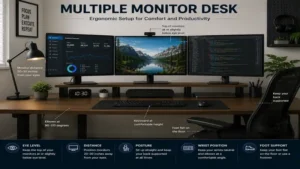
When configuring a multiple monitor desk, the physical placement of your screens has a massive impact on your body. According to research from the Mayo Clinic, improper display placement on a multiple monitor desk leads directly to neck strain, eye irritation, and repetitive strain injuries.
                    [Left Monitor]      [Center Monitor]      [Right Monitor]
                           \                   |                   /
                            \                  |                  /
                             \                 |                 /
                              \◄─────── 20-30 Inches ──────────►/
                               \       (Arm's Length)          /
                                \                             /
                                 \                           /
                                  \                         /
                                   └─────────►[Eye]◄───────┘
To minimize neck movement, your primary screen should sit directly in front of you on your multiple monitor desk, with secondary displays placed immediately adjacent to it at a slight inward angle. This creates a curved visual arc that matches the natural rotation of your eyes.
The top of your monitor screens should align perfectly with your eye level when you sit up straight at your multiple monitor desk. If your monitors sit too low, you will naturally hunch forward, stressing your cervical spine. Keeping your displays at a distance of 20 to 30 inches (roughly an arm’s length) on your multiple monitor desk also helps prevent focal accommodation fatigue, allowing your eyes to stay relaxed during long projects. For in-depth design recommendations, check out the Human Factors and Ergonomics Society guidelines on computer workstation layout.
Desk Surface Materials Compared: Durability vs. Aesthetics
The material of your multiple monitor desk determines how well your workstation will hold up under the pressure of heavy monitor clamp brackets.
Solid Wood
Solid hardwoods, such as oak, walnut, or rubberwood, offer the best durability and structural strength for a multiple monitor desk. They can easily handle heavy single-point C-clamps without cracking or bending over time. While solid wood is more expensive, its long-term resistance to wear makes it highly cost-effective for a dedicated multiple monitor desk.
Medium-Density Fiberboard (MDF)
MDF is a popular engineered wood option that offers a perfectly flat, uniform surface for a multiple monitor desk. It resists warping from temperature changes and is highly affordable. However, low-grade MDF can crumble under high local pressure, so it is highly recommended to use a reinforcement plate when mounting heavy dual-screen arms on an MDF multiple monitor desk.
Tempered Glass
Glass desktops look sleek and modern, but they require extreme care. You cannot use standard clamp-on monitor arms on a glass multiple monitor desk, as the concentrated pressure can shatter the desktop. If you choose a glass desk, you must use freestanding monitor stands to safely support your displays.
Standing Desk vs. Fixed Desk for Dual Displays
Deciding between an active sit-stand multiple monitor desk and a traditional fixed-height desk comes down to your budget, workspace constraints, and physical health goals.
       [Standing Desk]                         [Fixed Desk]
┌───────────────────────────┐           ┌───────────────────────────┐
│ • Frequent Posture Shifts │           │ • Maximum Static Strength │
│ • Active Energy Burn      │    VS     │ • Zero Height-Wobble      │
│ • Higher Price Point      │           │ • Highly Budget-Friendly  │
│ • Requires Cable Slack    │           │ • Simple Assembly         │
└───────────────────────────┘           └───────────────────────────┘
An electric standing multiple monitor desk allows you to shift your posture throughout the day, which helps boost physical circulation and reduce lower back pain. However, because standing desks rely on motorized legs, they can introduce a slight wobble at their highest settings when holding heavy displays.
Fixed-height desks offer absolute structural rigidity and are generally much more budget-friendly multiple monitor desk options. They also require less assembly and do not require you to budget for extra cable length. If you choose a fixed-height multiple monitor desk, you can easily add movement to your workday by pairing it with an under-desk walking pad or a premium ergonomic chair.
How to Evaluate Weight Capacity & Monitor Arm Compatibility
When mounting multiple screens on a single multiple monitor desk, you must calculate the total weight of your gear to ensure you do not overload the desktop or frame.
Standard dual-arm brackets can weigh between 10 to 20 pounds on their own, and adding two 27-inch displays adds another 20 to 30 pounds of weight. If this load is concentrated on a single point along the back edge of your multiple monitor desk, it creates a powerful cantilever effect that can bow thin desktops over time.
To prevent structural damage to your multiple monitor desk, look for models that feature a steel support frame directly underneath the back edge of the wood top. You can also read more about general structural design principles on Wikipedia’s Structural Engineering Hub to understand how load distribution keeps your home setup safe.
Features That Actually Matter vs. Marketing Hype
-
Cable Routing Ports: Many manufacturers advertise fancy built-in plastic grommet covers on their multiple monitor desk models. In reality, these are often too small to fit multiple thick display cables and power cords. A wide, open under-desk cable tray is far more useful for keeping your multiple monitor desk organized.
-
Touchscreen Controllers: A multiple monitor desk with complicated touchscreen interfaces often suffers from lag or wears out over time. Simple, tactile physical buttons with programmable memory presets are much more reliable for everyday use.
-
Anti-Collision Sensors: If you are buying an electric standing multiple monitor desk, a physical anti-collision sensor is an absolute must. It prevents your multiple monitor desk from crushing your office chair or damaging your monitor arms if it bumps into an obstacle while lowering.
Long-Term Maintenance and Structural Longevity
To keep your multi-screen setup running smoothly for years, you should perform a quick maintenance check on your multiple monitor desk every six months.
-
Tighten the Hardware: The natural vibrations from typing and raising your multiple monitor desk can slowly loosen screws over time. Take a few minutes to tighten the bolts on your multiple monitor desk frame and monitor mounts twice a year.
-
Check Cable Tension: Ensure your cables are not being pulled tight or rubbed against the back of your multiple monitor desk when you adjust its height.
-
Inspect the Desktop: Check the underside of your multiple monitor desk around your monitor clamps for any signs of cracking or indentation, especially if your desk is made of engineered wood.
Frequently Asked Questions
❓ What is the minimum desk depth for two monitors?
✅ Your desk should be at least 24 inches deep, though 30 inches is ideal. This depth ensures you have enough room to mount your displays while maintaining a healthy, comfortable viewing distance for your eyes…
❓ Can I use a clamp-on monitor arm on an engineered wood desk?
✅ Yes, but you should use a steel reinforcement plate to distribute the clamp’s pressure. Avoid clamping heavy displays to thin, hollow-core desktops to prevent structural damage…
❓ Is a single ultra-wide monitor better than dual displays?
✅ A single ultra-wide display eliminates distracting bezels in the middle of your workspace. However, dual displays offer more overall screen space and make it easier to snap multiple windows side-by-side…
❓ How do I stop my standing desk from wobbling?
✅ Make sure all frame bolts are tightened securely and place your desk on a flat, even floor. Placing your heaviest equipment directly over the desk’s legs also helps improve stability…
❓ Do I need a dual-motor or single-motor standing desk?
✅ Dual-motor desks are much more stable, lift heavy loads faster, and run more quietly. They are highly recommended if you are mounting multiple screens or heavy office gear…
Conclusion
Upgrading to a dedicated multiple monitor desk is one of the best ways to streamline your workflow and protect your posture. By focusing on critical factors like structural weight capacity, desk depth, and robust frame engineering, you can build an organized workspace that supports your daily goals. Whether you choose a heavy-duty sit-stand option like the FlexiSpot E7 Pro or a spacious corner setup like the VIVO Corner Standing Desk, investing in a high-quality desk is the foundation of a healthier, more productive workday.
Recommended for You
Our team regularly tests and reviews the latest office furniture and productivity tools to help you build your dream workspace.
Disclaimer: This article contains affiliate links. As an Amazon Associate, I earn from qualifying purchases. If you purchase products through these links, we may earn a small commission at no additional cost to you.
✨ Found this guide helpful? Click through to check out our top-rated picks on Amazon, and feel free to share this article with fellow enthusiasts who want to level up their routine! 💬🤗