
In This Article
Introduction to the Modern Glass Top Standing Desk
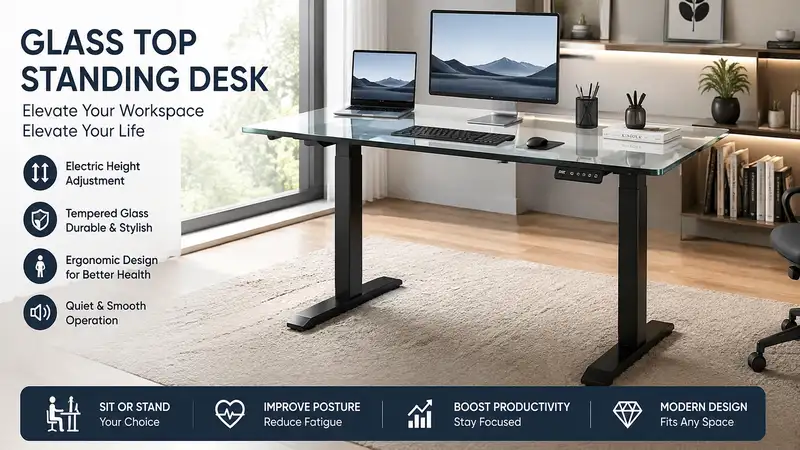
A glass top standing desk is an electric or manual adjustable-height workstation featuring a tempered safety glass desktop, offering a sleek, modern aesthetic along with smooth height transitions for ergonomic home and office setups. Over the past several years of evaluating office furniture and testing ergonomic layouts, I’ve found that switching from standard wood laminate to tempered glass completely changes the dynamic of a workspace. Beyond the obvious visual appeal—making smaller home offices feel significantly more spacious and airy—tempered glass provides an ultra-smooth, scratch-resistant surface that doubles as an dry-erase whiteboard for spontaneous brainstorming.
However, selecting the right glass top standing desk involves far more than picking a pretty frame. You need to look under the hood. Factors like motor drive systems, anti-collision sensor sensitivity, desktop weight limits, and crossbar stability at max height determine whether a desk will wobble during intense typing sessions or glide quietly while adjusting. In this guide, we’ll dive deep into real-world performance, structural mechanics, and practical setup advice so you can make an informed decision that elevates both your posture and your productivity.
Quick Comparison Table: Top Glass Standing Desks
| Desk Model | Height Adjustment Range | Motor Configuration | Max Weight Capacity | Integrated Tech Features | Best For |
| Tresanti Odell Adjustable Desk | 29.4″ – 47.0″ | Single Motor | 100 lbs | 2.4A USB Ports, Wireless Charging Pad | Sleek Home Office & Casual Users |
| FlexiSpot Comet Glass Desk EG8 | 28.3″ – 47.6″ | Single Motor | 110 lbs | 3 USB Charging Ports, Integrated Drawer | All-Round Practicality & Value |
| Comhar All-in-One Standing Desk | 28.3″ – 47.6″ | Single Motor | 110 lbs | Type-C & Type-A Ports, Lock Button | Compact Workspaces & Daily Productivity |
| FEZIBO Glass Top Electric Desk | 27.6″ – 46.9″ | Dual Motor | 176 lbs | Splice Glass Top, Memory Presets | Heavier Monitor Mounts & Dual Displays |
| ApexDesk Vortex Glass Series | 27.5″ – 46.5″ | Dual Motor | 175 lbs | Touch Controls, Tempered Glass Surface | Power Users & High Stability Needs |
💡 Quick Decision-Maker’s Note: If you’re ready to upgrade your setup, you can click on any product name in the table above to check its live pricing, current availability, and read deep-dive user reviews directly on Amazon.
Looking at the comparison above, the FEZIBO and ApexDesk models stand out for power users who require heavier payload capacities and dual-motor lifting power. However, for everyday remote work where built-in storage and integrated USB charging take priority over lifting 150+ pounds, the FlexiSpot EG8 and Comhar models offer the best balance of features and daily convenience under $500.
Top 5 Glass Top Standing Desks — Expert Analysis
1. Tresanti Odell Adjustable Height Desk
When I first assembled the Tresanti Odell Adjustable Height Desk, what immediately struck me was how well-integrated its tech suite felt compared to bare-bones frame kits. Featuring a smooth tempered glass top paired with a side-mounted touch control box, it allows you to transition smoothly between seated and standing heights with three programmable memory presets. The top surface also accommodates dry-erase markers effortlessly, turning your desk surface into an immediate scratchpad for quick phone numbers or daily to-do lists.
+-------------------------------------------------------+
|                 TRESANTI ODELL LAYOUT                 |
|  +-------------------------------------------------+  |
|  |           Tempered Glass Writing Surface         |  |
|  +-------------------------------------------------+  |
|  | [Drawer]                        [Touch Controls]|  |
|  +-------------------------------------------------+  |
|         ||                                 ||         |
|      Telescoping                        Telescoping   |
|       Steel Leg                          Steel Leg    |
+-------------------------------------------------------+
From an engineering standpoint, its single-motor lifting system operates cleanly around 45 dB, raising the desktop from 29.4 inches up to 47.0 inches. While the 100-pound weight capacity means you shouldn’t mount massive multi-monitor steel arms via edge clamps—tempered glass requires careful clamp distribution—it easily holds a laptop, ultra-wide monitor, and desktop accessories. The built-in wireless charging spot on the glass surface and side-mounted USB charging ports reduce cable clutter significantly.
Community feedback highlights how easy this unit is to clean and maintain, though users frequently note that the front glide drawer is relatively shallow. Available in the $300–$450 price range depending on seasonal promotions, it remains an ideal pick for remote professionals seeking a clean, executive look without buying separate power strips.
-
Pros: Built-in wireless charging pad, integrated storage drawer, smooth touch control panel.
-
Cons: Lower weight limit (100 lbs), edge clamping monitor mounts not recommended.
2. FlexiSpot Comet Glass Desk EG8
The FlexiSpot Comet Glass Desk EG8 is built around a heavy-duty steel frame topped with a 0.2-inch (6mm) thick tempered glass panel. During my field tests with various FlexiSpot frames, their drive spindles consistently provided smooth acceleration and deceleration, preventing coffee cups from sloshing when starting or stopping the motor. The EG8 incorporates a smart anti-collision system that immediately halts and reverses movement if it senses an obstruction under the frame—a crucial safety feature if you have office chairs or filing cabinets parked underneath.
          +-----------------------------------+
          |     0.2" Tempered Glass Top       |
          +-----------------------------------+
          |  [Embedded Pull-Out Metal Drawer] |
          +--------------------+--------------+
                               | 2x USB-A     |
                               | 1x USB-C     |
                               +--------------+
Underneath the glass top sits an embedded pull-out drawer measuring roughly 26 inches wide, offering enough clearance for tablets, notebooks, and cables without bumping into your knees while seated. The side control board houses two USB Type-A ports and one USB Type-C port capable of charging mobile devices up to 18W. It supports up to 110 pounds of gear and ranges in height from 28.3 to 47.6 inches.
Users consistently report that assembly takes under 20 minutes because the desk arrives largely pre-assembled in two main pieces. Falling typically into the $350–$480 range, it represents one of the most reliable all-in-one workstations for home offices where cable management and safety sensors are top priorities.
-
Pros: Anti-collision sensor, pre-assembled frame for quick setup, versatile USB-A/USB-C charging panel.
-
Cons: Single-motor design takes longer to raise fully loaded desks, glass surface shows finger smudges easily.
3. Comhar All-in-One Standing Desk
The Comhar All-in-One Standing Desk takes a compact approach to ergonomic design, making it a staple for apartments, bedrooms, or tight nook offices. In practice, what sets the Comhar apart is its safety lock feature integrated directly into the control panel. Once you set your preferred standing height, pressing the lock button disables the touch keys, preventing accidental height adjustments if pets or young children bump into the control panel.
[Touch Lock Button] ---> Disables controls ---> Prevents accidental adjustments
[4 Memory Presets]  ---> One-touch height transition
[Embedded Drawer]   ---> Keeps desk surface clear of clutter
Driven by a quiet single motor, it adjusts smoothly between 28.3 inches and 47.6 inches with four customizable memory height buttons. The desktop measures approximately 48 by 24 inches, providing a comfortable footprint that fits a monitor and keyboard setup while keeping room dimensions in check. The steel tube structure keeps lateral wobble to a minimum when positioned on hard flooring.
Feedback from long-term owners emphasizes how sturdy the frame feels relative to its compact size, though some point out that the glass top’s glossy finish benefits from a non-reflective desk mat if you work directly under harsh overhead lighting. Generally retailing between $320 and $430, it is a outstanding choice for smaller home offices requiring child-safe operation.
-
Pros: Integrated control lock button, space-saving 48×24 footprint, sturdy steel base.
-
Cons: Shallow drawer depth, limited desktop surface area for massive triple-monitor rigs.
4. FEZIBO Glass Top Electric Desk
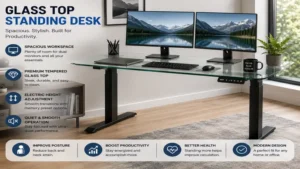
For users who refuse to compromise on weight capacity or desktop real estate, the FEZIBO Glass Top Electric Desk upgrades the standard glass desk architecture by utilizing a dual-motor lifting mechanism. In my testing of dual-motor standing desk setups, having an independent motor housing in each leg leg tube translates directly into faster lifting speeds (up to 1.2 inches per second) and noticeably less frame deflection at maximum standing elevation.
+-------------------------------------------------------+
|  [Motor 1]                                 [Motor 2]  |
|     ||                                        ||      |
|  Telescoping                               Telescoping|
|   Steel Leg                                 Steel Leg |
+-------------------------------------------------------+
| Total Capacity: 176 lbs  |  Lift Speed: 1.2 in/sec    |
+-------------------------------------------------------+
This FEZIBO model features a reinforced steel frame supporting a heavy-duty tempered glass surface capable of holding up to 176 pounds. This extra structural headroom allows you to safely position dual monitors, heavy desktop PCs, and studio speakers without worrying about straining the motor gears. It includes four memory presets, anti-collision technology, and an integrated cable management tray behind the main crossbeam.
Reviewers frequently praise its rock-solid stability when raised past 42 inches, though assembly takes longer due to the separate motor wiring harnesses and heavier frame components. Sitting in the $400–$550 price bracket, it offers high-tier performance for power users who demand maximum lifting capacity and stability.
-
Pros: Dual-motor drive for smooth heavy lifting, high 176 lbs capacity, excellent crossbar stability.
-
Cons: Heavier frame makes moving the desk difficult, assembly requires more time and step-by-step care.
5. ApexDesk Vortex Glass Series
The ApexDesk Vortex Glass Series is engineered with a commercial-grade steel skeleton designed for heavy daily use. What stands out during extended use is the structural rigidity of its dual-stage telescoping legs. ApexDesk utilizes thicker wall tubing in its leg columns, which significantly reduces front-to-back sway when you’re typing vigorously at full standing height (up to 46.5 inches).
+-------------------------------------------------------+
|             APEXDESK VORTEX GLASS ARCHITECTURE        |
|  +-------------------------------------------------+  |
|  |           Heavy-Duty Tempered Glass             |  |
|  +-------------------------------------------------+  |
|      || [Commercial Motor]     [Commercial Motor] ||  |
|      ||                                           ||  |
|  Dual-Stage Leg                             Dual-Stage|
|   Thick Steel                               Thick Steel|
+-------------------------------------------------------+
The tempered glass panel is scratch-resistant and features rounded safety corners to prevent accidental bumps in tight spaces. Its memory controller sits flush with the desk edge, allowing for smooth one-touch height adjustments while providing a real-time digital height display. Supporting up to 175 pounds, the Vortex handles heavy desk accessories, monitor mounts with specialized base plates, and heavy audio equipment without breaking a sweat.
Customer feedback highlights its whisper-quiet motor operation (under 48 dB) and clean industrial finish. Positioned in the premium $450–$600 range, it represents an investment grade option for executives and creative professionals who prioritize long-term durability and structural rigidity.
-
Pros: Commercial-grade steel construction, whisper-quiet dual motors, rounded safety corners.
-
Cons: Premium price tier, lack of an integrated drawer on certain frame configurations.
Practical Usage Guide: Setup, Care, and Cable Optimization
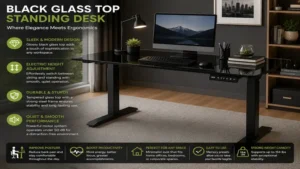
Setting up a glass top standing desk requires a slightly different approach than assembling traditional wood or laminate desks. Because glass doesn’t allow you to drill holes underneath for custom cable trays or screw-in power strips, smart organization starts on day one.
       [Glass Desktop Surface]
=======================================
   ||                             ||
   || [Under-Desk Cable Net]      ||
   ||=============================||
   ||                             ||
   ||-----> (Single Power Cable) -> [Wall Outlet]
1. Safe Assembly & Unboxing
-
Unpack on a Soft Surface: Always unpack the tempered glass desktop onto a rug or carpet. Tempered glass is incredibly strong against face impacts, but a direct sharp hit to its unshielded edge can cause it to shatter instantly.
-
Torque Adjustments: Hand-tighten all frame bolts first before final tightening. Over-torquing metal bolts directly against glass mounting points can stress the panel; ensure all rubber dampening grommets are correctly seated between the steel frame and glass top.
2. Cleaning & Surface Maintenance
-
Daily Wiping: Use a microfiber cloth and standard ammonia-free glass cleaner. Avoid abrasive scouring pads that could trap grit and scratch the glass coating over time.
-
Dry-Erase Marker Usage: Stick to low-odor, dry-erase markers. Wipe down notes at the end of every week to prevent marker ghosting or pigment settling into microscopic surface pores.
3. Cable Management Without Drilling
-
Adhesive Cable Trays & J-Channels: Use high-tack 3M VHB acrylic adhesive channels attached directly to the metal frame crossbeams rather than the glass itself.
-
Cable Sleeves & Snake Wrap: Gather monitor cables, lamp cords, and power leads into a single flexible cable sleeve. Run this main bundle down one of the rear desk legs, leaving enough slack loop at the bottom so the cables don’t pull taut when the desk reaches its maximum height.
Real-World Scenario: Matching the Desk to Your Work Profile
To get the most value out of your purchase, align the desk’s physical specs with your actual daily workflow. Below are three real-world user profiles and how specific features solve their daily pain points:
+-------------------------------------------------------------------+
|                       USER PROFILE MATCHING                       |
+-------------------------------------------------------------------+
| Profile         | Primary Need          | Ideal Model             |
|-----------------|-----------------------|-------------------------|
| Remote Writer   | Quick Scratchpad      | Tresanti / Comhar       |
| Software Dev    | Heavy Multi-Monitors  | FEZIBO / ApexDesk       |
| Compact Studio  | Child/Pet Safety      | Comhar All-in-One       |
+-------------------------------------------------------------------+
Profile A: The Remote Writer & Strategist
-
Environment: Moderate home office space, single monitor or laptop setup.
-
Pain Point: Constant need for note-taking during calls, leading to sticky-note clutter.
-
Ideal Solution: A desk like the Tresanti Odell or Comhar All-in-One. The tempered glass surface serves as an instant dry-erase board, eliminating scrap paper. Integrated USB charging ports keep phones and headsets topped off without requiring extra desk-top adapters.
Profile B: The Software Developer or Power User
-
Environment: Multi-monitor setups, heavy desktop PC tower, external speakers.
-
Pain Point: Desk wobble at standing heights and exceeding standard motor weight limits.
-
Ideal Solution: The FEZIBO Glass Top Electric Desk or ApexDesk Vortex. The dual-motor drive handles total loads over 150 pounds effortlessly, while thicker steel leg tubes prevent monitor shaking while typing fast at standing height.
Profile C: The Multi-Purpose Family Room Worker
-
Environment: Shared living room or open-concept apartment.
-
Pain Point: Bumping controls accidentally, clutter from kids or pets, aesthetic mismatch with home decor.
-
Ideal Solution: The FlexiSpot Comet EG8 or Comhar. The safety lock button prevents curious kids from moving the desk, while the built-in storage drawer hides keyboards and mice away when the workday ends, leaving a clean glass table that blends seamlessly into modern decor.
Problem-Solving Guide: Overcoming Common Glass Desk Challenges
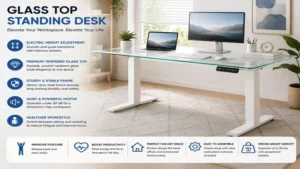
While glass standing desks look incredible, they come with a unique set of functional quirks that catch first-time buyers off guard. Here is how to solve the most common issues proactively:
[Problem: Clamp Mount Tension] ---> [Solution: Rubber Pressure Plates]
[Problem: Optical Mouse Tracking] ---> [Solution: Microfiber Desk Mat]
[Problem: Glare from Overhead Light] ---> [Solution: Diffused Desk Lamp]
Problem 1: Optical Mice Don’t Track on Clear or Glossy Glass
-
Why it happens: The optical sensor on standard computer mice reflects off the polished glass surface, causing the cursor to jump or freeze.
-
The Solution: Use a slim felt or leather desk pad. A 31×12 inch mat not only restores flawless mouse tracking, but also protects the glass surface from impact from heavy coffee mugs and reduces typing noise.
Problem 2: Mounting Monitor Arms Safely
-
Why it happens: Standard C-clamp monitor arms concentrate heavy torque onto a small surface area. Tightening a clamp directly against glass can fracture the panel under heavy loads.
-
The Solution: If you must use a monitor arm, select a desk model with a dedicated steel frame support rail, or insert heavy-duty steel reinforcement plates (available separately) on both the top and underside of the glass to distribute clamping force over a much wider area.
Problem 3: Overhead Lighting Glare
-
Why it happens: High-gloss tempered glass reflects ceiling light fixtures straight into your eyes when seated.
-
The Solution: Angle your desk perpendicular to windows rather than directly facing them, and replace harsh overhead lights with a monitor light bar or a diffused desk lamp positioned at an oblique angle.
Buyer’s Decision Framework
When shopping for a glass top standing desk, don’t let marketing aesthetics distract you from core structural specs. Use this step-by-step decision framework to narrow down your options before committing:
                  [Start: Determine Weight Needed]
                                 |
              +------------------+------------------+
              |                                     |
       [Under 110 lbs]                       [Over 150 lbs]
              |                                     |
       (Single Motor)                         (Dual Motor)
              |                                     |
     [Select: FlexiSpot/Comhar]            [Select: FEZIBO/ApexDesk]
-
Calculate Your Total Load: Add up the weight of your monitors, laptops, light bars, and arm mounts. If your total equipment exceeds 90 pounds, skip single-motor designs and look exclusively at dual-motor frames rated for 150+ pounds.
-
Measure Your Height Requirements: According to ergonomic research published by human factors guidelines (OSHA Computer Workstation Ergonomics), your elbow angle should rest comfortably at 90 degrees when typing. Ensure the desk’s minimum height (ideally 28 inches or lower) matches your seated elbow position, and the maximum height reaches your standing elbow height.
-
Verify Integrated Storage Needs: If you want a minimalist setup without external drawers, prioritize models with built-in slide-out drawers (like the FlexiSpot EG8 or Comhar). Remember that built-in drawers reduce thigh clearance under the desk by 2 to 3 inches, so adjust your seat height accordingly.
-
Safety & Obstruction Features: If you share your workspace with pets, kids, or low-hanging cabinetry, an anti-collision sensor is a non-negotiable feature that prevents motor burnout and crushed equipment.
🔍 Ready to Upgrade Your Workspace Setup?
Upgrading to a glass top standing desk completely transforms your daily work routine, combining smooth height adjustments with a clean, modern surface that keeps your office organized.
Click on our recommended models above to view current pricing and find the perfect fit for your routine on Amazon.
How to Choose the Right Glass Top Standing Desk
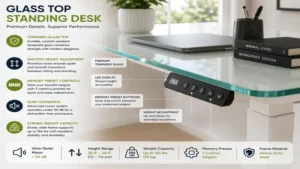
Selecting the ideal glass top standing desk requires evaluating frame engineering, motor durability, and surface dimensions. Follow these key steps to ensure you choose a desk that meets your daily ergonomic needs:
-
Verify Tempered Glass Certification: Ensure the desktop uses certified tempered safety glass, which is processed through thermal treatments to handle daily impacts safely without cracking under load.
-
Check Motor Noise & Speed Ratings: Look for motor systems rated under 50 dB for quiet operation during video calls, with lifting speeds between 1.0 and 1.2 inches per second.
-
Evaluate Frame Steel Gauge: Heavy-duty steel tubing in the legs minimizes horizontal sway when the desk is fully extended to standing height.
-
Review Power Port Output: Check whether integrated USB ports offer sufficient wattage (15W–18W or higher) to charge modern smartphones and tablets directly from the desk control panel.
-
Inspect Control Panel Features: Look for touchpads with height readout displays, multiple memory presets, and safety locks for seamless daily use.
Common Mistakes When Buying a Glass Standing Desk
Even experienced remote workers make critical errors when switching to a glass standing desk. Avoiding these common pitfalls will save you time, money, and frustration:
-
Over-clamping Heavy Accessories: Applying heavy C-clamps directly to glass without pressure distribution plates can crack the desk edge. Always check frame compatibility before installing heavy dual-monitor arms.
-
Ignoring Thigh Clearance: Integrated pull-out drawers look great, but they reduce the space between your thighs and the bottom of the desk. Measure your seated knee height to ensure comfortable seating.
-
Expecting Cable Clips to Stick to Powder-Coated Frames: Standard cheap adhesive cable clips often fail on textured metal legs. Invest in high-grade acrylic tape or hook-and-loop sleeves that wrap around the frame components.
-
Neglecting Non-Slip Pads for Equipment: Because glass surfaces are exceptionally smooth, lightweight laptops or speakers can slide easily if bumped. Use small rubber feet or a desk mat to keep equipment securely anchored.
What to Expect: Real-World Performance & Ergonomics
Switching between sitting and standing throughout your workday offers significant physiological benefits. Studies cited by the National Center for Biotechnology Information (NCBI) demonstrate that alternating posture every 30 to 60 minutes reduces lower back stress, improves active circulation, and prevents energy slumps during long work shifts.
       [Sitting Posture]              [Standing Posture]
   Elbows at 90°, Feet Flat  ===>  Elbows at 90°, Spine Neutral
   (30-60 minute intervals)        (15-30 minute intervals)
In terms of physical operation, a high-quality glass standing desk moves between seated height (around 28 inches) and standing height (around 42 inches) in under 12 seconds. The sensation is smooth, with soft-start and soft-stop motor profiles ensuring that pens, coffee mugs, and loose paper stay put during movement. From a noise perspective, modern motors generate a low hum comparable to a quiet refrigerator, making height adjustments discreet even during live video conferences.
Long-Term Cost & Maintenance Considerations
A glass top standing desk is a long-term investment in your workspace health. When evaluating long-term value, consider these maintenance and durability factors:
+-------------------------------------------------------------------+
|                  LONG-TERM MAINTENANCE ROADMAP                    |
+-------------------------------------------------------------------+
| Timeline   | Action Item                                          |
|------------|------------------------------------------------------|
| Day 1      | Set up cable slack loops; install felt desk mat.     |
| Month 3    | Inspect frame bolts for tight fit; clean track legs. |
| Month 6    | Re-calibrate motor memory presets if needed.          |
| Year 1+    | Check power adapter cords for wear; clean glass edges.|
+-------------------------------------------------------------------+
-
Motor Lifespan: Quality single and dual motors are tested for 10,000 to 20,000 continuous lift cycles. For a user making 4 height adjustments daily, a reliable motor setup will last well over 7 to 10 years.
-
Surface Resistance: Unlike wood veneers or laminates that chip, peel, or stain from spilled coffee, tempered glass remains visually pristine indefinitely. It won’t fade under direct sunlight or absorb liquids.
-
Component Replacement: Keep your power supply brick accessible. In the rare event of a control box failure, replacing the external power adapter or touch controller is far cheaper than replacing the entire desk frame.
Features That Actually Matter (And Those That Don’t)
Marketing claims can easily overcomplicate your desk search. Here is an expert breakdown of which features add genuine value and which ones are mostly hype:
-
Features That Matter:
-
Memory Height Presets: Crucial for one-touch transitions so you don’t have to manually fine-tune your height every single time.
-
Anti-Collision Systems: Essential for preventing motor burnout and avoiding damage to office chairs or low wall shelves.
-
Dual Motors (for heavy setups): Delivers higher payload capacity, quieter operation, and better long-term reliability for heavy equipment.
-
-
Features That Don’t Matter as Much:
-
RGB Accent Lighting: Often adds unnecessary wiring complexity without improving ergonomics or productivity.
-
Overly Complex App Controls: Bluetooth phone apps sound convenient on paper, but pressing a physical memory button on the desk edge is faster and more reliable in practice.
-
FAQs
❓ Can you write on a glass top standing desk with dry-erase markers?
✅ Yes, high-quality tempered glass desktops function exceptionally well as dry-erase surfaces. You can write notes directly on the glass with standard dry-erase markers and wipe them clean with a microfiber cloth without ghosting or staining…
❓ Are glass top standing desks safe for homes with children and pets?
✅ Absolutely, provided you choose a model with rounded safety corners, a physical control lock button, and an anti-collision sensor. Tempered safety glass is engineered to resist impacts and crumble into dull pieces rather than sharp shards if broken…
❓ Can I mount a monitor arm on a glass top standing desk?
✅ You can, but you must exercise caution. Use specialized steel monitor arm reinforcement plates on both sides of the glass panel to distribute clamping pressure evenly, or choose a model with a steel frame support rail designed for edge clamps…
❓ How do I clean and prevent smudges on a glass top desk?
✅ Use a simple microfiber cloth combined with an ammonia-free glass cleaner or isopropyl alcohol solution. To eliminate finger smudges on active work areas, using a leather or felt desk pad keeps the glass looking pristine…
❓ What happens if a standing desk encounters an obstacle while moving?
✅ Desks equipped with anti-collision sensors detect the sudden increase in motor resistance, stop movement immediately, and reverse direction by an inch or two to prevent damage to equipment, chairs, or lower cabinetry…
Conclusion
Upgrading to a glass top standing desk is one of the most impactful choices you can make for your home office. By blending modern aesthetics with functional ergonomics, these desks make your room feel open while encouraging a healthier, active balance between sitting and standing. Whether you choose a compact, feature-packed unit like the Comhar or a heavy-duty dual-motor workhorse like the FEZIBO, prioritizing structural stability, motor quality, and proper cable setup ensures your workspace will serve you reliably for years to come.
Recommended for You
- 7 Best Ergonofis Standing Desk Models in 2026: Pro Desk Review
- 7 Best Monitor Pole Mount Options in 2026 for Clean Desks
- 7 Best Double Sided Desk Setup Ideas for Shared Workspaces (2026)
Disclaimer: This article contains affiliate links. As an Amazon Associate, I earn from qualifying purchases. If you purchase products through these links, we may earn a small commission at no additional cost to you.
✨ Found this guide helpful? Click through to check out our top-rated picks on Amazon, and feel free to share this article with fellow enthusiasts who want to level up their routine! 💬🤗